Special · Claude Code setup
Claude Code project structure: CLAUDE.md, Skills, Rules and Tools
A visual guide to where Claude Code context, rules, skills, tools, subagents, hooks and portable agent instructions belong.
10 slides · October 4, 2026
-
Anthropic / Claude
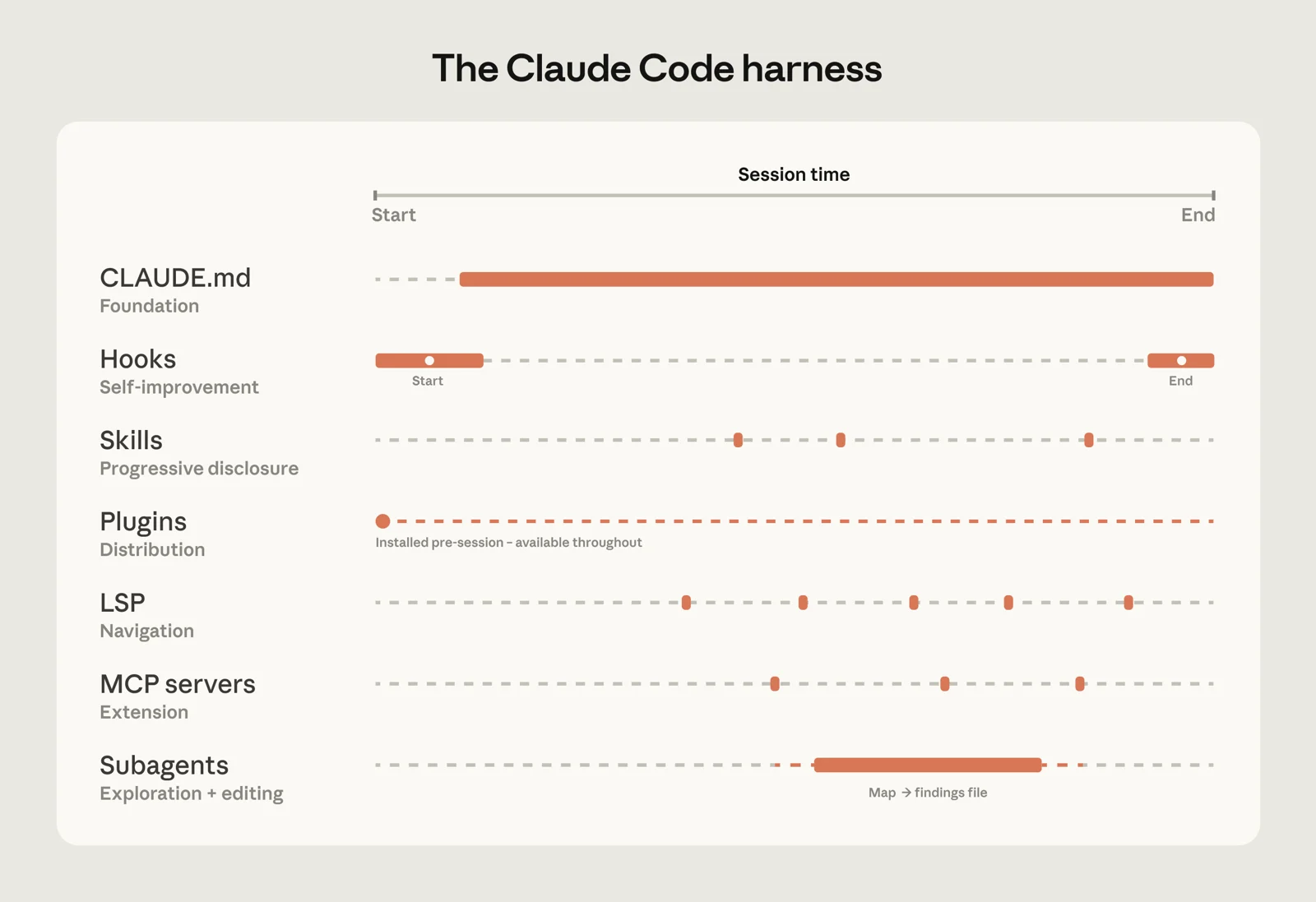
01Claude Code has layers
A strong setup separates always-on project context, reusable workflows, external capabilities, automation and isolated workers.
How Claude Code works in large codebases ↗ -
Anthropic / Claude
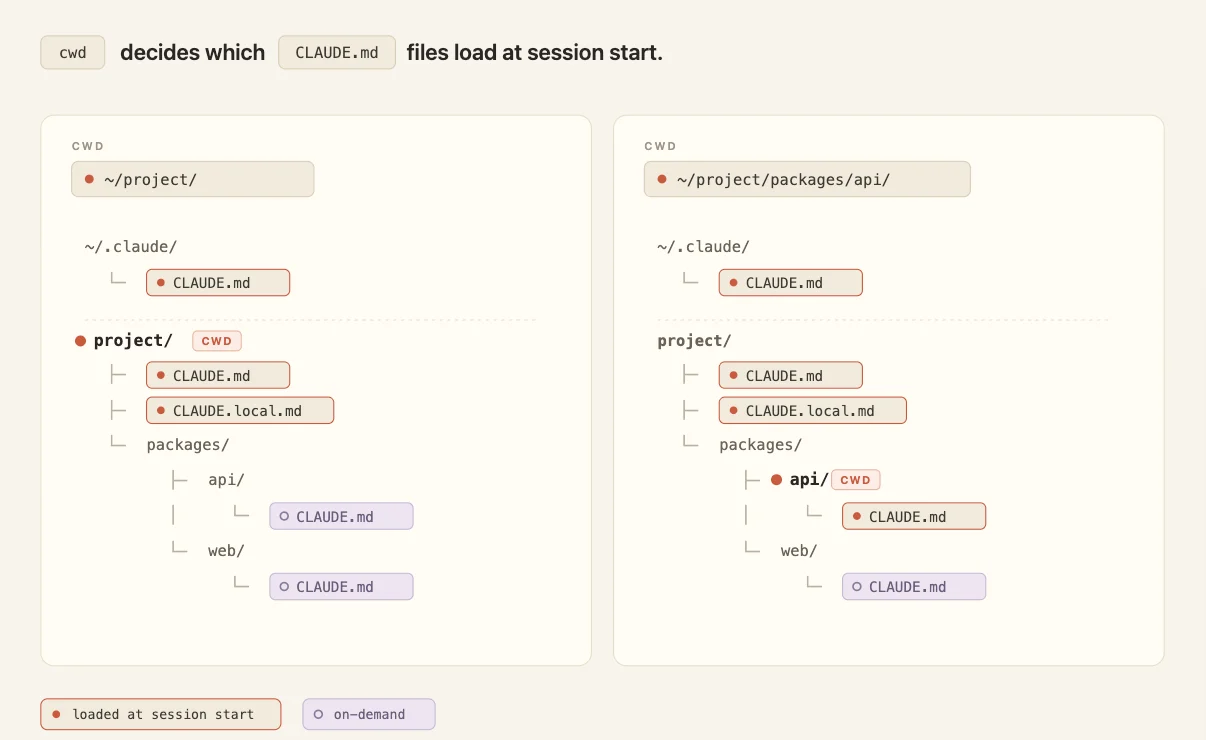
02CLAUDE.md is the briefing
Keep build commands, architecture, conventions and recurring project facts in CLAUDE.md; nested files can load only when Claude enters that area.
Steering Claude Code: when to use CLAUDE.md, skills, hooks, and subagents ↗ -
Anthropic / Claude
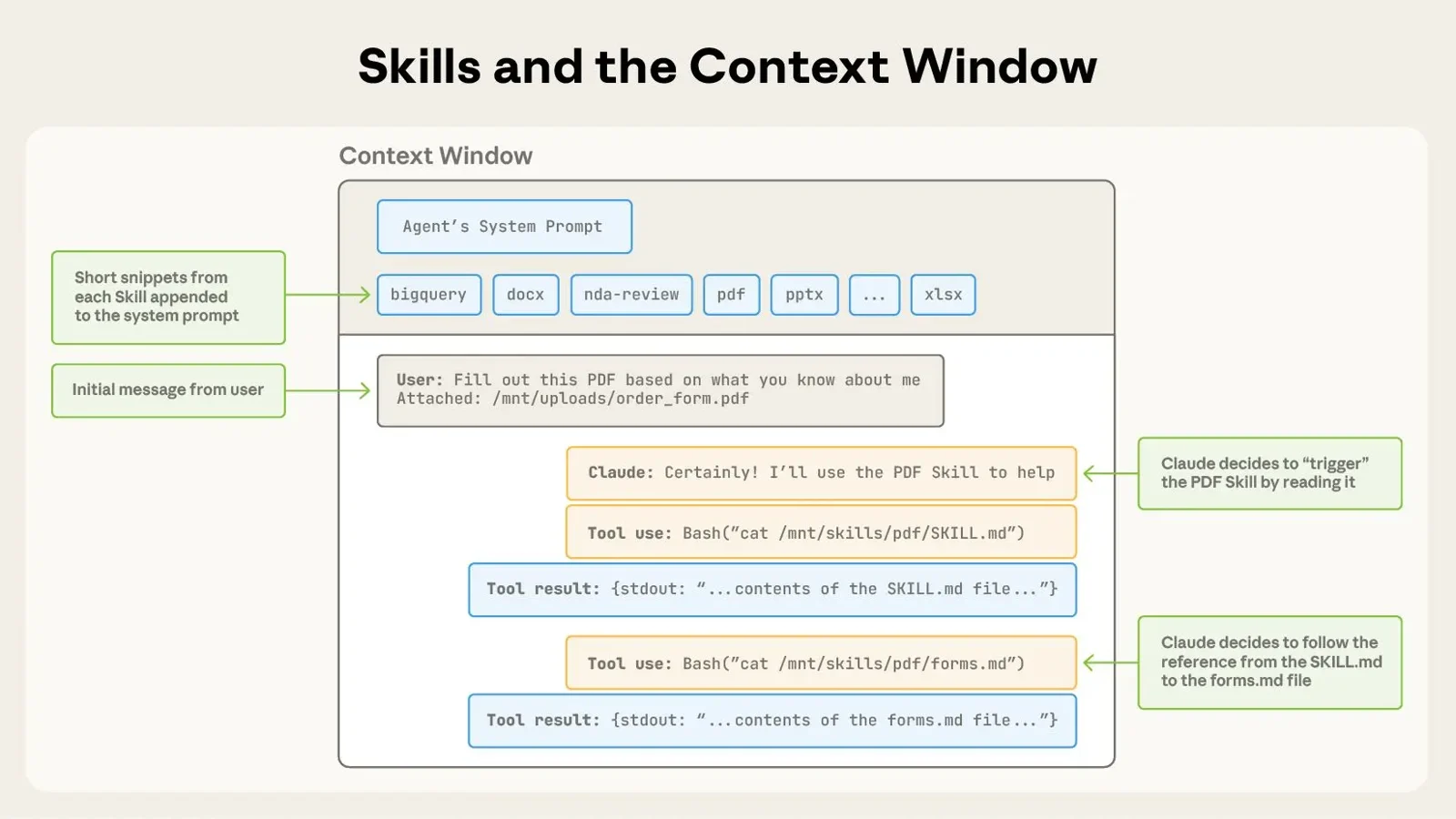
03Rules vs Skills
Use .claude/rules/ for constraints that can be path-scoped; use Skills for task-specific knowledge and procedures that should load on demand.
Extend Claude Code ↗ -
Anthropic
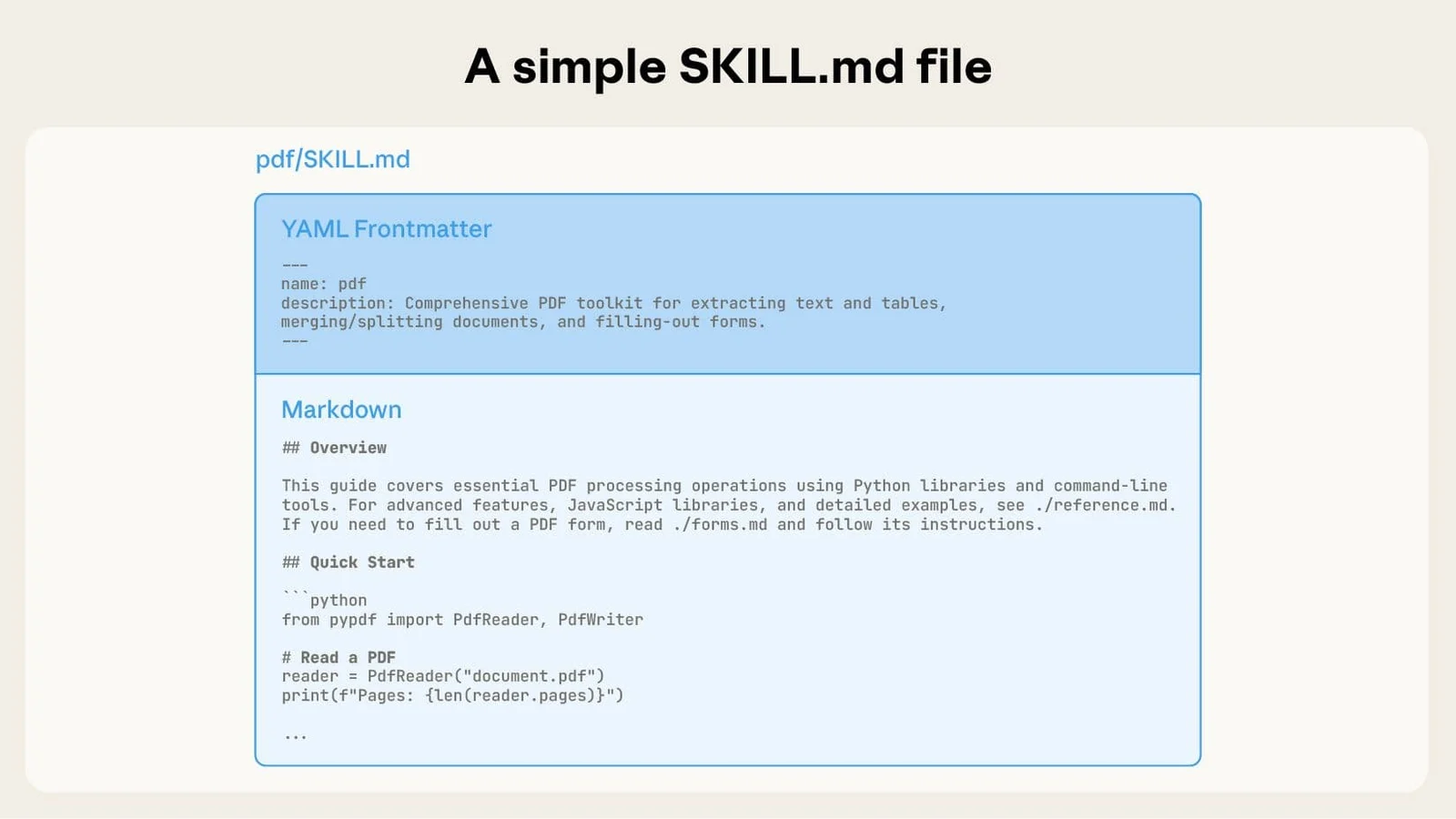
04A Skill starts with SKILL.md
A project Skill lives under .claude/skills/<name>/ and uses SKILL.md metadata to describe when Claude should load the workflow.
Equipping agents for the real world with Agent Skills ↗ -
Anthropic
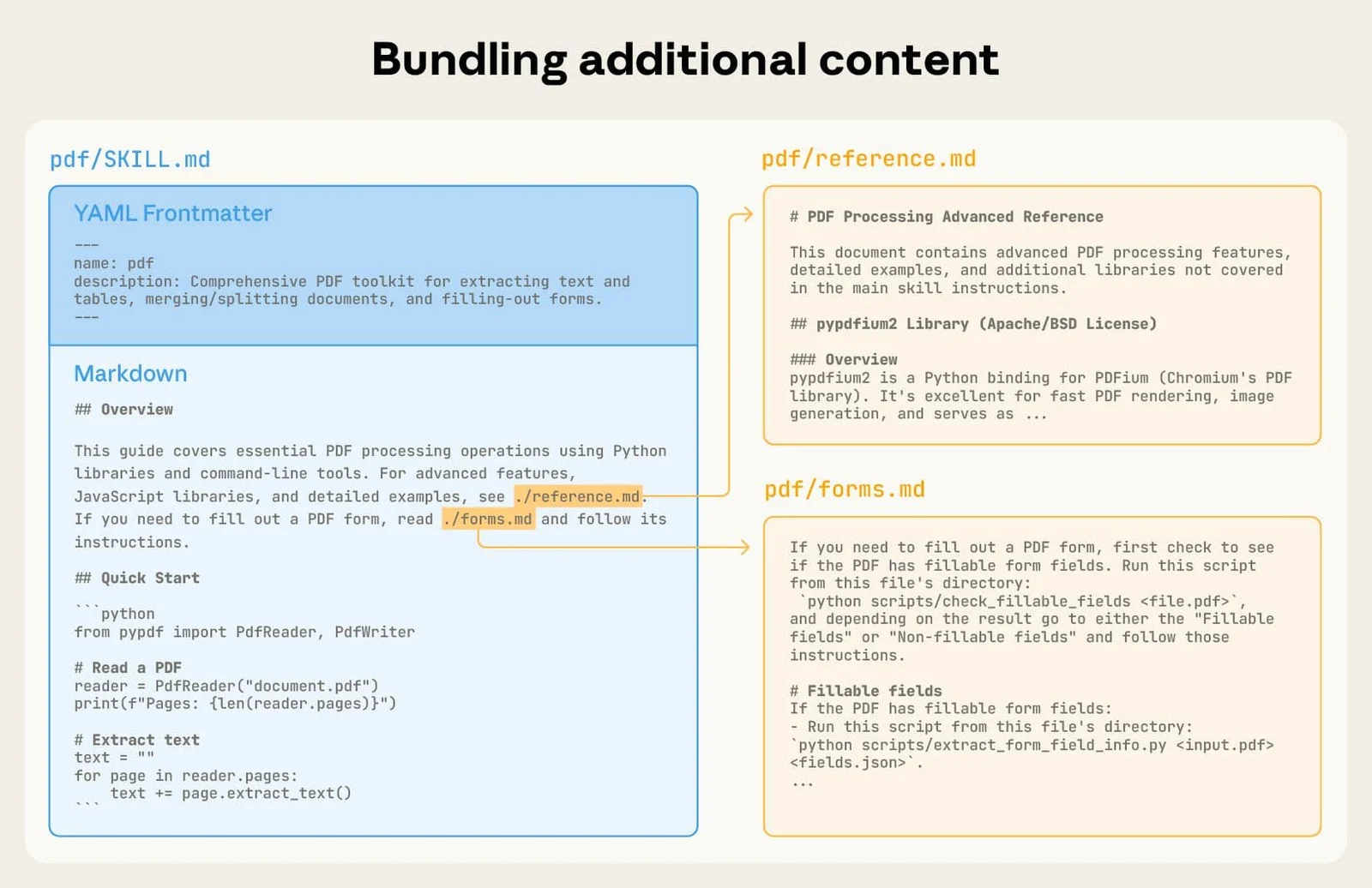
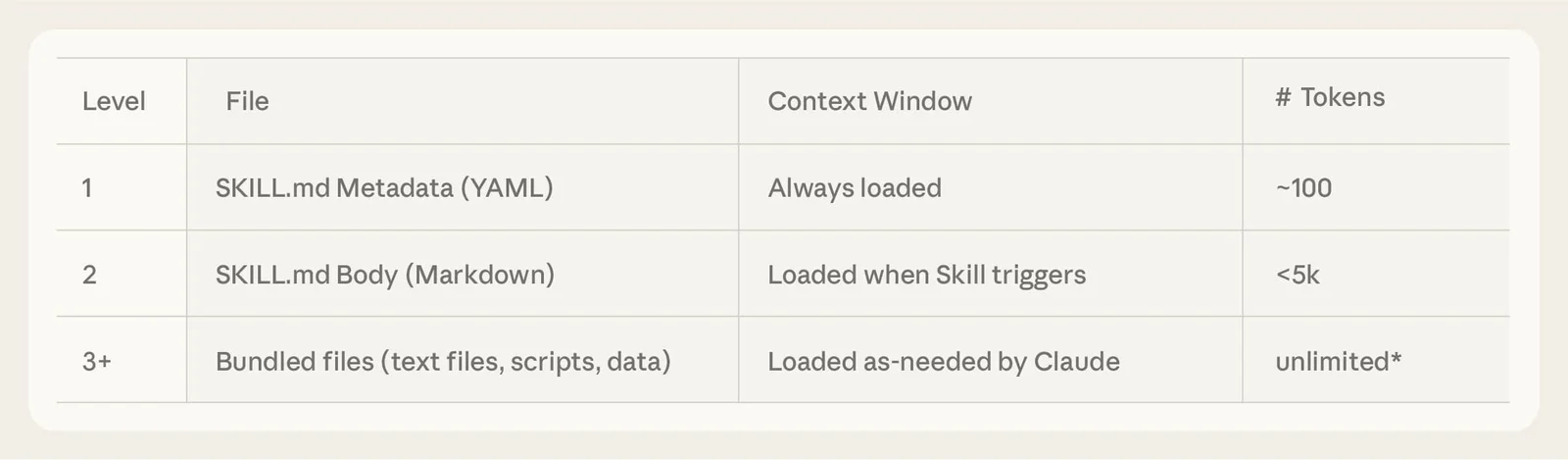
05Skills are folders, not prompts
A Skill can keep SKILL.md concise and pull in reference files, templates or scripts only when that extra detail is needed.
Equipping agents for the real world with Agent Skills ↗ -
Anthropic
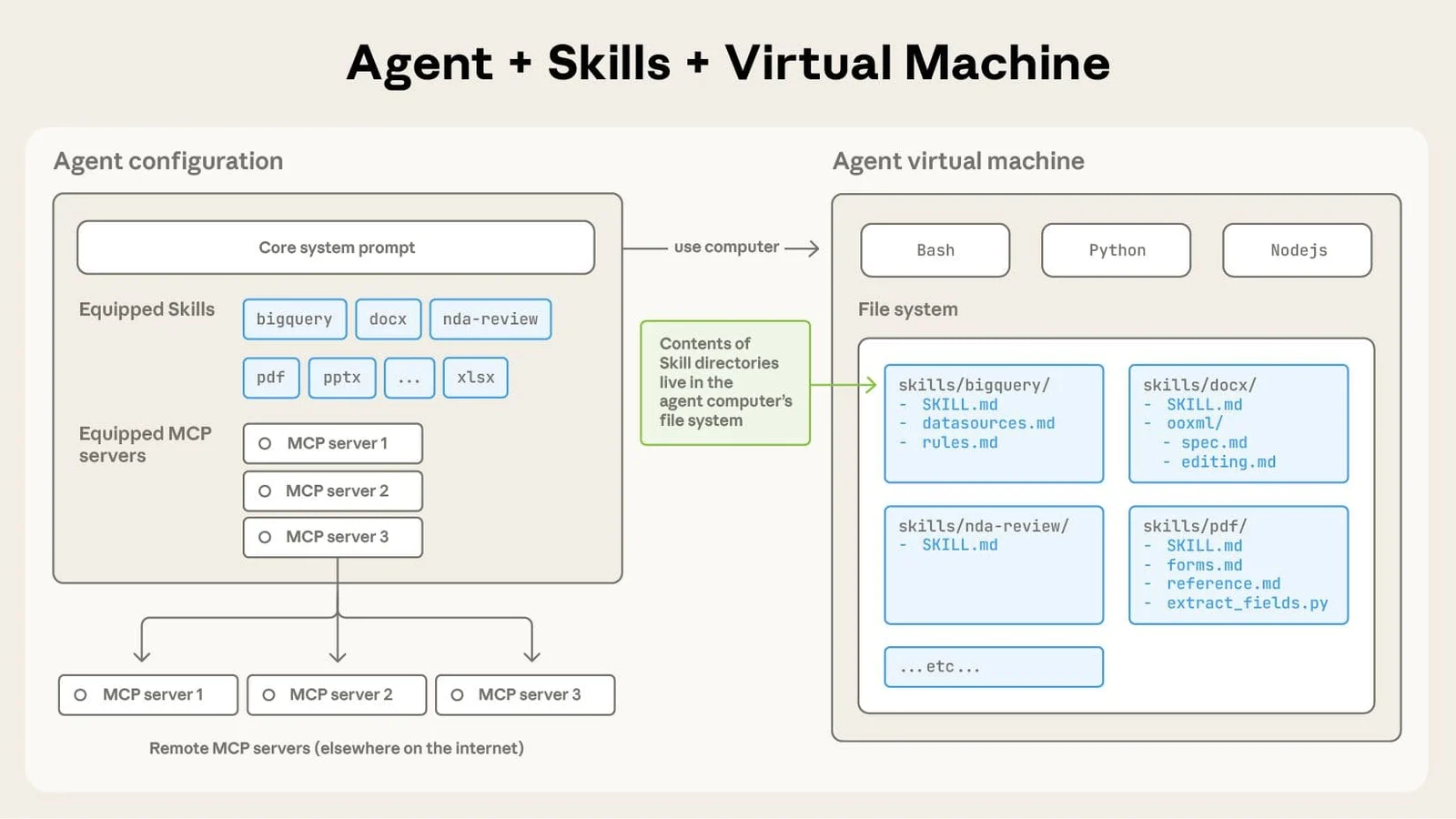
06Tools give capability
MCP and built-in tools let Claude act on systems and data; Skills teach Claude the repeatable workflow for using those capabilities well.
Equipping agents for the real world with Agent Skills ↗ -
Anthropic
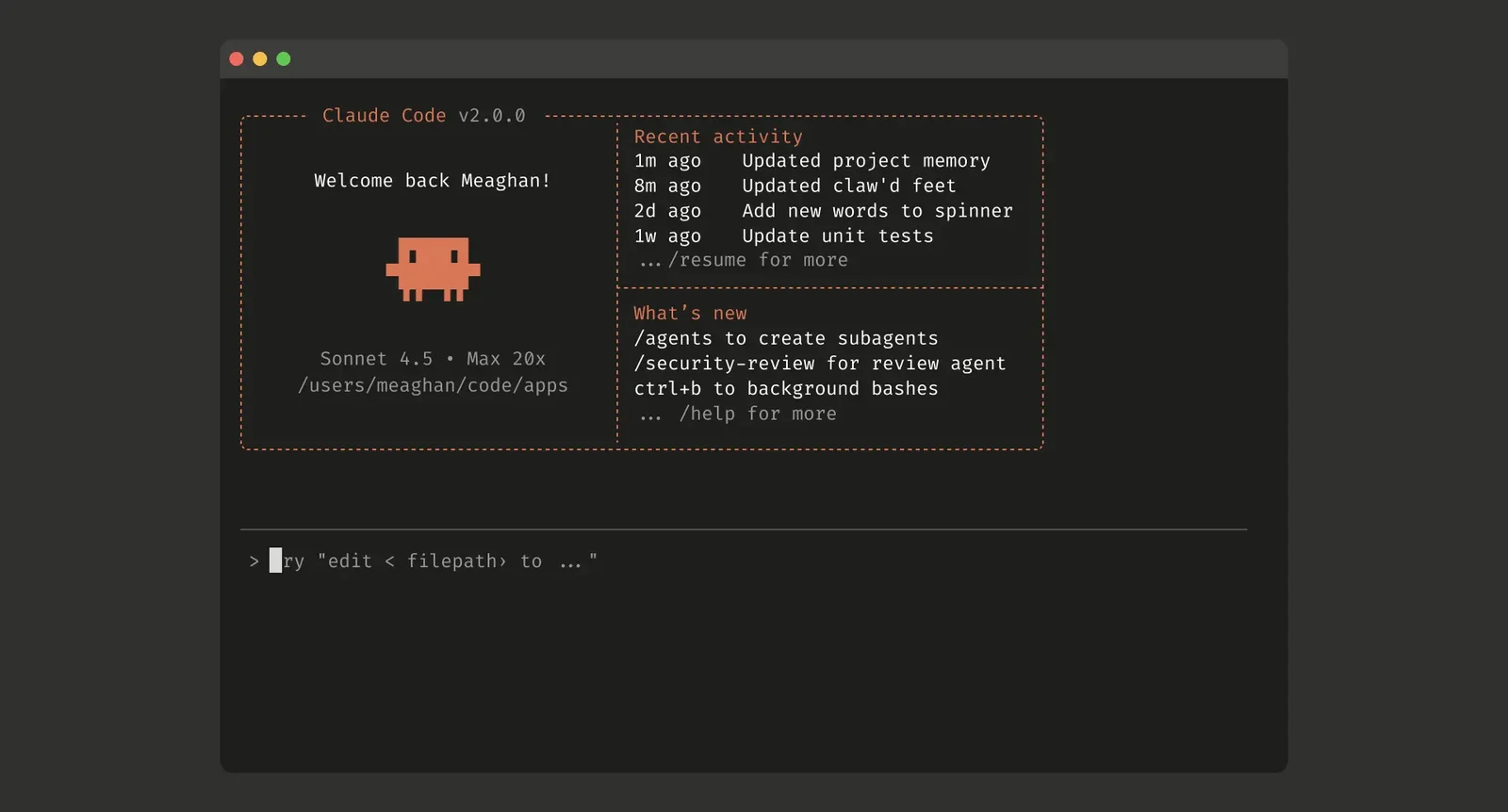
07Subagents isolate side work
Define specialists in .claude/agents/ when a task needs its own prompt, tool access or context window and only the result should return.
Enabling Claude Code to work more autonomously ↗ -

Anthropic / Claude
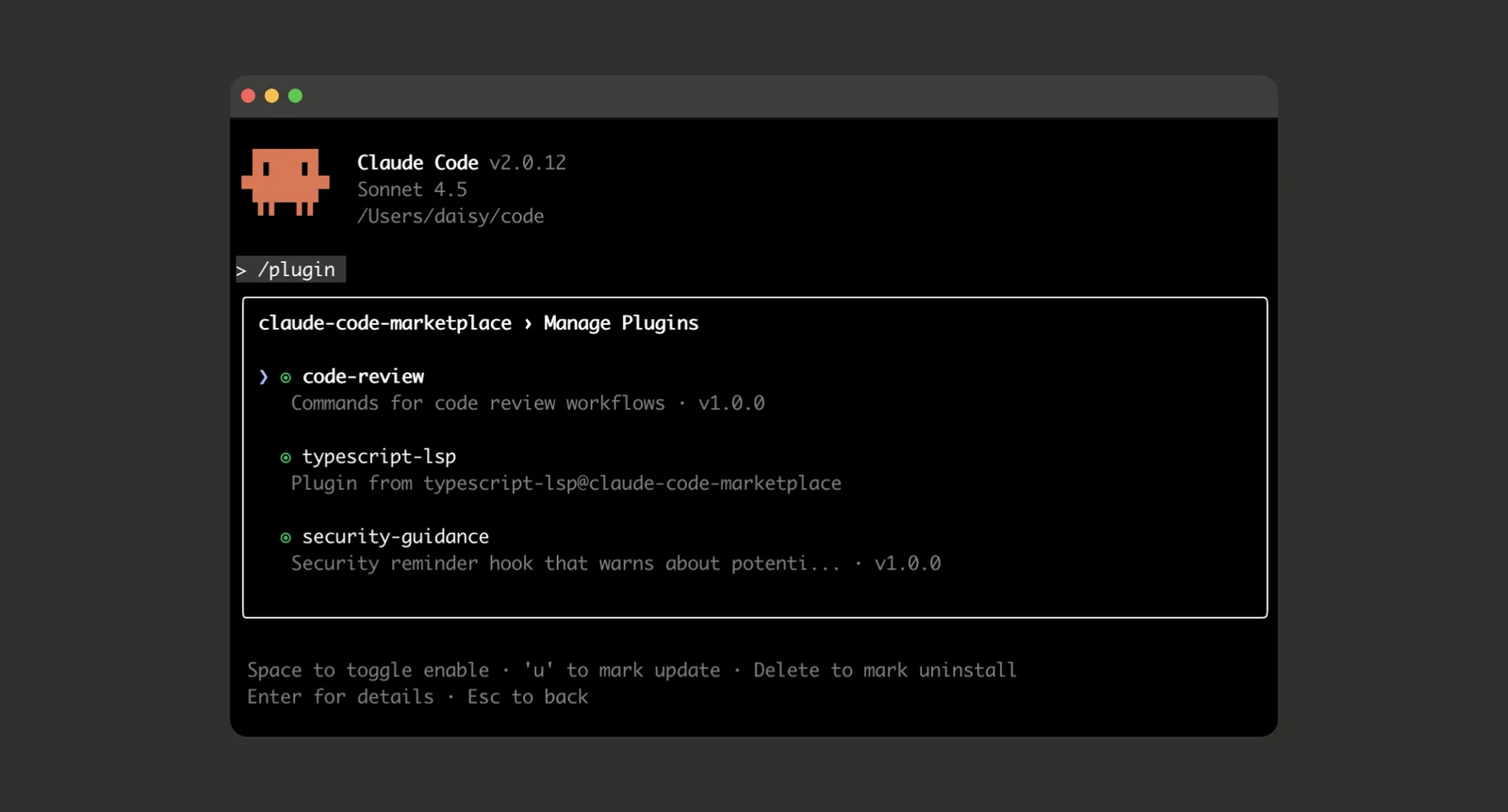
08Hooks make behavior deterministic
Put lifecycle automation in hooks and .claude/settings.json when an action must reliably run, block or validate instead of merely being requested.
Claude Code power user customization: How to configure hooks ↗ -
Anthropic / Claude
09CLAUDE.md or AGENTS.md?
Claude Code supports AGENTS.md, but when an ancestor CLAUDE.md exists it uses CLAUDE.md by default; import AGENTS.md or configure both if needed.
How Claude remembers your project ↗ -
Anthropic
10Use the smallest right layer
A sane repo starts with CLAUDE.md, then adds .claude/rules/, skills/, agents/, settings.json and .mcp.json only when each solves a repeated need.
Equipping agents for the real world with Agent Skills ↗