DP-900 · 3.1.1 · Describe considerations for working with non-relational data on Azure
Azure Blob storage
Describe features of Azure Blob storage
keeps as in containers, with three blob types and four .
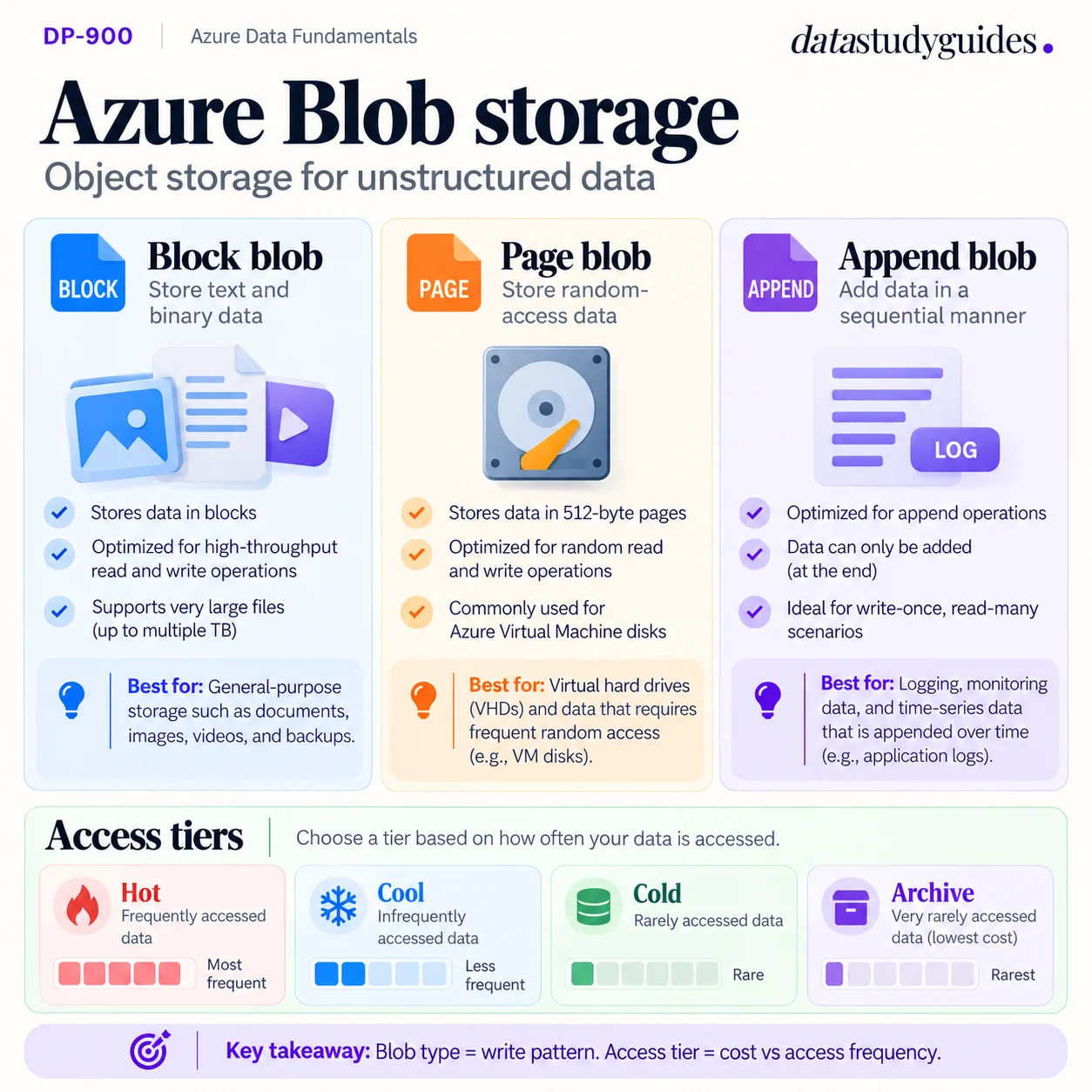
keeps , such as images, video, logs and backups, as . A holds containers, and a container holds blobs and carries the read and write permissions. Folders inside a container are virtual.
Three blob types
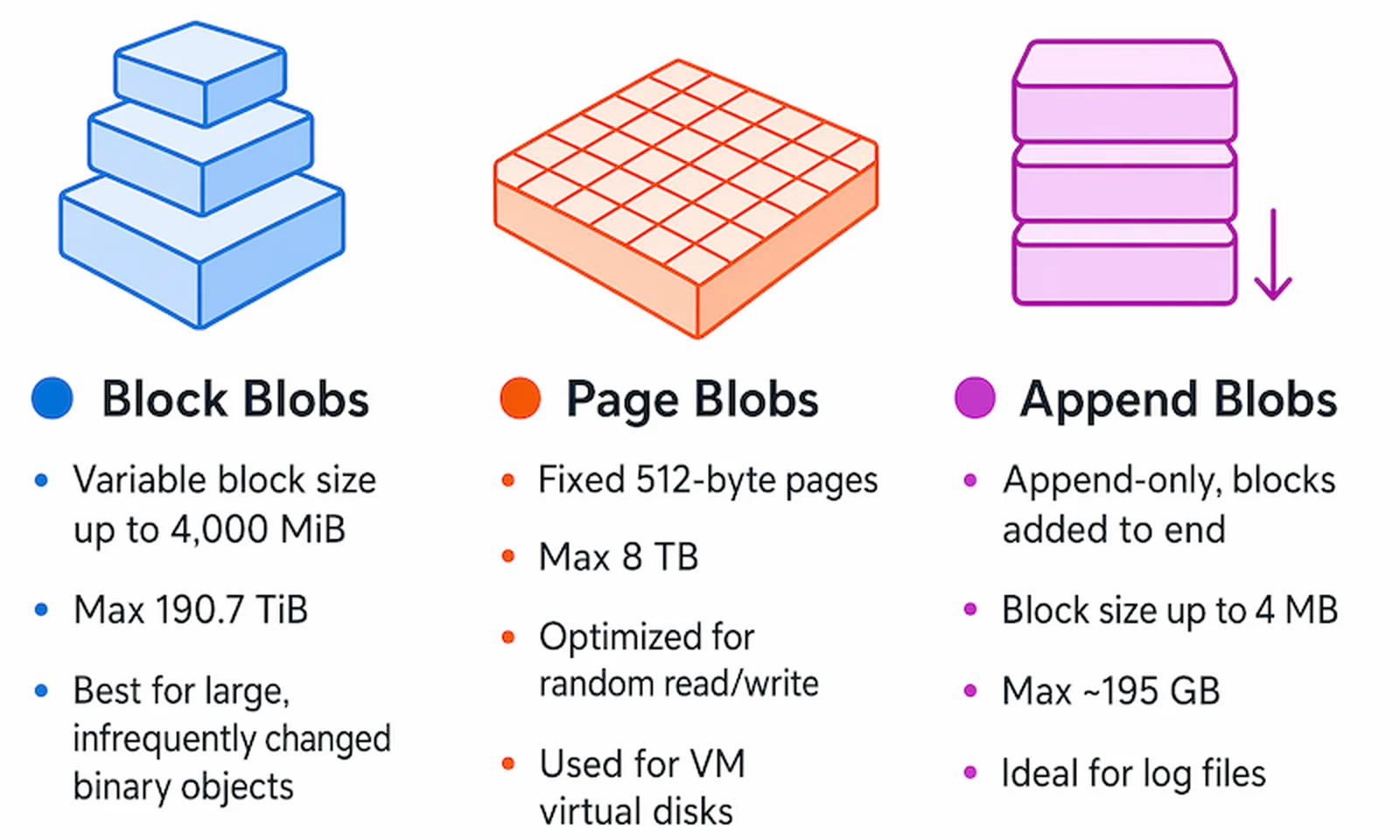
Visual: Microsoft Learn.
hold large objects that change rarely. allow random reads and writes, which is how virtual machine disks work. only grow at the end, like a log file.
Four access tiers
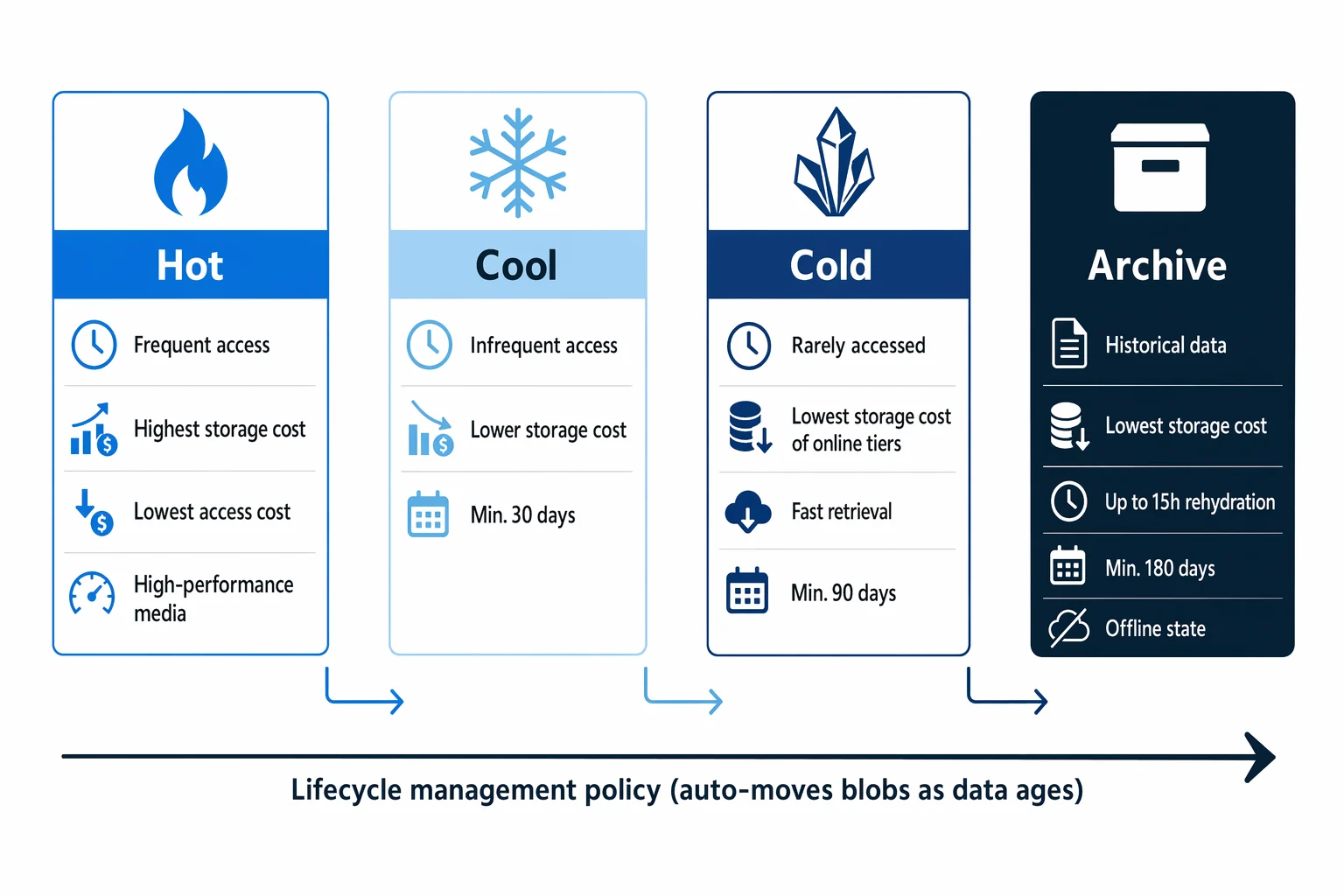
Visual: Microsoft Learn.
A cooler tier costs less to store and more to read. Archive is the cheapest and it is offline: a blob must be rehydrated first, which can take hours. A moves or deletes blobs automatically as they age.
On the exam, look for containers, block, page or append, or a tier name. Mounted shared folders point to instead.
Key points
- Container: groups and carries the read and write permissions
- : large objects that change rarely, such as files and media
- : random reads and writes, used for virtual machine disks
- : data is only added at the end, such as logs
- Tiers: Hot, Cool, Cold, Archive, cheaper storage means costlier reads
- : moves or deletes blobs automatically as they age
Click an underlined term for a one-line explanation, or see them all in the glossary .
Exam trap
Archive is offline. A must be rehydrated before it can be read, which can take hours; it is not a slower Hot tier.
Sources · 1 Microsoft Learn page Show ▾
Checked on October 4, 2026. Report a problem
Go deeper on Microsoft Learn
Checked against Microsoft Learn on October 4, 2026. Report a problem with this card