DP-900 · 3.1.2 · Describe considerations for working with non-relational data on Azure
Azure Files
Describe features of Azure Files
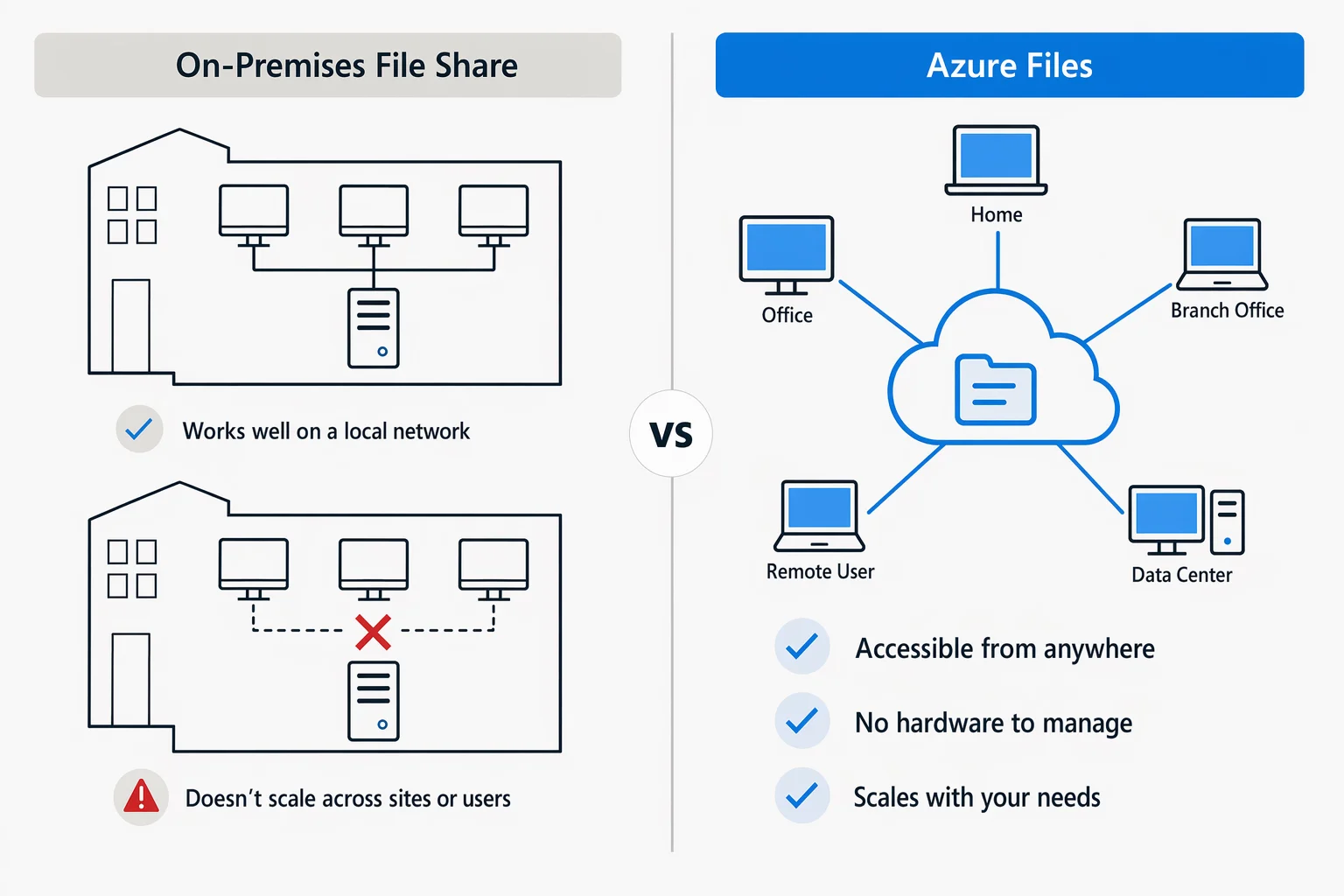
is a cloud that many users and applications mount at once over or .
Visual: Microsoft Learn.
is a in the cloud instead of on a server in your office. Many users and applications mount the same share at once, with no file server hardware to maintain.
Creating a share
Visual: Microsoft Learn.
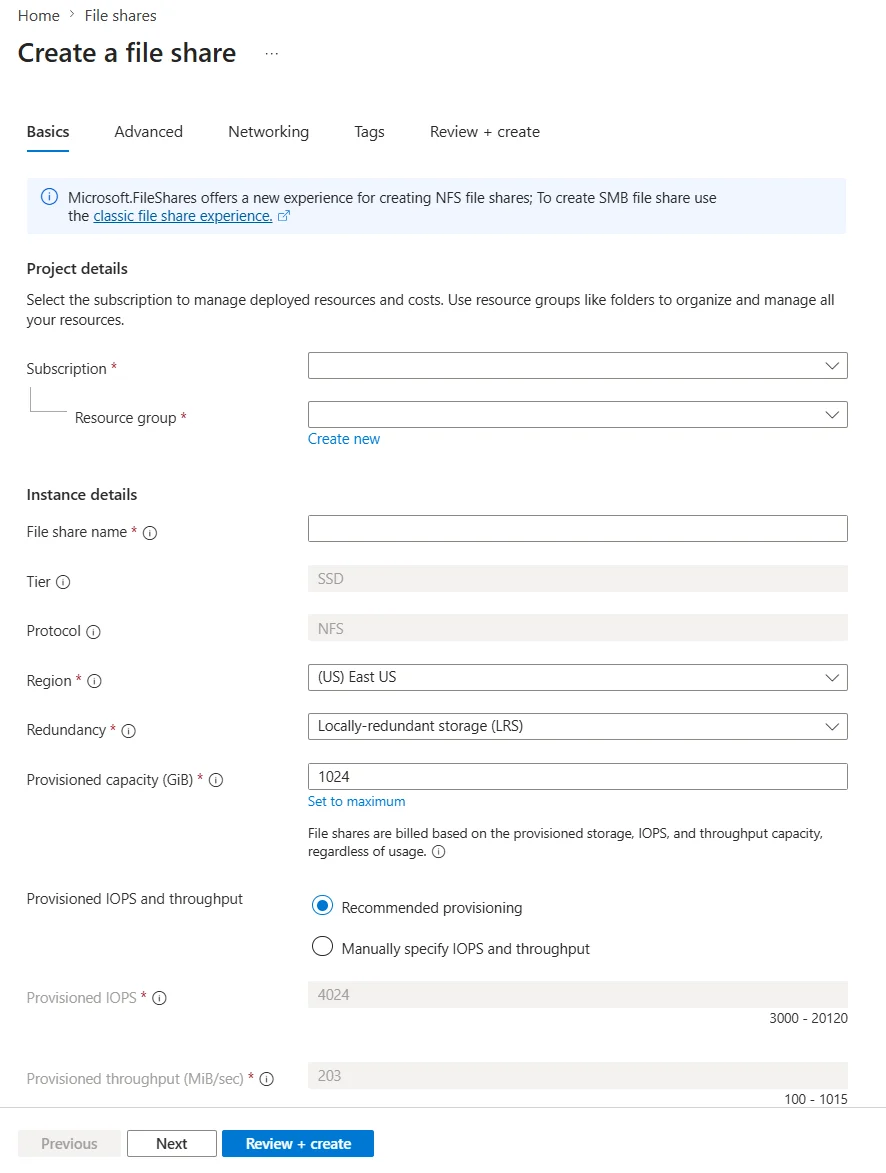
A share lives in a , and you pick its protocol when you create it. On the SSD tier an account holds up to 256 TiB; one file can be 4 TiB. HDD costs less per GB, SSD gives higher .
Two protocols
- Full name
- Server Message Block
- Clients
- Windows, Linux and macOS
- Requires
- Nothing extra
- Pick it for
- The general purpose choice
- Full name
- Network File System
- Clients
- Linux only
- Requires
- SSD tier account and a virtual network
- Pick it for
- Linux workloads
Sync and upload
keeps a cached copy of a share on an on-premises Windows Server in step with Azure Files. AzCopy uploads files to a share.
On the exam, mount like a network drive, or points to Azure Files; storing objects points to .
Key points
- : a managed network folder in a
- : works from Windows, Linux and macOS
- : Linux only, needs an SSD tier account and a virtual network
- Limits: files up to 4 TiB, up to 256 TiB per SSD account
- : keeps an on-premises cached copy in step
- Media tiers: HDD costs less per GB, SSD gives higher
Click an underlined term for a one-line explanation, or see them all in the glossary .
Exam trap
is not available on every share. It needs the SSD tier and a virtual network, and it never works from Windows or macOS.
Sources · 1 Microsoft Learn page Show ▾
Checked on October 4, 2026. Report a problem
Go deeper on Microsoft Learn
Checked against Microsoft Learn on October 4, 2026. Report a problem with this card