AI-200 · 1.1.1 · Develop containerized solutions on Azure
ACR images and tags
Build, store, version, and manage container images by using Azure Container Registry
Use unique for deployments, immutable for exact versions, and delete images rather than only untagging them.
Tags decide what gets deployed
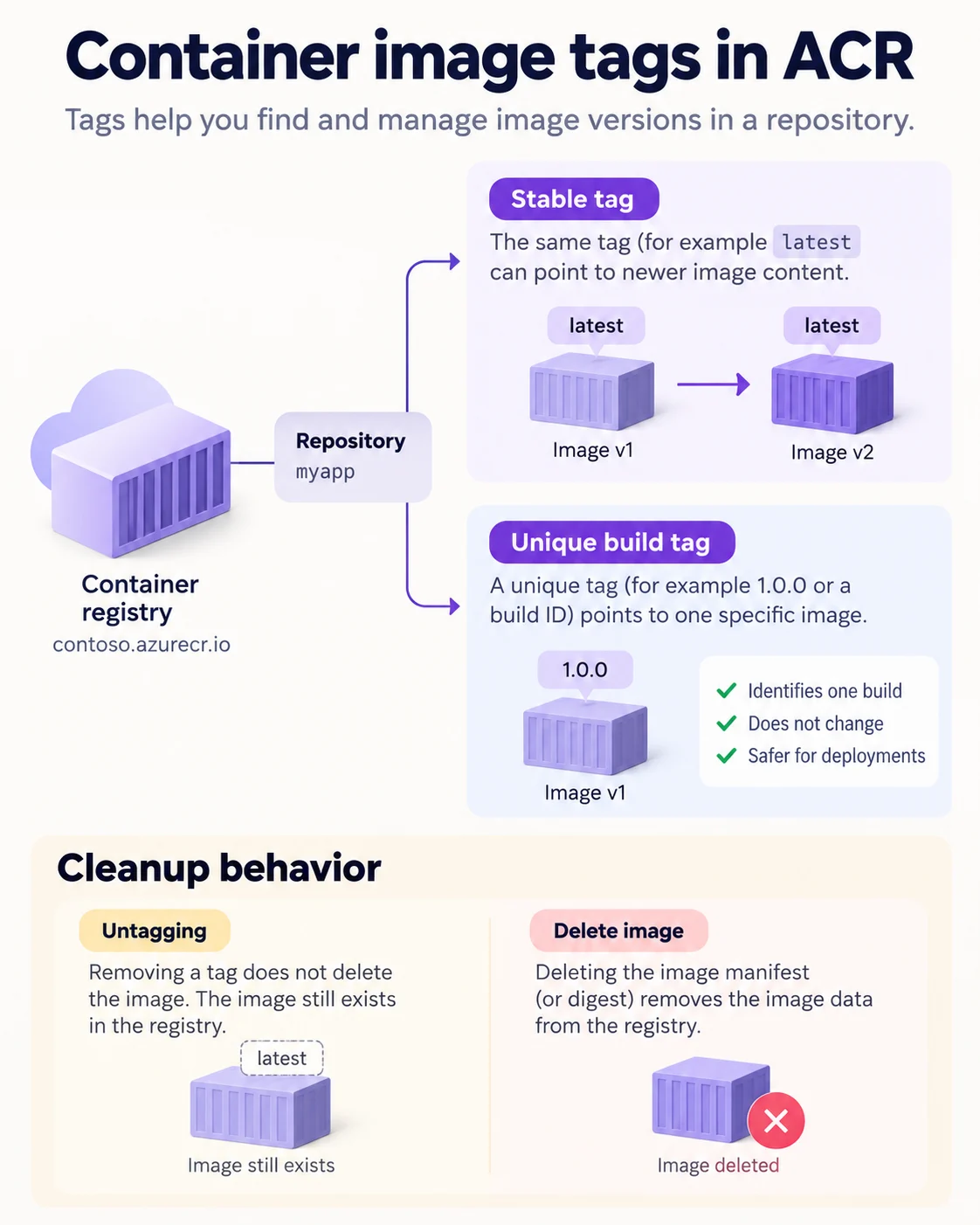
A tag is a movable label, while the identifies one exact image. For deployments, prefer a unique build tag so every replica pulls the same content.
Push one build
az acr login --name shopreg
docker tag orders-api:local shopreg.azurecr.io/shop/orders-api:b4821
docker push shopreg.azurecr.io/shop/orders-api:b4821
Use the registry login server in the image name. Lock production tags when you must prevent overwrite or deletion.
Cleanup is different
Untagging removes only the label. Deleting the image by tag or digest removes the manifest and unreferenced layers, which is what actually frees registry storage.
Key points
- Push flow: `az login`, tag with login server name, `docker push`
- Deploy tag: unique per build, so scale-out never pulls different code
- Lock: `az acr repository update --write-enabled false` stops overwrite and delete
- Delete: `az acr repository delete --image` removes image and all its tags
Click an underlined term for a one-line explanation, or see them all in the glossary .
Exam trap
Untagging is not deleting: `az repository untag` frees no space, while `az acr repository delete` removes manifest, unique layers and tags.
Sources · 3 Microsoft Learn pages Show ▾
- Push and pull container images (Azure Container Registry)
- Image tag best practices (Azure Container Registry)
- Delete container images (Azure Container Registry)
Checked on October 4, 2026. Report a problem
Go deeper on Microsoft Learn
- Push and pull container images (Azure Container Registry)
- Image tag best practices (Azure Container Registry)
- Delete container images (Azure Container Registry)
Checked against Microsoft Learn on October 4, 2026. Report a problem with this card