AI-200 · 2.2.1 · Develop AI solutions by using Azure data management services
PostgreSQL from Python
Connect and query Azure Database for PostgreSQL by using SDKs
Connect with over SSL, use a fresh Microsoft Entra token as the password, and pass SQL values as parameters.
Connect without a stored password
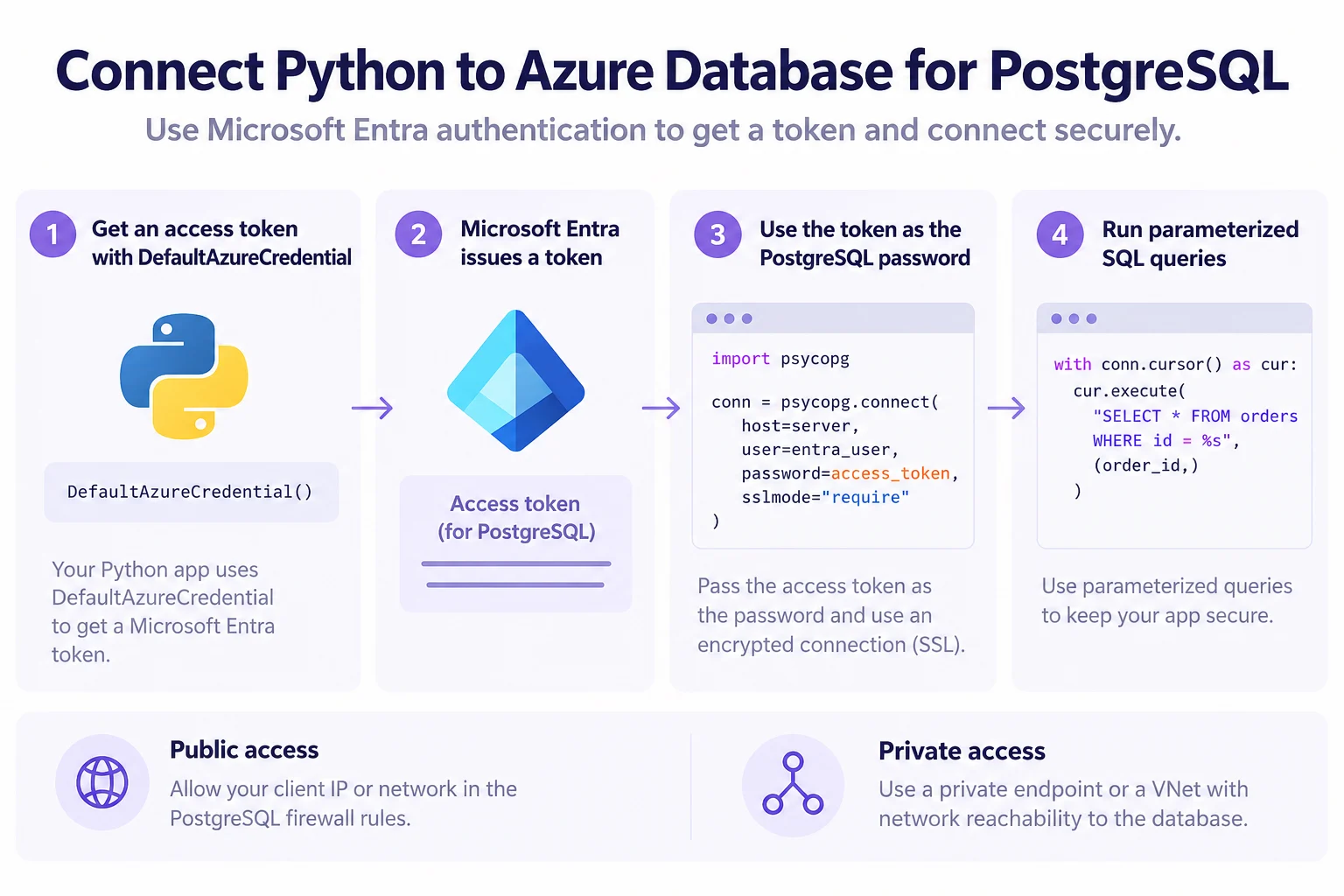
Use psycopg for the database connection. With Microsoft Entra authentication, DefaultAzureCredential obtains a PostgreSQL access token and the client passes that token as the password over an encrypted connection.
Keep each connection fresh
Tokens expire. Fetch a fresh token when a new connection is opened, or use the azure-postgresql-auth integration so EntraConnection handles refresh for the pool.
cur.execute(
    "UPDATE inventory SET quantity = %s WHERE name = %s;",
    (200, "banana"),
)
conn.commit()
Pass values separately from SQL text. Public access also needs an allowed firewall path; private access requires the client to have network reachability inside the server's virtual network.
Key points
- Entra token: is the password, expires, fresh one per new connection
- Parameters: `%s` placeholders in SQL, a tuple of values in `cursor.execute`
- Network: public access needs a firewall rule; private access, same virtual network
- First connection: only a Microsoft Entra administrator can make it
Click an underlined term for a one-line explanation, or see them all in the glossary .
Exam trap
A token fetched once at startup expires, so new connections fail while older ones keep working; request a fresh token per connection.
Sources · 3 Microsoft Learn pages Show ▾
- Quickstart: Use Python to connect and query data (Azure Database for PostgreSQL)
- Microsoft Entra authentication in Azure Database for PostgreSQL
- Azure PostgreSQL Auth client library for Python
Checked on October 4, 2026. Report a problem
Go deeper on Microsoft Learn
- Quickstart: Use Python to connect and query data (Azure Database for PostgreSQL)
- Microsoft Entra authentication in Azure Database for PostgreSQL
- Azure PostgreSQL Auth client library for Python
Checked against Microsoft Learn on October 4, 2026. Report a problem with this card