AI-200 · 3.1.2 · Connect to and consume Azure services
Event Grid routing
Implement event-driven workflows by using Azure Event Grid, including filters, custom events, and retries
Publish custom events to a topic, filter them in , and plan retry and dead-letter behavior for failed deliveries.
Publish and route events
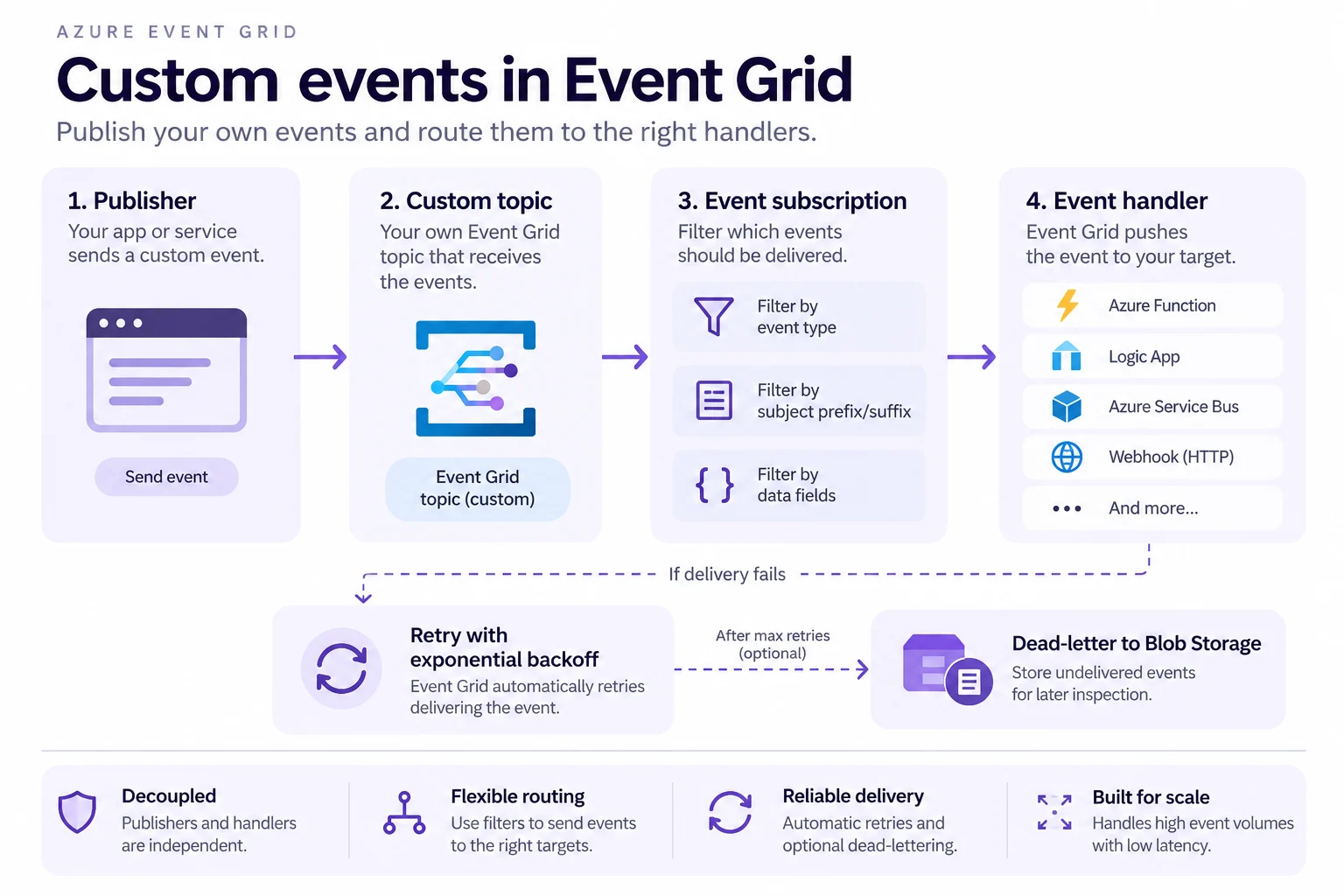
Your application publishes custom events to an topic. decide which events reach each handler by filtering on event type, subject prefix or suffix, and event data.
Design subjects for filtering
Use structured subjects such as /orders/eu/1001 so subscribers can select a branch with a prefix instead of inspecting every event.
Event Grid retries transient delivery failures with backoff. Some status codes are not retried, and retry limits are not permanent storage.
Dead-lettering is optional and requires a Blob Storage destination. Enable it when undelivered events must be inspected or replayed instead of being dropped after the retry policy is exhausted.
Key points
- Publish: key, or Microsoft Entra ID with Data Sender role
- : values in one filter ORed, separate filters ANDed
- Delivery: at least once, unordered; 400, 403, 413 not retried
- Dead-lettering: off by default, needs a blob container
Click an underlined term for a one-line explanation, or see them all in the glossary .
Exam trap
A retry limit is not a safety net: when attempts or time-to-live run out, drops the event unless a dead-letter container is set.
Sources · 4 Microsoft Learn pages Show ▾
- Custom topics in Azure Event Grid
- Event filtering in Azure Event Grid
- Azure Event Grid delivery and retry
- Azure Event Grid client library for Python
Checked on October 4, 2026. Report a problem
Go deeper on Microsoft Learn
- Custom topics in Azure Event Grid
- Event filtering in Azure Event Grid
- Azure Event Grid delivery and retry
- Azure Event Grid client library for Python
Checked against Microsoft Learn on October 4, 2026. Report a problem with this card