AI-200 · 3.2.2 · Connect to and consume Azure services
Functions hosting and deploy
Configure and deploy function apps
Choose the Functions for scaling, networking, and control, then separate app-wide, local, and Azure configuration correctly.
Hosting changes the platform behavior
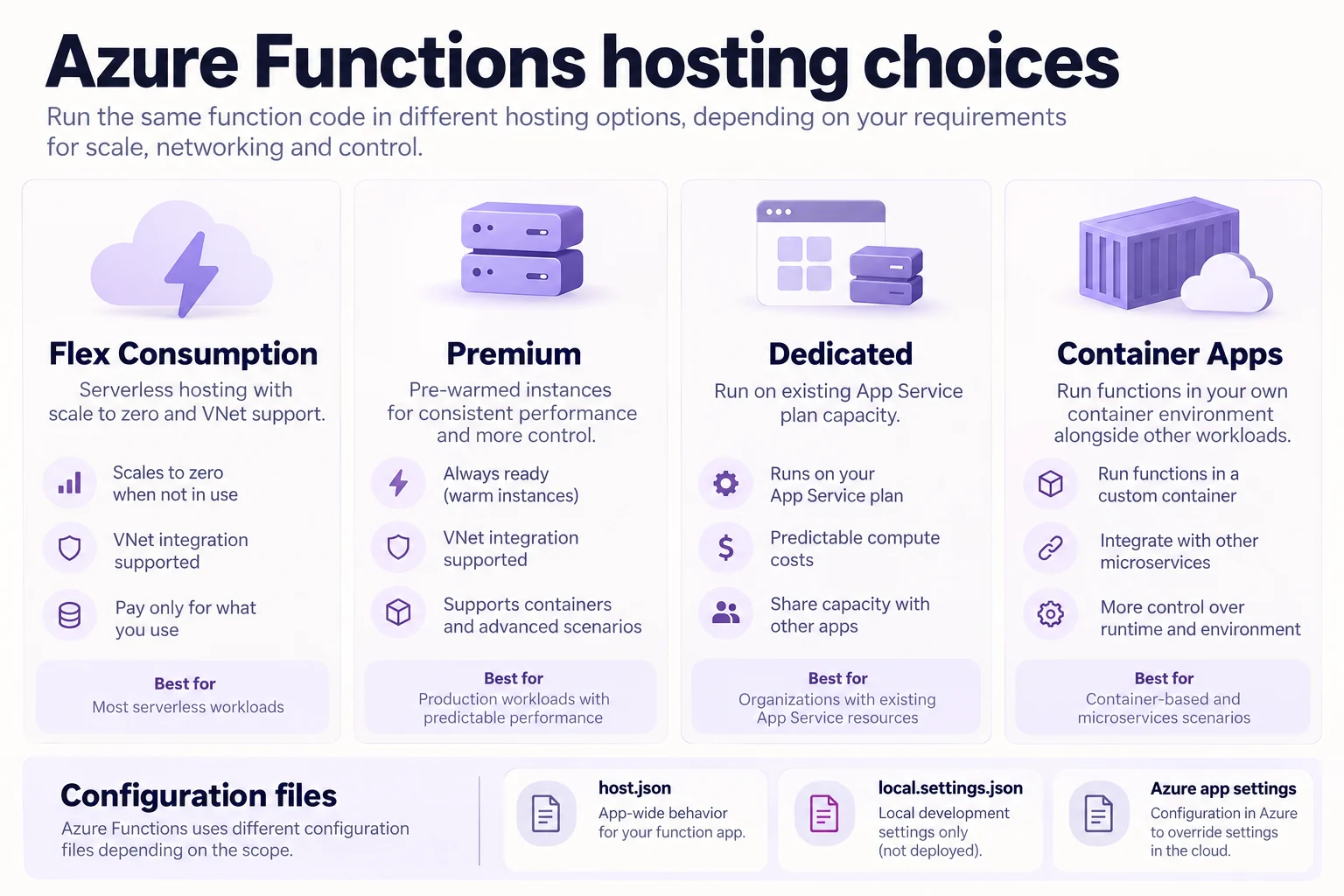
The function code can stay the same while the changes scaling, networking, billing and container support. Flex Consumption is the default serverless choice for many new apps. Premium keeps warm capacity and supports advanced networking and container scenarios. Dedicated uses plan capacity. fits functions beside other containerized workloads.
Know the configuration scopes
host.json configures app-wide Functions behavior. local.settings.json is for local development and is not published. In Azure, use for environment-specific values.
For Python deployments, remote build is usually safer than packaging dependencies on a different operating system.
func azure functionapp publish <APP_NAME>Non-HTTP triggers also depend on the required storage configuration.
Key points
- Flex Consumption: recommended serverless plan, , supports virtual network integration
- : app-wide behavior such as extensionBundle and functionTimeout
- : local runs only, string values; in Azure use
- Remote build: recommended for Python, Azure installs `requirements.txt` on Linux
Click an underlined term for a one-line explanation, or see them all in the glossary .
Exam trap
A package built on Windows and zipped is the wrong build for Linux; let Azure build remotely with `func azure functionapp publish`.
Sources · 4 Microsoft Learn pages Show ▾
- Azure Functions scale and hosting
- Code and test Azure Functions locally
- host.json reference for Azure Functions
- Deploy your Python apps to Azure Functions
Checked on October 4, 2026. Report a problem
Go deeper on Microsoft Learn
- Azure Functions scale and hosting
- Code and test Azure Functions locally
- host.json reference for Azure Functions
- Deploy your Python apps to Azure Functions
Checked against Microsoft Learn on October 4, 2026. Report a problem with this card