AI-200 · 2.2.6 · Develop AI solutions by using Azure data management services
Connection pooling
Implement connection optimization to improve throughput and minimize latency
Reuse PostgreSQL connections through an app pool or , and account for transaction-pooling behavior when session state matters.
Reuse connections
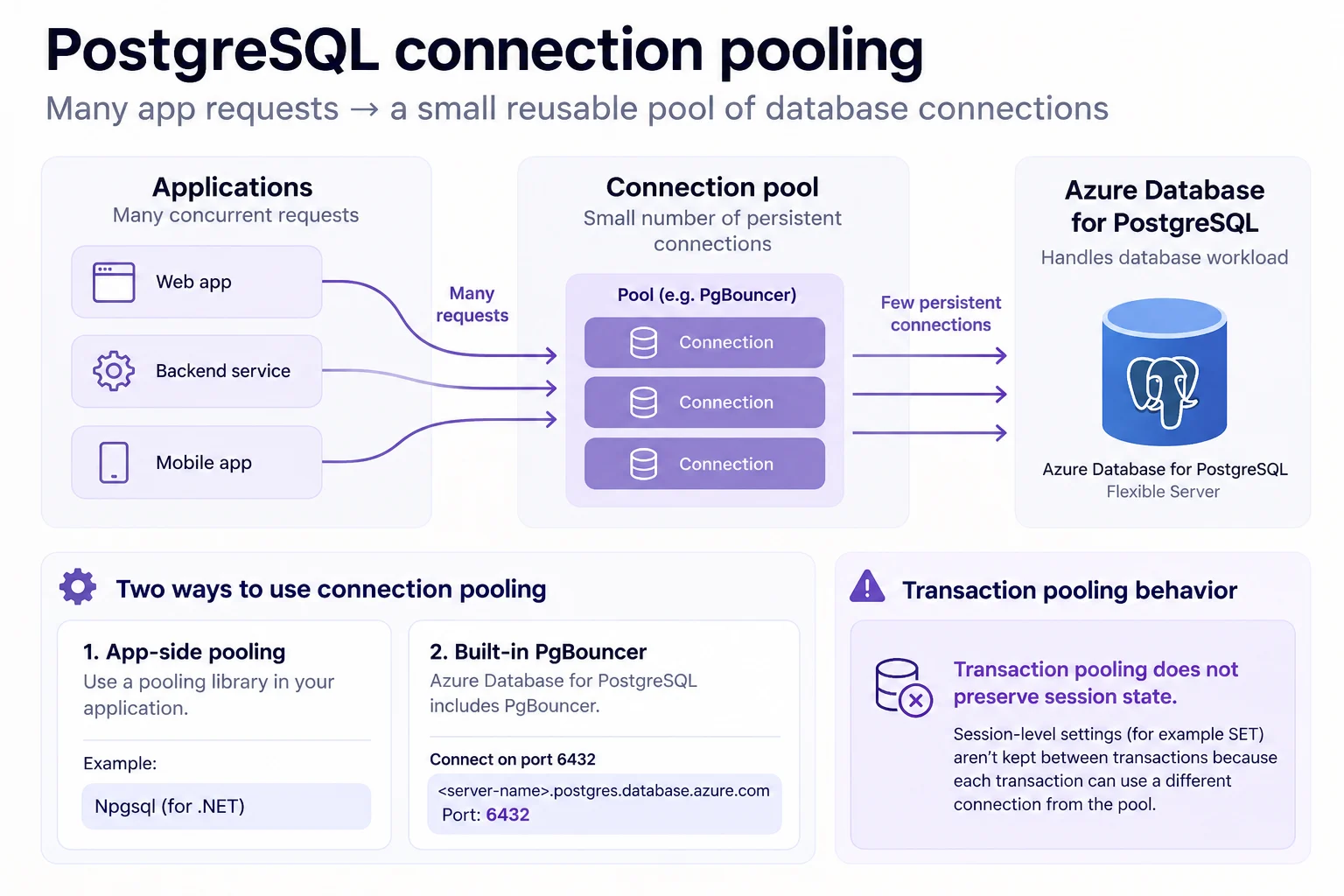
PostgreSQL uses a server process per connection. Opening one for every request adds latency and memory pressure, so a pool keeps a smaller set open and lends them out.
Choose where the pool lives
Azure Database for PostgreSQL offers built-in on port 6432 for supported tiers. An application can also use a library such as psycopg_pool.
returns the server connection after each transaction. Session-level state such as a plain SET is therefore not guaranteed to be present on the next transaction; use SET LOCAL when the setting belongs to that transaction.
Avoid one PgBouncer sidecar per at large scale, because every sidecar can multiply the connections that reach the database.
Key points
- Built-in : optional, port 6432 on the same host, not on
- : default mode; use `SET LOCAL` inside the transaction
- Pool size: one pool per user and database pair
- App-side pool: `psycopg_pool.ConnectionPool`; `EntraConnection` fetches a token per connection
Click an underlined term for a one-line explanation, or see them all in the glossary .
Exam trap
Raising the connection limit does not fix connection churn: each connection still costs a server process, so reuse them through a pool.
Sources · 3 Microsoft Learn pages Show ▾
- PgBouncer in Azure Database for PostgreSQL flexible server
- Connection pooling strategy using PgBouncer (Azure Database for PostgreSQL)
- Azure PostgreSQL Auth client library for Python
Checked on October 4, 2026. Report a problem
Go deeper on Microsoft Learn
- PgBouncer in Azure Database for PostgreSQL flexible server
- Connection pooling strategy using PgBouncer (Azure Database for PostgreSQL)
- Azure PostgreSQL Auth client library for Python
Checked against Microsoft Learn on October 4, 2026. Report a problem with this card