AI-200 · 2.2.4 · Develop AI solutions by using Azure data management services
Vector workload sizing
Configure compute, memory, and storage resources to support vector workloads
Size compute, maintenance memory, and storage together, with special attention to large index builds and vector I/O.
Size compute, memory, and storage together
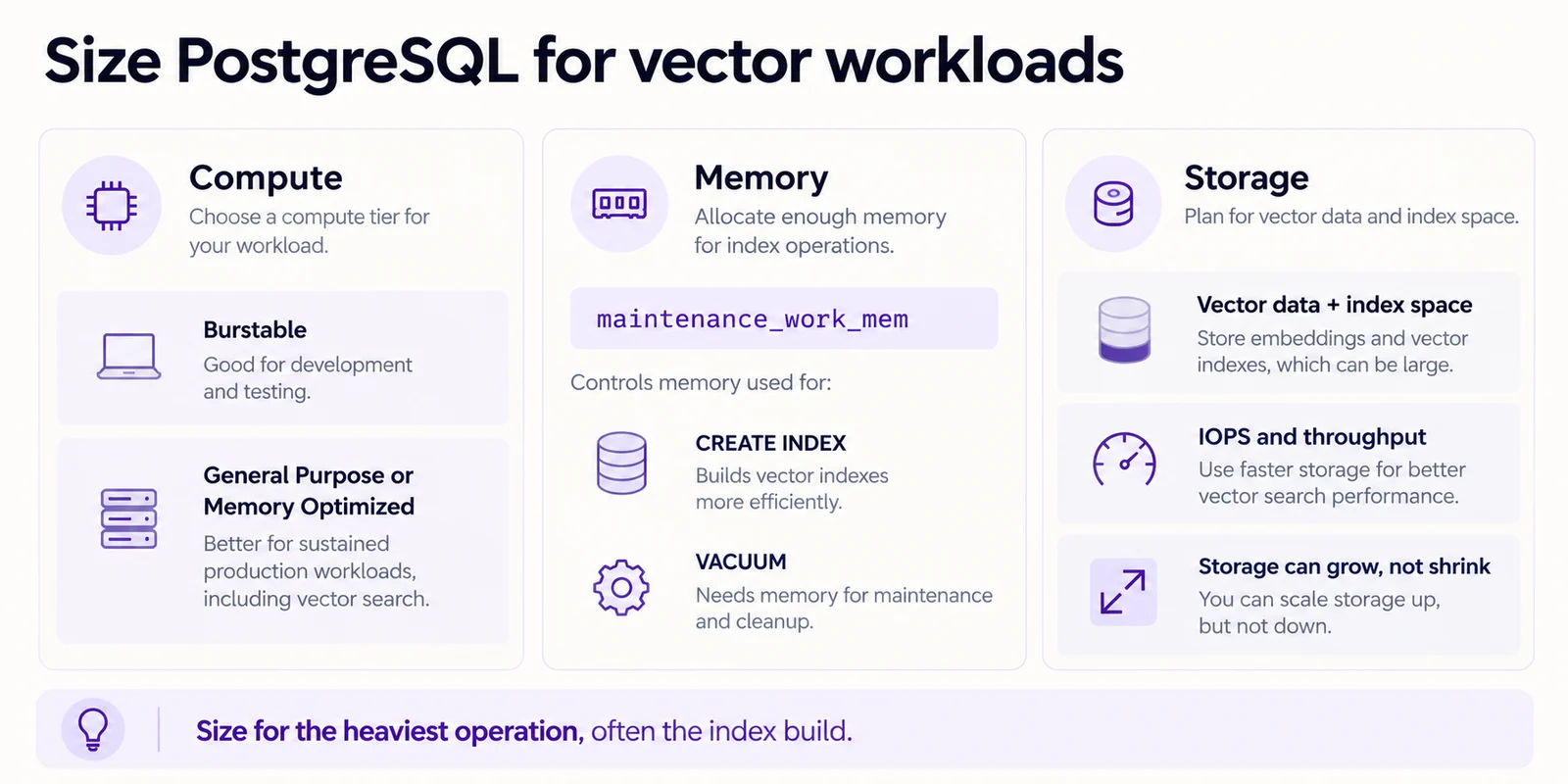
Vector workloads can stress CPU, memory, storage capacity, IOPS, and throughput at the same time. Size for the heaviest operation, which may be a large vector index build rather than steady query traffic.
Give index builds enough memory
maintenance_work_mem controls memory for maintenance operations such as CREATE INDEX and VACUUM. Its default is calculated when the server is provisioned and does not automatically follow later compute scaling.
SET maintenance_work_mem = '4GB';
SET max_parallel_maintenance_workers = 4;
CREATE INDEX ...;
The parameter is dynamic, so tune it carefully for the build session within the memory the server can safely provide.
Match the compute tier to sustained load
relies on CPU credits and can throttle under sustained vector workloads. General Purpose or Memory Optimized is a better fit when load is continuous.
Protect storage headroom
Storage can grow but not shrink. lets you tune capacity, IOPS, and throughput separately, while the compute size can still cap usable IOPS. Keep free space available so ingestion and maintenance do not push the server into read-only protection.
Key points
- Compute: sustained vector load fits General Purpose or Memory Optimized
- Index memory: `` serves CREATE INDEX and
- Scale-up: its default does not automatically change with later compute resizing
- Parallel build: `max_parallel_maintenance_workers` controls maintenance workers
- Storage: capacity can grow but cannot shrink
- I/O: storage settings and compute limits both affect usable IOPS
Click an underlined term for a one-line explanation, or see them all in the glossary .
Exam trap
Scaling the server up does not raise ; set it yourself before a large index build, or the build keeps the old memory.
Sources · 4 Microsoft Learn pages Show ▾
- Compute options (Azure Database for PostgreSQL)
- Storage options (Azure Database for PostgreSQL)
- Resource usage and memory parameters (Azure Database for PostgreSQL)
- Manage index lifecycle and embedding updates (Implement vector search with Azure Database for PostgreSQL)
Checked on October 4, 2026. Report a problem
Go deeper on Microsoft Learn
- Compute options (Azure Database for PostgreSQL)
- Storage options (Azure Database for PostgreSQL)
- Resource usage and memory parameters (Azure Database for PostgreSQL)
- Manage index lifecycle and embedding updates (Implement vector search with Azure Database for PostgreSQL)
Checked against Microsoft Learn on October 4, 2026. Report a problem with this card