DP-600 · 2.2.5 · Prepare data
Aggregate data
Aggregate data
Filter rows first, group them, aggregates, then use HAVING when a condition depends on the aggregate result.
The core idea
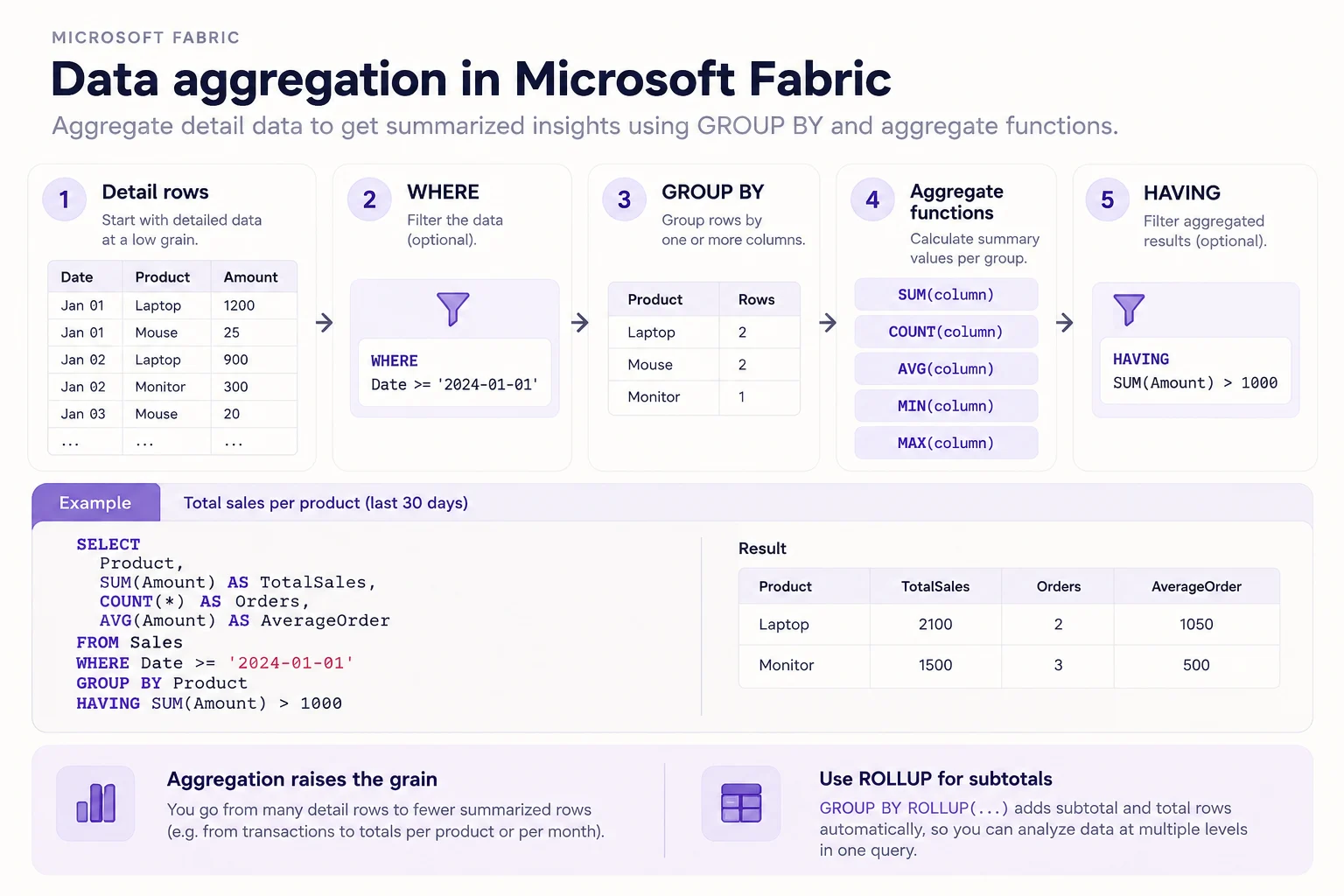
changes the of the data. Start with detail rows, remove unwanted rows with WHERE, group the remainder, and summary values.
Use HAVING only when the condition depends on an aggregate such as SUM or COUNT.
ROLLUP can add subtotal and grand-total rows. The same pattern exists in PySpark groupBy and Power Query Group by.
Key points
- WHERE: filters detail rows before grouping
- : defines one output row per group
- Aggregates: SUM, COUNT, AVG, MIN, or MAX
- HAVING: filters groups after
Click an underlined term for a one-line explanation, or see them all in the glossary .
Exam trap
A condition on SUM or COUNT belongs in HAVING, not WHERE. WHERE runs before the groups exist, so the total it would test has not been calculated yet.
Sources · 4 Microsoft Learn pages Show ▾
- SELECT - GROUP BY clause (Transact-SQL)
- How to GROUP BY or summarize rows (Power Query)
- Lakehouse tutorial - Prepare and transform lakehouse data (Microsoft Fabric)
- Modeling fact tables in Warehouse (Microsoft Fabric)
Checked on October 4, 2026. Report a problem
Go deeper on Microsoft Learn
- SELECT - GROUP BY clause (Transact-SQL)
- How to GROUP BY or summarize rows (Power Query)
- Lakehouse tutorial - Prepare and transform lakehouse data (Microsoft Fabric)
- Modeling fact tables in Warehouse (Microsoft Fabric)
Checked against Microsoft Learn on October 4, 2026. Report a problem with this card