DP-600 · 3.1.4 · Implement and manage semantic models
DAX variables and iterators
Write calculations that use DAX variables and functions, such as iterators, table filtering, windowing, and information functions
Use to reuse results, X-functions for row-by-row logic, and for ordered row sets.
Match the DAX tool to the job
Variables make formulas easier to read and avoid recalculating the same expression. Declare a result with and use it after RETURN.
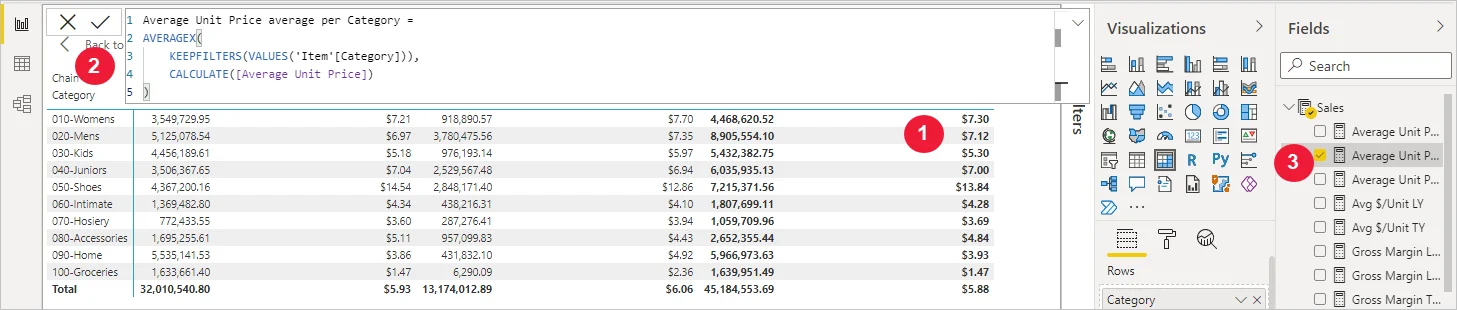
such as SUMX evaluate an expression row by row, then combine those row results.
WINDOW returns an ordered range of rows. OFFSET returns a relative row and INDEX returns an absolute position. These functions need a clear order and often a partition to define what previous, next, first, or last means.
Key points
- : once and reuse the result
- : evaluates an expression for each row
- WINDOW: returns a range of ordered rows
- OFFSET or INDEX: returns relative or absolute positions
Click an underlined term for a one-line explanation, or see them all in the glossary .
Exam trap
Expecting a variable to see the filters that adds later. A variable is calculated where it is declared, so wrapping it in CALCULATE does not change it.
Sources · 4 Microsoft Learn pages Show ▾
- Use variables to improve your DAX formulas
- Filter functions (DAX)
- Information functions (DAX)
- DAX overview
Checked on October 4, 2026. Report a problem
Go deeper on Microsoft Learn
- Use variables to improve your DAX formulas
- Filter functions (DAX)
- Information functions (DAX)
- DAX overview
Checked against Microsoft Learn on October 4, 2026. Report a problem with this card