DP-600 · 2.3.1 · Prepare data
Visual query editor
Select, filter, and aggregate data by using the Visual query editor
Use the for no-code, read-only shaping and the when you need full control.
The core idea
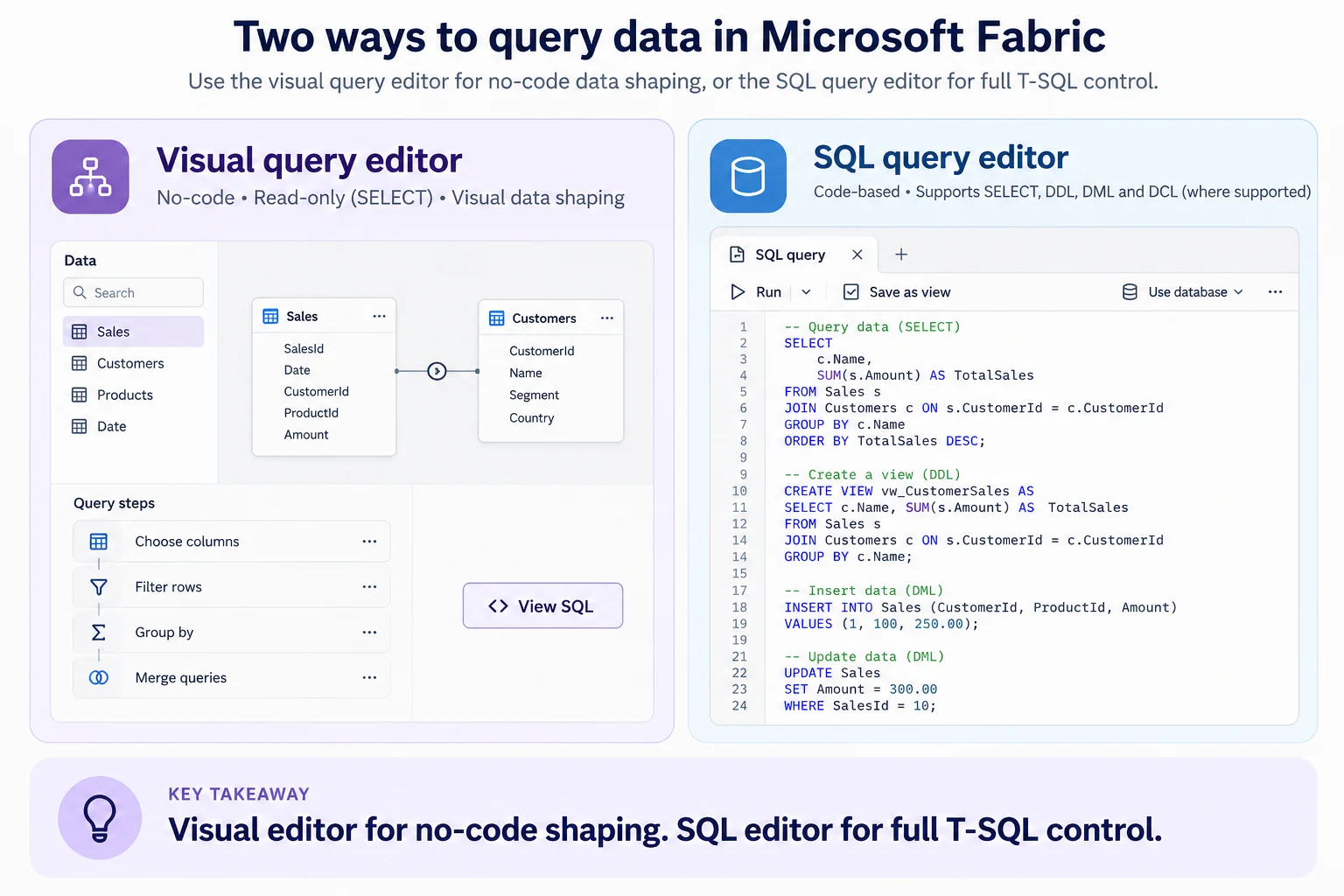
The turns canvas actions into folded . Drag tables in, choose columns, filter rows, group data, and merge queries without writing code.
It is read-only and only supports steps that can translate to SQL. Use View SQL to inspect the generated statement or continue in the .
When the task requires DDL, DML, or hand-written T-SQL, switch to the SQL editor.
Key points
- Visual editor: drag tables and add Power Query steps
- Read-only: visual queries generate SELECT statements
- View SQL: inspect the generated
- SQL editor: use T-SQL for broader query and data operations
Click an underlined term for a one-line explanation, or see them all in the glossary .
Exam trap
The looks like a full query tool, but it only runs read-only SELECT queries. INSERT, UPDATE or CREATE statements need the .
Sources · 3 Microsoft Learn pages Show ▾
- Query using the visual query editor (Microsoft Fabric)
- Query using the SQL query editor (Microsoft Fabric)
- How to GROUP BY or Summarize Rows (Power Query)
Checked on October 4, 2026. Report a problem
Go deeper on Microsoft Learn
- Query using the visual query editor (Microsoft Fabric)
- Query using the SQL query editor (Microsoft Fabric)
- How to GROUP BY or Summarize Rows (Power Query)
Checked against Microsoft Learn on October 4, 2026. Report a problem with this card