DP-600 · 1.1.1 · Maintain a data analytics solution
Workspace roles
Implement workspace-level access controls
Use Admin, Member, Contributor, or Viewer to control access across every item in one Fabric workspace.
The core idea
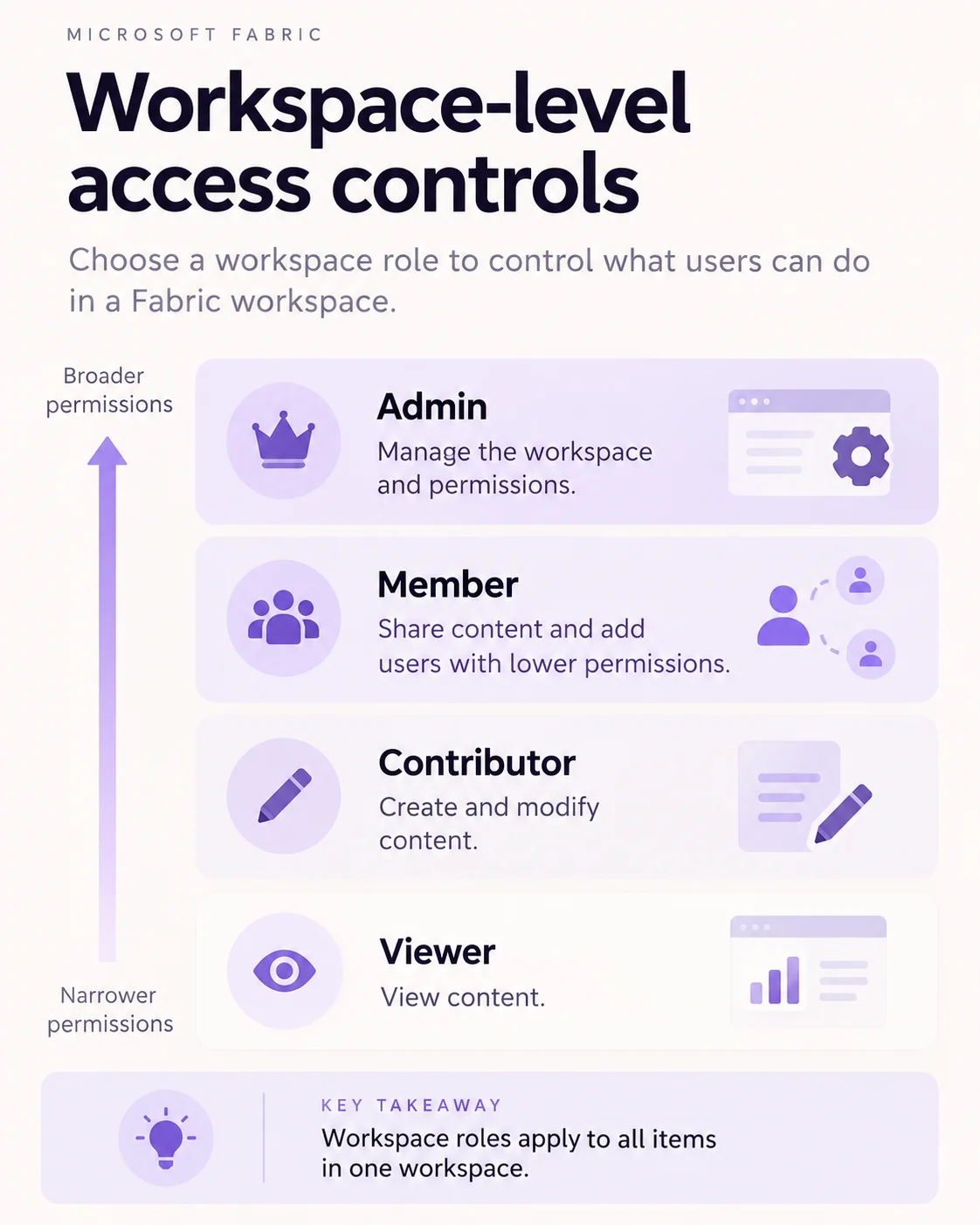
Fabric has four . Admin manages the workspace and permissions. Member can share content and add users with lower permissions. Contributor creates and modifies content. Viewer can consume content without changing it.
A workspace role applies to all items in that workspace. It does not extend to other workspaces, the capacity, or the tenant. If access should apply to only one item, use instead.
When a user receives several workspace roles through direct or group assignments, the highest permission level wins.
Key points
- Admin: manages workspace settings and access
- Member: shares content and adds lower-role users
- Contributor: creates and changes workspace content
- Viewer: consumes content without editing
- : applies across all workspace items
Click an underlined term for a one-line explanation, or see them all in the glossary .
Exam trap
Do not use a when a user needs access to only one item. are designed for narrower access.
Sources · 2 Microsoft Learn pages Show ▾
Checked on October 4, 2026. Report a problem
Go deeper on Microsoft Learn
Checked against Microsoft Learn on October 4, 2026. Report a problem with this card