DP-600 · 3.2.2 · Implement and manage semantic models
Improve DAX performance
Improve DAX performance
Reduce repeated work with variables, prefer simple column filters, and move fixed calculations out of when possible.
Make the formula do less work
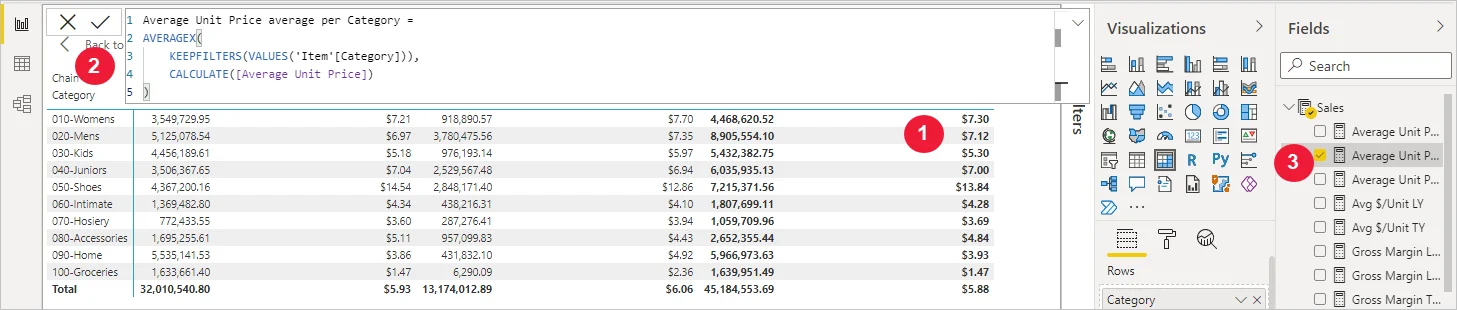
Variables improve readability and avoid repeating the same expression.
Inside , prefer a direct Boolean condition on a column when possible because the can apply it efficiently. Use FILTER when the logic genuinely requires row-by-row evaluation or references a .
Calculations that never change between refreshes often belong in Power Query or the source instead of a calculated column. DIVIDE is the safe choice when a denominator can be zero or blank.
Key points
- : reuse repeated expressions
- Boolean filter: prefer simple column conditions
- FILTER: keep it for conditions that need row iteration
- Static logic: during load when it never changes
Click an underlined term for a one-line explanation, or see them all in the glossary .
Exam trap
Do not replace FILTER everywhere. A cannot reference a , so a condition on a measure still needs FILTER over the values of a column.
Sources · 3 Microsoft Learn pages Show ▾
- Optimize DAX calculations (Optimize semantic model performance)
- Avoid using FILTER as a filter argument in DAX
- DIVIDE function vs divide operator (/) in DAX
Checked on October 4, 2026. Report a problem
Go deeper on Microsoft Learn
- Optimize DAX calculations (Optimize semantic model performance)
- Avoid using FILTER as a filter argument in DAX
- DIVIDE function vs divide operator (/) in DAX
Checked against Microsoft Learn on October 4, 2026. Report a problem with this card