DP-600 · 1.2.2 · Maintain a data analytics solution
PBIP projects
Create and manage a Power BI Desktop project (.pbip)
stores the report and as readable text files, making Power BI projects easier to version with Git and CI/CD.
The core idea
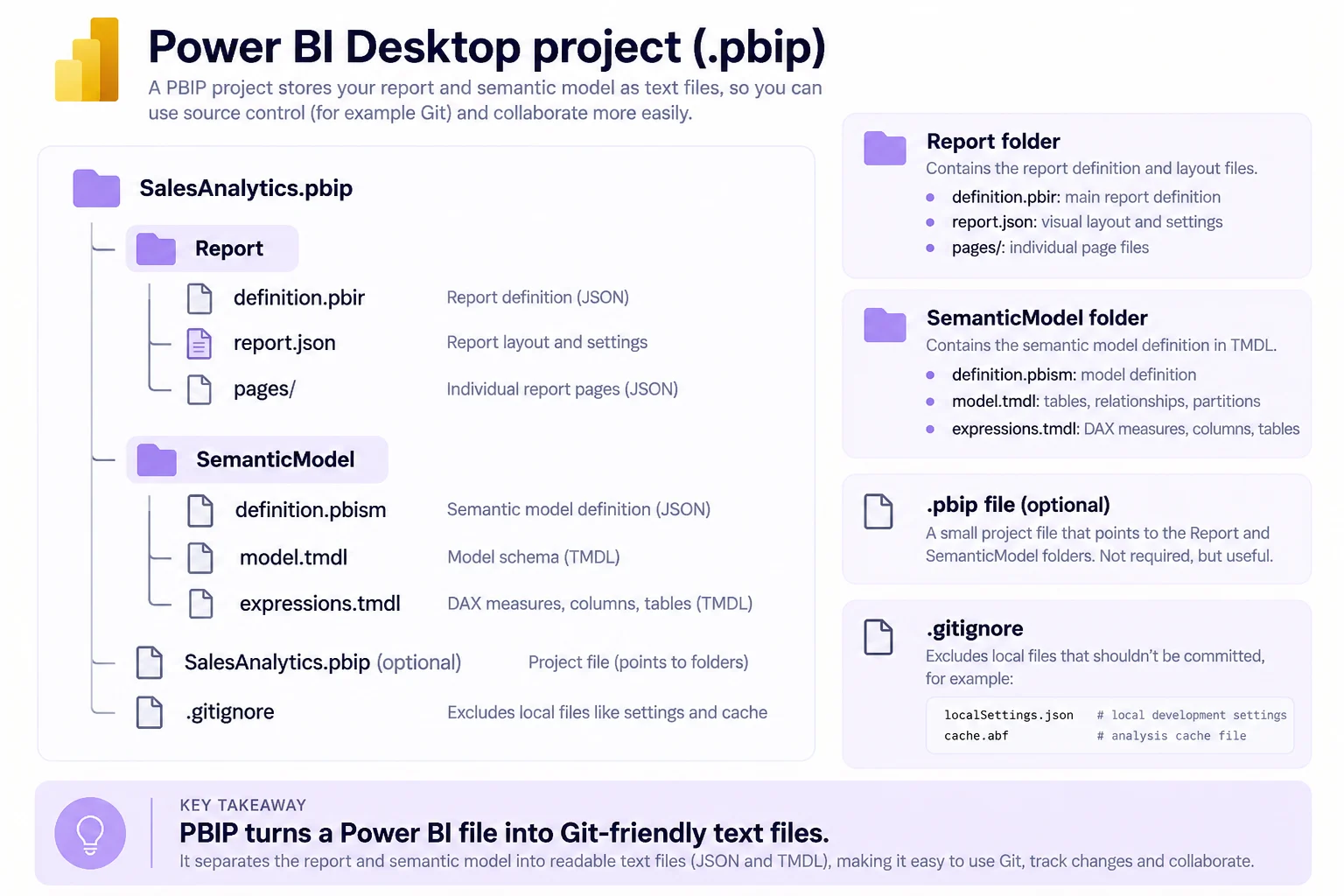
A separates the report and into text-based folders. That makes source-control diffs readable and enables code editors and CI/CD.
The semantic model is stored as files or a single model.bim. The report folder contains definition.pbir and its report definition.
The .pbip file is only a convenient pointer. Local settings and cache files are excluded from Git by default.
Key points
- Project: report and model live in separate folders
- Model: or model.bim stores semantic definitions
- Report: definition.pbir links the report to its model
- Git: localSettings.json and stay ignored
Click an underlined term for a one-line explanation, or see them all in the glossary .
Exam trap
The . file is only a . The definitions live in the Report and SemanticModel folders, and you can open the report from its definition.pbir instead.
Sources · 3 Microsoft Learn pages Show ▾
- Power BI Desktop projects (PBIP)
- Power BI Desktop project semantic model folder
- Power BI Desktop project report folder
Checked on October 4, 2026. Report a problem
Go deeper on Microsoft Learn
- Power BI Desktop projects (PBIP)
- Power BI Desktop project semantic model folder
- Power BI Desktop project report folder
Checked against Microsoft Learn on October 4, 2026. Report a problem with this card