DP-600 · 3.2.5 · Implement and manage semantic models
Incremental refresh
Implement incremental refresh for semantic models
Partition large tables with so refreshes reload only the recent period instead of the complete history.
Refresh only what changed recently
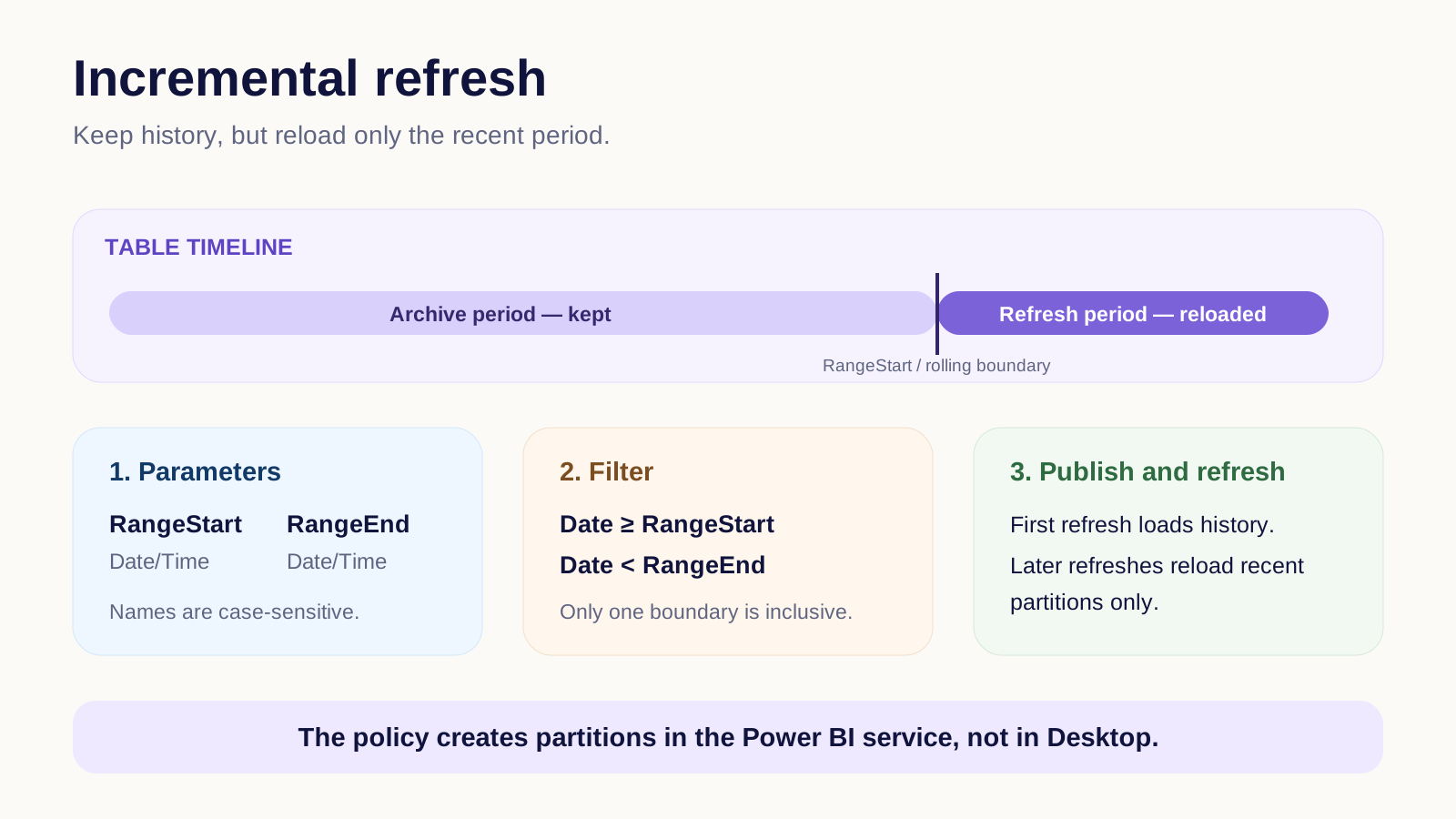
partitions a large table by date. Create the case-sensitive parameters, filter the date column with them, and define how much history to keep versus how much recent data to reload.
Use an inclusive boundary on only one side, such as >= RangeStart and < RangeEnd, so a boundary row cannot land in two partitions.
The policy takes effect in the Power BI service after publishing. Subsequent refreshes process only the configured recent partitions.
Key points
- : required Date/Time parameters
- Filter: use one inclusive and one exclusive boundary
- Policy: separate archive history from refresh period
- Service: partitions are created after publish and refresh
Click an underlined term for a one-line explanation, or see them all in the glossary .
Exam trap
is applied in the service after publish. Replacing the model from Desktop can recreate partitions and remove the existing partitioned data.
Sources · 2 Microsoft Learn pages Show ▾
- Configure incremental refresh and real-time data for Power BI semantic models
- Configure incremental refresh for Power BI semantic models
Checked on October 4, 2026. Report a problem
Go deeper on Microsoft Learn
- Configure incremental refresh and real-time data for Power BI semantic models
- Configure incremental refresh for Power BI semantic models
Checked against Microsoft Learn on October 4, 2026. Report a problem with this card