DP-600 · 1.2.4 · Maintain a data analytics solution
Lineage and impact
Perform impact analysis of downstream dependencies from lakehouses, warehouses, dataflows, and semantic models
Use lineage to understand connections and to see which or workspaces a change could affect.
The core idea
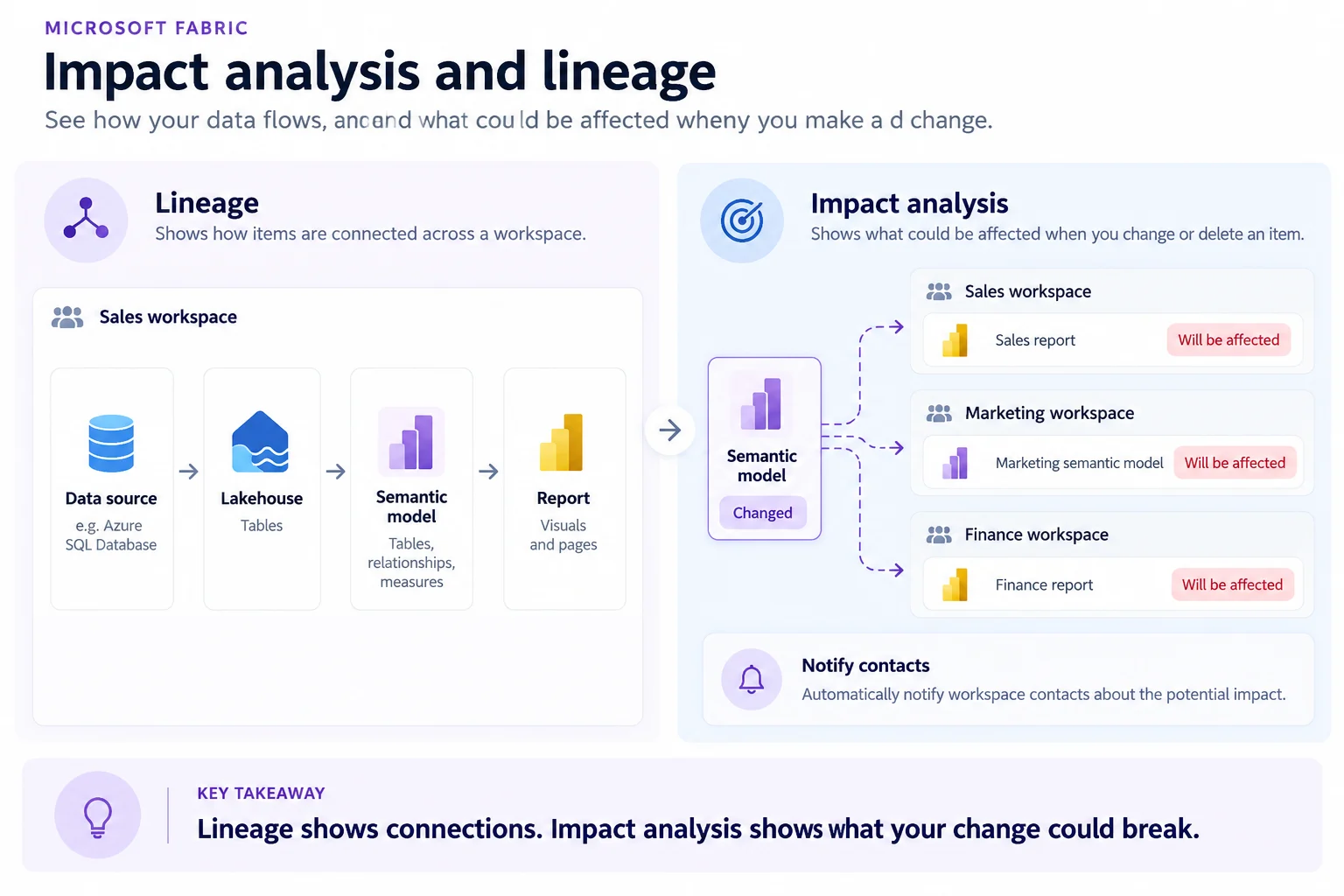
answers how items connect. It focuses on a workspace and shows its sources and dependencies.
answers what a change could break. It looks downstream, including items in other workspaces, and can show direct children or the full dependency chain.
Use Notify contacts to warn the contact lists of affected workspaces before changing or retiring an upstream item.
Key points
- Lineage: maps item connections and upstream sources
- Impact: lists and workspaces
- Scope: child items or all downstream items
- Notify: contact affected workspace owners before a risky change
Click an underlined term for a one-line explanation, or see them all in the glossary .
Exam trap
does not show in other workspaces. To see who uses an item elsewhere, open its .
Sources · 2 Microsoft Learn pages Show ▾
Checked on October 4, 2026. Report a problem
Go deeper on Microsoft Learn
Checked against Microsoft Learn on October 4, 2026. Report a problem with this card