DP-600 · 2.3.3 · Prepare data
KQL query pipeline
Select, filter, and aggregate data by using KQL
Build as a left-to-right pipeline: filter, shape, aggregate, rank, and optionally render the result.
The core idea
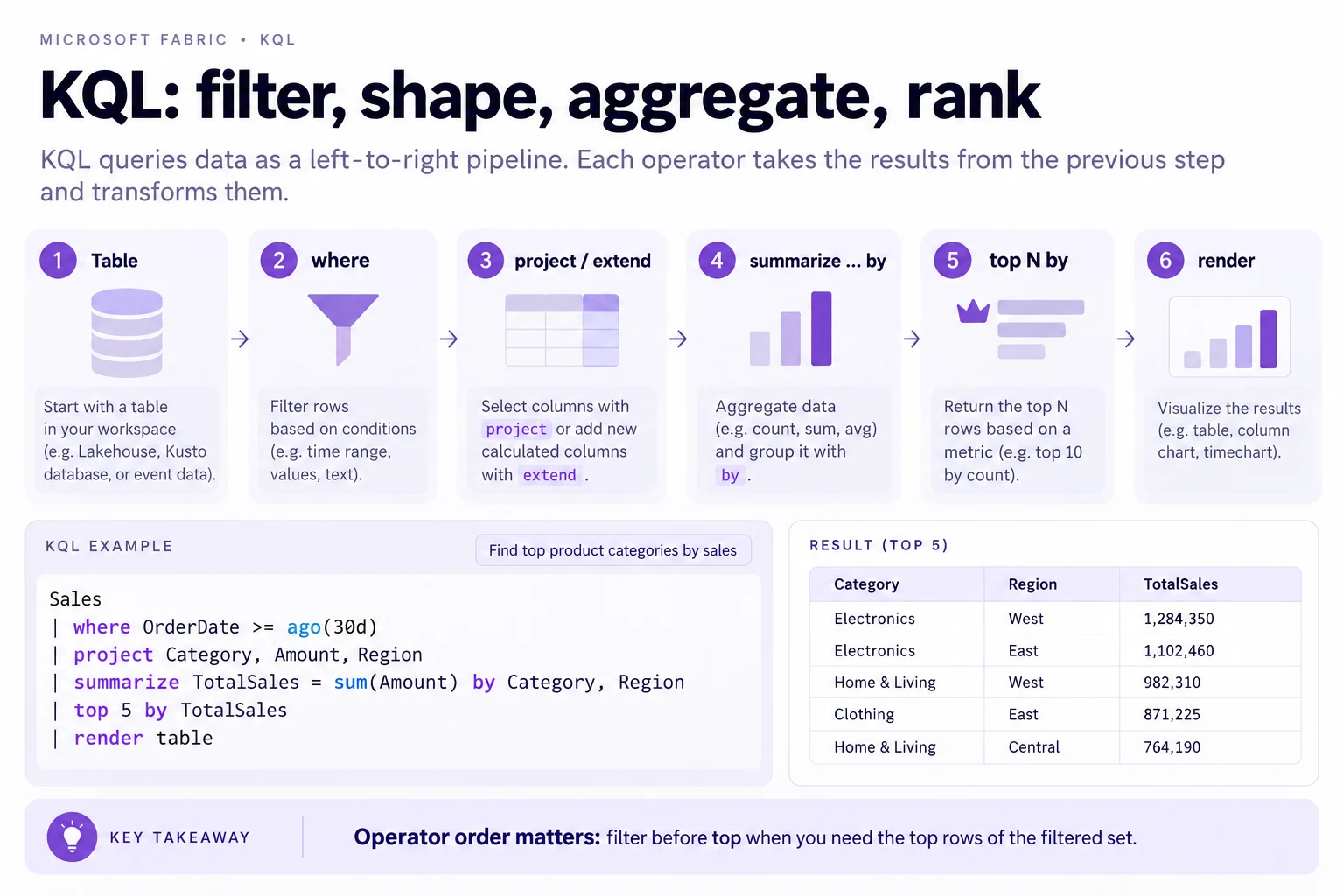
passes a table from one operator to the next. Start with the source table, filter early with where, then shape columns with project or extend.
summarize ... by creates grouped aggregates. top N by selects the highest rows from whatever the previous steps produced.
Operator order changes the result. Filter before top when you need the top rows of the filtered set.
Key points
- where: filters rows
- project or extend: shapes columns
- summarize by: groups and aggregates
- top N by: ranks rows after earlier pipeline steps
Click an underlined term for a one-line explanation, or see them all in the glossary .
Exam trap
operator order matters. Applying top before where ranks the unfiltered set, which can return different rows than filtering first.
Sources · 3 Microsoft Learn pages Show ▾
- Tutorial: Learn common Kusto Query Language operators
- Tutorial: Use aggregation functions in Kusto Query Language
- Query data in a KQL queryset
Checked on October 4, 2026. Report a problem
Go deeper on Microsoft Learn
- Tutorial: Learn common Kusto Query Language operators
- Tutorial: Use aggregation functions in Kusto Query Language
- Query data in a KQL queryset
Checked against Microsoft Learn on October 4, 2026. Report a problem with this card