DP-600 · 1.2.5 · Maintain a data analytics solution
XMLA model management
Deploy and manage semantic models by using the XMLA endpoint
Use the with external tools to deploy, script, inspect, and refresh at fine .
The core idea
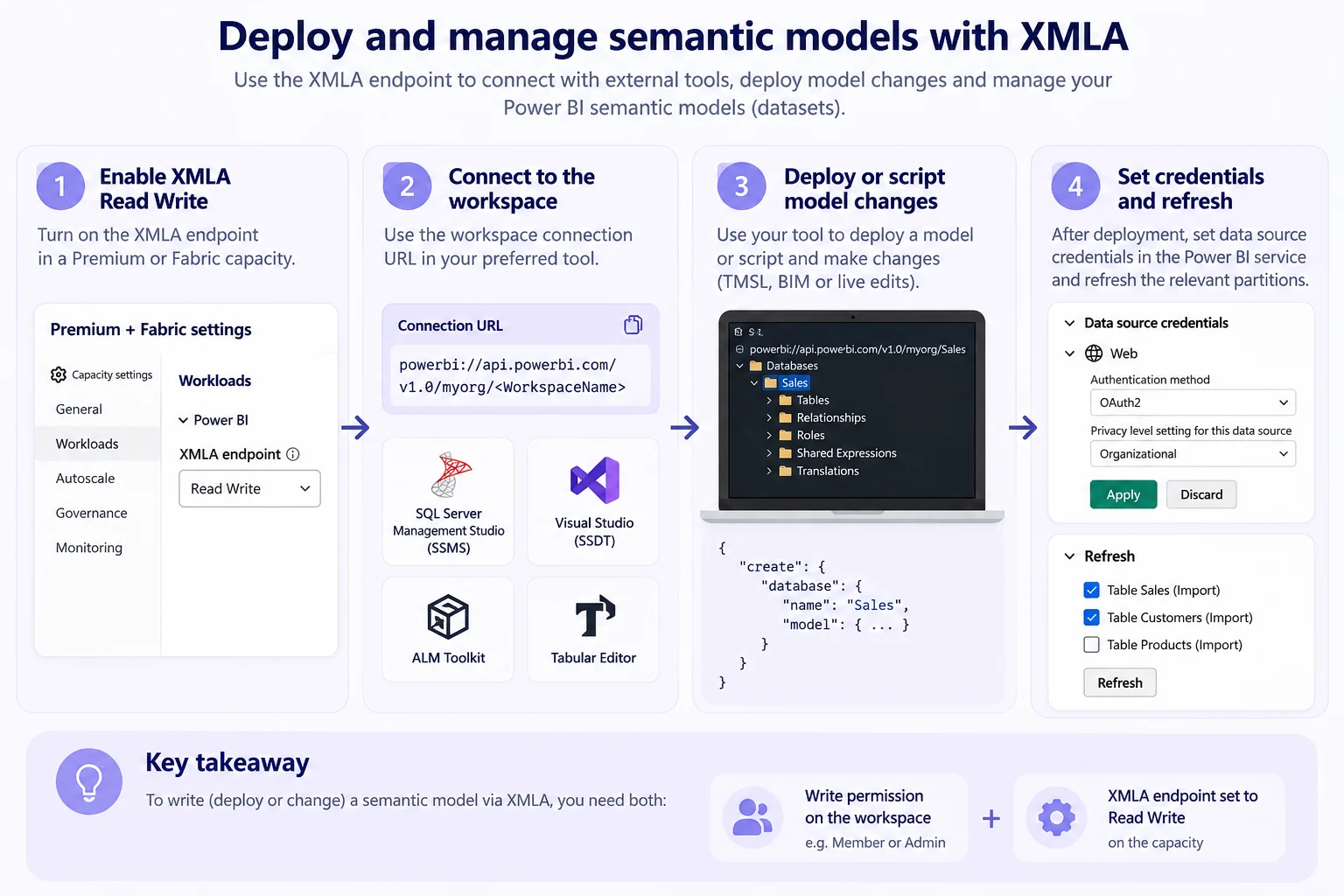
The exposes a Fabric workspace like an Analysis Services server. External tools can inspect models, deploy changes, run , and refresh specific partitions.
Writes require both a with write access and the capacity XMLA endpoint set to Read Write.
Credentials are configured in the settings after deployment. XMLA is especially useful for automated deployments and fine-grained refresh operations.
Key points
- Endpoint: capacity admin enables Read Write for changes
- Connect: use the workspace powerbi:// URL
- Tools: , Visual Studio, ALM Toolkit, and Tabular Editor
- Refresh: XMLA can target individual partitions
Click an underlined term for a one-line explanation, or see them all in the glossary .
Exam trap
Write access needs both a of Contributor or higher and the set to Read Write on the capacity. The role alone still ends in write errors.
Sources · 1 Microsoft Learn page Show ▾
Checked on October 4, 2026. Report a problem
Go deeper on Microsoft Learn
Checked against Microsoft Learn on October 4, 2026. Report a problem with this card