DP-750 · 2.2.2 · Secure and govern Unity Catalog objects
ABAC with tags
Configure attribute-based access control (ABAC) by using tags and policies
Use governed tags and centralized ABAC policies to scale consistent access rules across many Unity Catalog objects.
Classify with governed tags
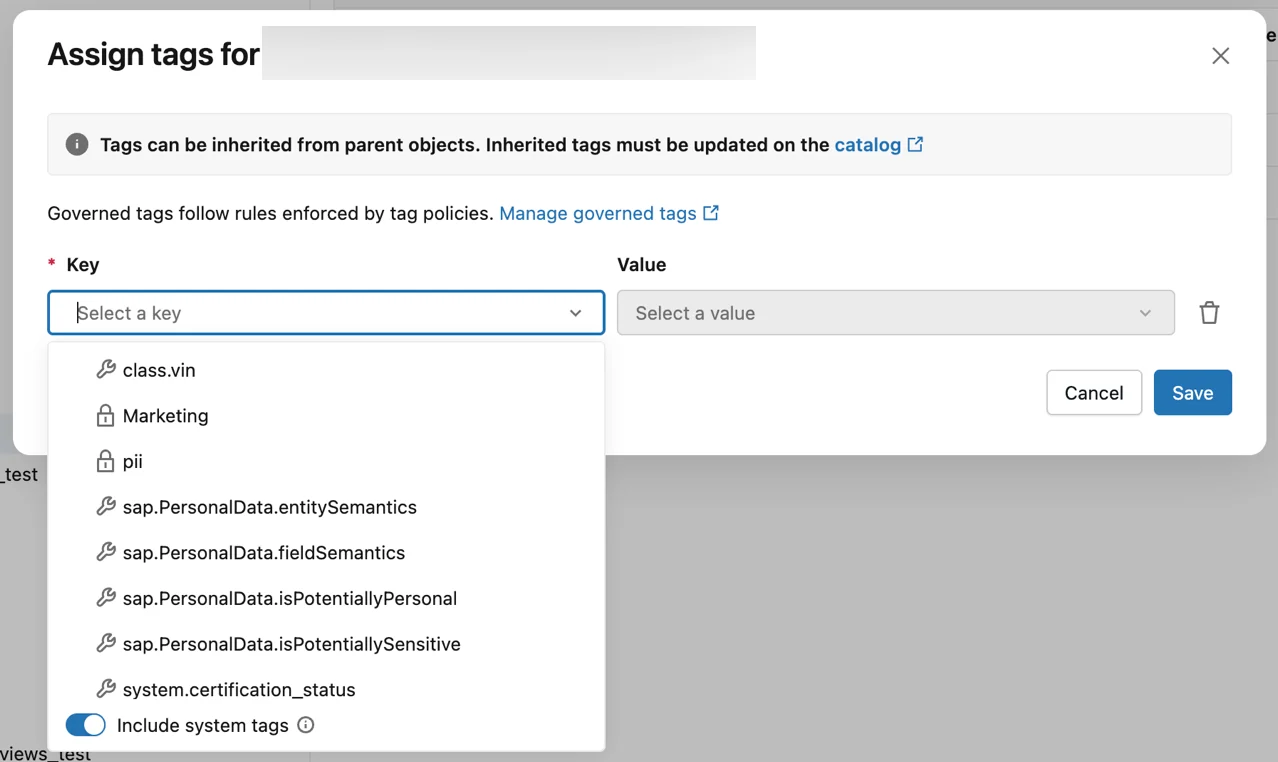
Governed tags provide controlled keys and values that classify catalogs, schemas, tables, columns, and other securable objects consistently.
Apply one policy at scale
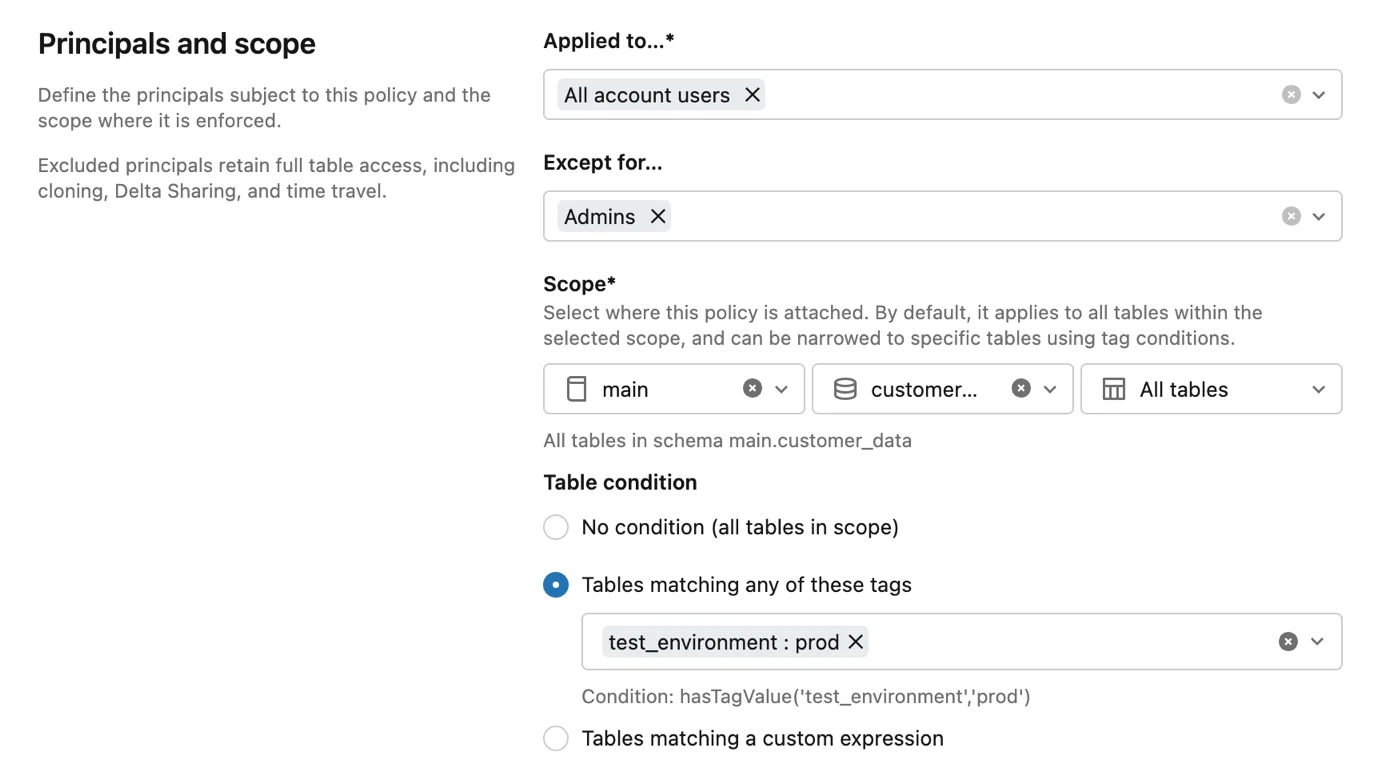
An ABAC policy can attach at catalog, schema, or table scope and target objects through tags. This avoids repeating the same masking or filtering rule on every table.
Understand the evaluation
- 1Governed tagClassifies the object
- 2Policy scopeDefines where to look
- 3ConditionMatches tags and principals
- 4Filter or maskRestricts query results
ABAC constrains existing access. It does not grant SELECT by itself.
Key points
- Governed tags: Classify data with controlled keys and values
- Policy scope: Catalog or schema can cover many tables
- Conditions: Match tags and principals at query time
- Separation: Policies enforce access without per-table duplication
Exam trap
ABAC filters or masks data a user can access; it does not replace every baseline privilege.
Sources · 1 Microsoft Learn page Show ▾
Checked on October 4, 2026. Report a problem
Go deeper on Microsoft Learn
Checked against Microsoft Learn on October 4, 2026. Report a problem with this card