DP-750 · 1.1.2 · Set up and configure an Azure Databricks environment
Configure compute performance
Configure compute performance settings, including CPU, node count, autoscaling, termination, node type, cluster size, and pooling
Size and scale compute around workload demand, then stop idle resources to control cost.
See the whole tuning loop
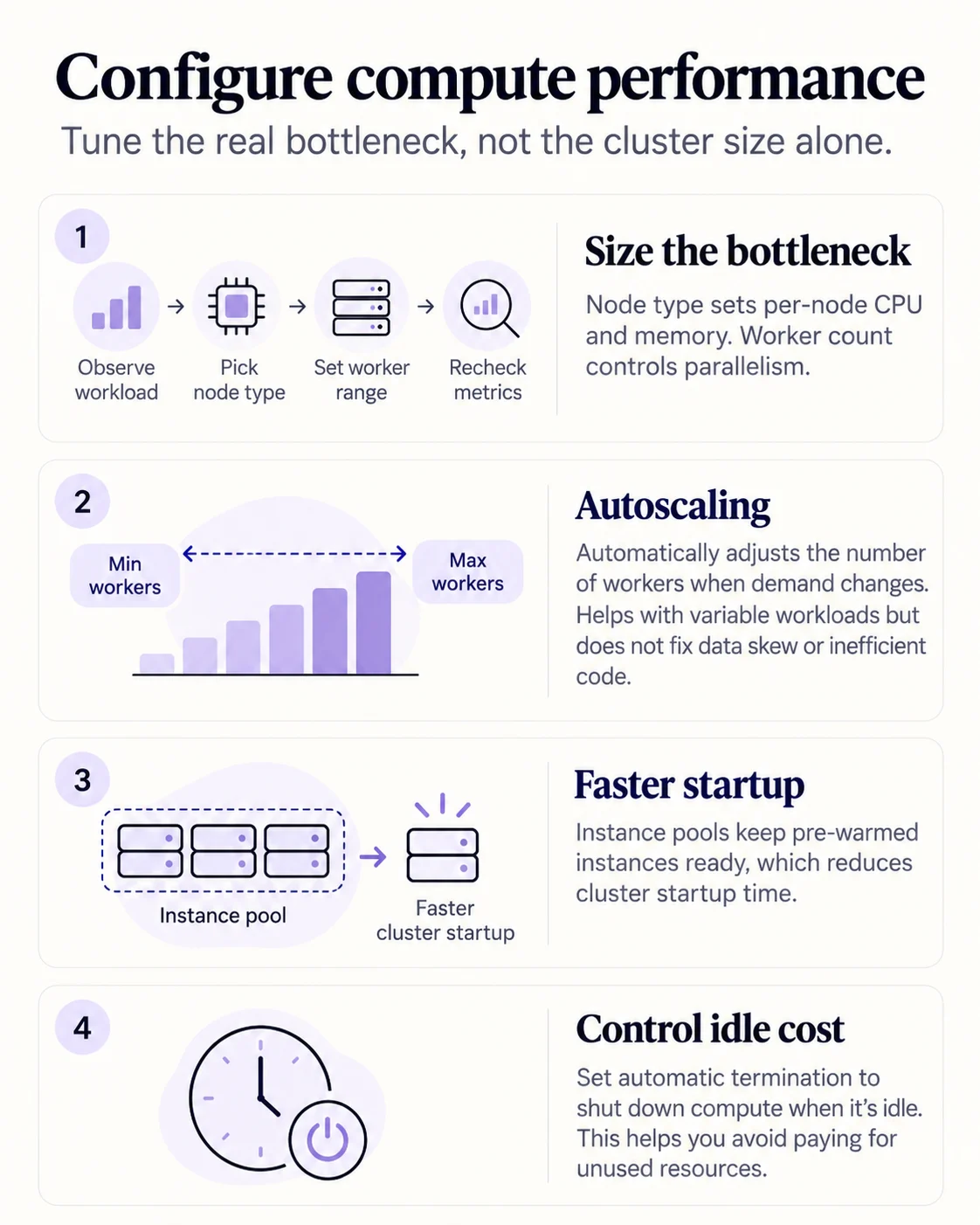
Tune the bottleneck you actually observe. Node type changes CPU and memory per worker. Worker count changes parallel capacity. More workers do not solve a task that itself needs more memory.
See the real settings
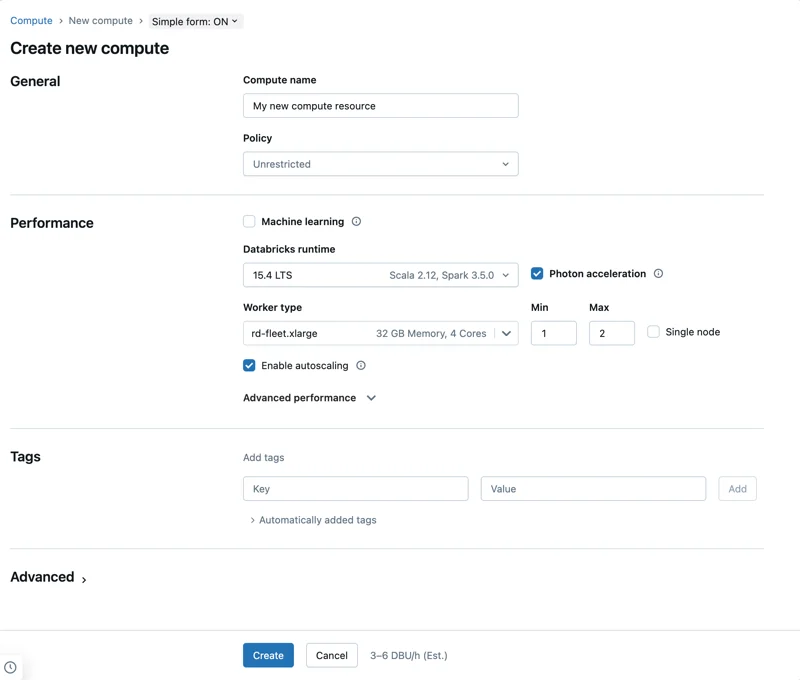
The compute form puts runtime, Photon, worker type and autoscaling together. Min and Max define the autoscaling range rather than a fixed cluster size.
Startup and idle cost
- Repeated cluster startup is slowInstance pool
- Interactive compute sits unusedAutomatic termination
Pools reduce startup latency. Automatic termination reduces idle cost. Neither replaces measuring CPU, memory, skew and task behavior.
Key points
- Node type: Determines per-node CPU and memory capacity
- Workers: Determine parallel compute capacity
- Autoscaling: Adjusts workers within configured bounds
- Pools: Reduce startup latency by reusing ready instances
Exam trap
More workers do not fix a workload bottlenecked by one oversized task or poor partitioning.
Sources · 1 Microsoft Learn page Show ▾
Checked on October 4, 2026. Report a problem
Go deeper on Microsoft Learn
Checked against Microsoft Learn on October 4, 2026. Report a problem with this card