DP-750 · 4.4.6 · Deploy and maintain data pipelines and workloads
Stream logs to Log Analytics
Implement log streaming by using Log Analytics in Azure Monitor
Configure Azure Monitor diagnostic settings on the Databricks workspace to send selected diagnostic log categories to a Log Analytics workspace.
Connect logs to a monitorable signal
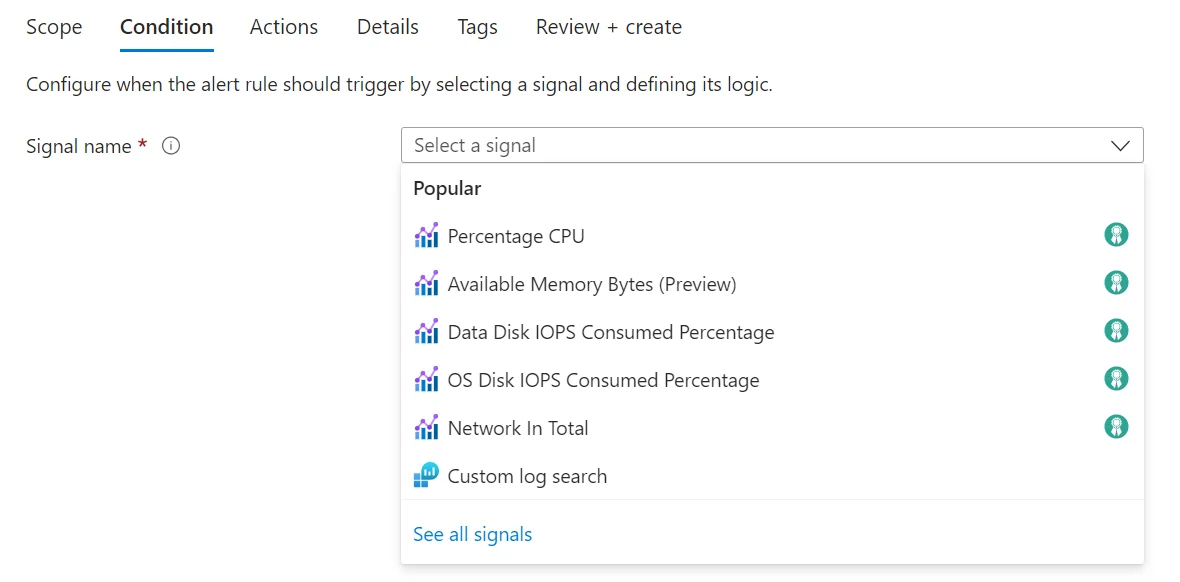
Log streams become operationally useful when queries turn them into signals that can be investigated or alerted on. The Azure Monitor screen shows that handoff; the diagrams below cover collection and routing.
Route Azure diagnostics
- 1Azure Databricks resourceEmits supported diagnostics
- 2Diagnostic settingSelects categories and destination
- 3Log Analytics workspaceStores queryable events
- 4KQLInvestigates platform and security signals
- 5Azure MonitorBuilds dashboards and alerts
The Azure diagnostic setting connects selected Databricks log categories to a Log Analytics workspace.
Know the configuration choices
- Query and alert on logs in AzureLog Analytics
- Stream logs to another consumerEvent Hub
- Archive for long-term storageStorage account
Select categories deliberately because volume affects noise and cost.
Know the boundary
Azure diagnostic settings do not expose every Databricks audit service. Use the Databricks audit system table when broader Databricks activity coverage is required.
Key points
- Diagnostic setting: Connects the Databricks Azure resource to monitoring destinations
- Log Analytics: Stores queryable Azure Monitor logs
- Categories: Select the services and events that should be delivered
- Retention: Configure workspace or storage policy according to compliance needs
Exam trap
Azure Monitor diagnostic settings do not expose every Databricks audit service; system tables can provide broader audit coverage.
Sources · 1 Microsoft Learn page Show ▾
Checked on October 4, 2026. Report a problem
Go deeper on Microsoft Learn
Checked against Microsoft Learn on October 4, 2026. Report a problem with this card