DP-750 · 4.2.2 · Deploy and maintain data pipelines and workloads
Configure job triggers
Configure job triggers
Choose time, table-update, file-arrival, model-update, continuous, manual, or external triggers based on the event that should start work.
See triggers in the Jobs UI
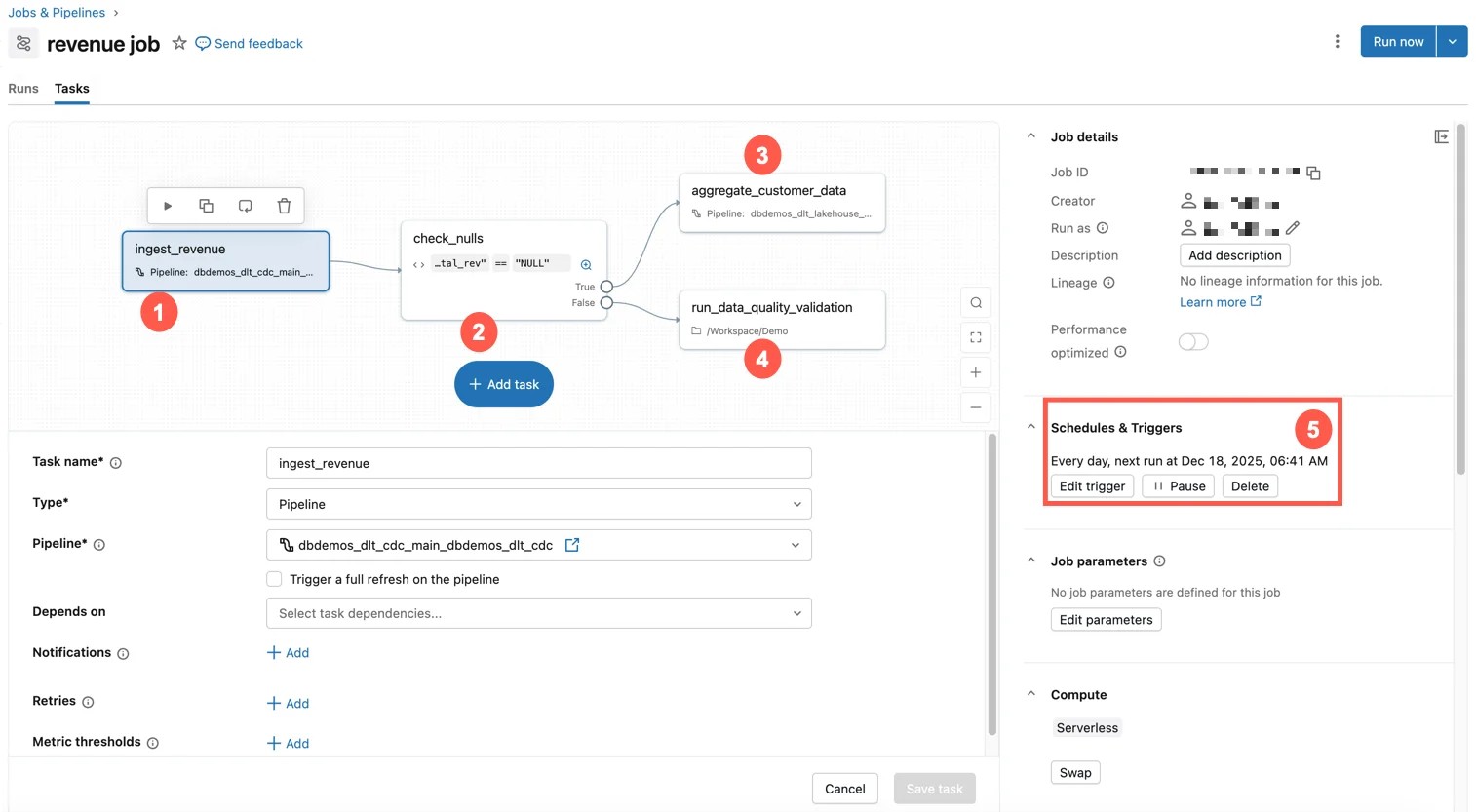
Triggers define the event that starts a run. The same job can be configured around business time, arriving data, model events, or continuous execution.
Pick the real business event
- Fixed business timeScheduled
- New files landFile arrival
- Monitored table changesTable update
- Model version or alias changesModel update
- Workload should stay activeContinuous
Prefer event triggers over frequent polling when work should start only after data changes.
Continuous is different
Continuous mode starts another run whenever the previous one finishes or fails. Use it for genuinely always-on workloads, not as a generic scheduling shortcut.
Key points
- Scheduled: Starts from a time-based schedule
- Table update: Starts when monitored source tables change
- File arrival: Starts when new files land
- Continuous: Starts another run whenever the prior run ends
Exam trap
Do not poll continuously when a table-update or file-arrival trigger can react to the actual data event.
Sources · 1 Microsoft Learn page Show ▾
Checked on October 4, 2026. Report a problem
Go deeper on Microsoft Learn
Checked against Microsoft Learn on October 4, 2026. Report a problem with this card