DP-750 · 3.3.4 · Prepare and process data
Filter, group, aggregate
Transform data, including filtering, grouping, and aggregating data
Use filters to reduce rows, groupBy to define aggregation keys, and aggregate functions to summarize each group.
See transformation and result together
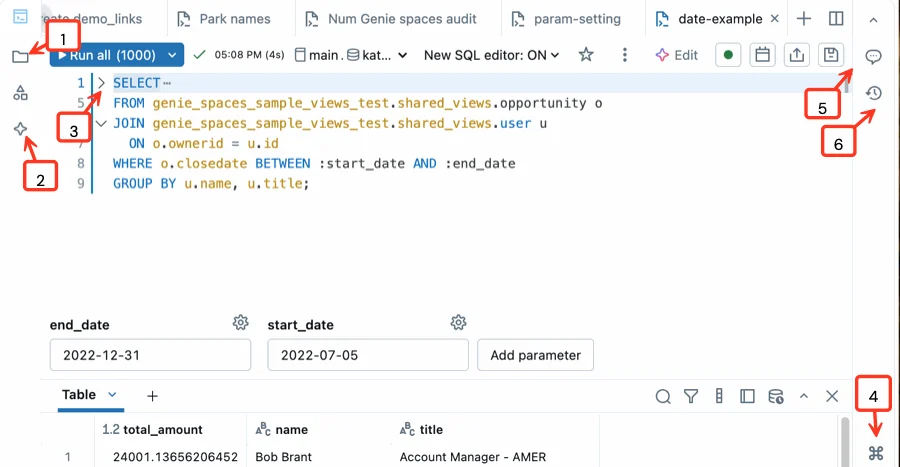
The SQL editor keeps transformation logic and its result set in one view. That feedback loop matters when validating filters, groups, and aggregates; the diagrams below focus on operation order and semantics.
See the transformation order
- 1Source rowsRaw records
- 2FilterKeep relevant rows
- 3groupByDefine result grain
- 4AggregateCalculate sum, count, or average
Operation order changes the result. Filtering source rows changes which records contribute to an aggregate.
Before or after aggregation
Before aggregate
- Acts on
- Source rows
- Can reduce shuffle
- Yes
- Same meaning
- Only when logically equivalent
After aggregate
- Acts on
- Group results
- Can reduce shuffle
- No
- Same meaning
- Not guaranteed
Filter early when it is logically safe because fewer rows flow into expensive operations.
groupBy sets the output grain
Grouping by region yields one row per region. Adding product creates a more detailed region-product result.
Key points
- filter or where: Keep rows matching a Boolean condition
- groupBy: Defines grouping columns
- agg: Computes measures such as sum, count, or average
- Order: Filter early when it safely reduces unnecessary processing
Exam trap
Filtering after aggregation is not equivalent to filtering source rows before aggregation.
Go deeper on Microsoft Learn
Checked against Microsoft Learn on October 4, 2026. Report a problem with this card