DP-750 · 1.2.4 · Set up and configure an Azure Databricks environment
Create volumes
Create volumes based on requirements
Use Unity Catalog volumes for governed access to non-tabular files without registering each file as a table.
Know when to use a volume
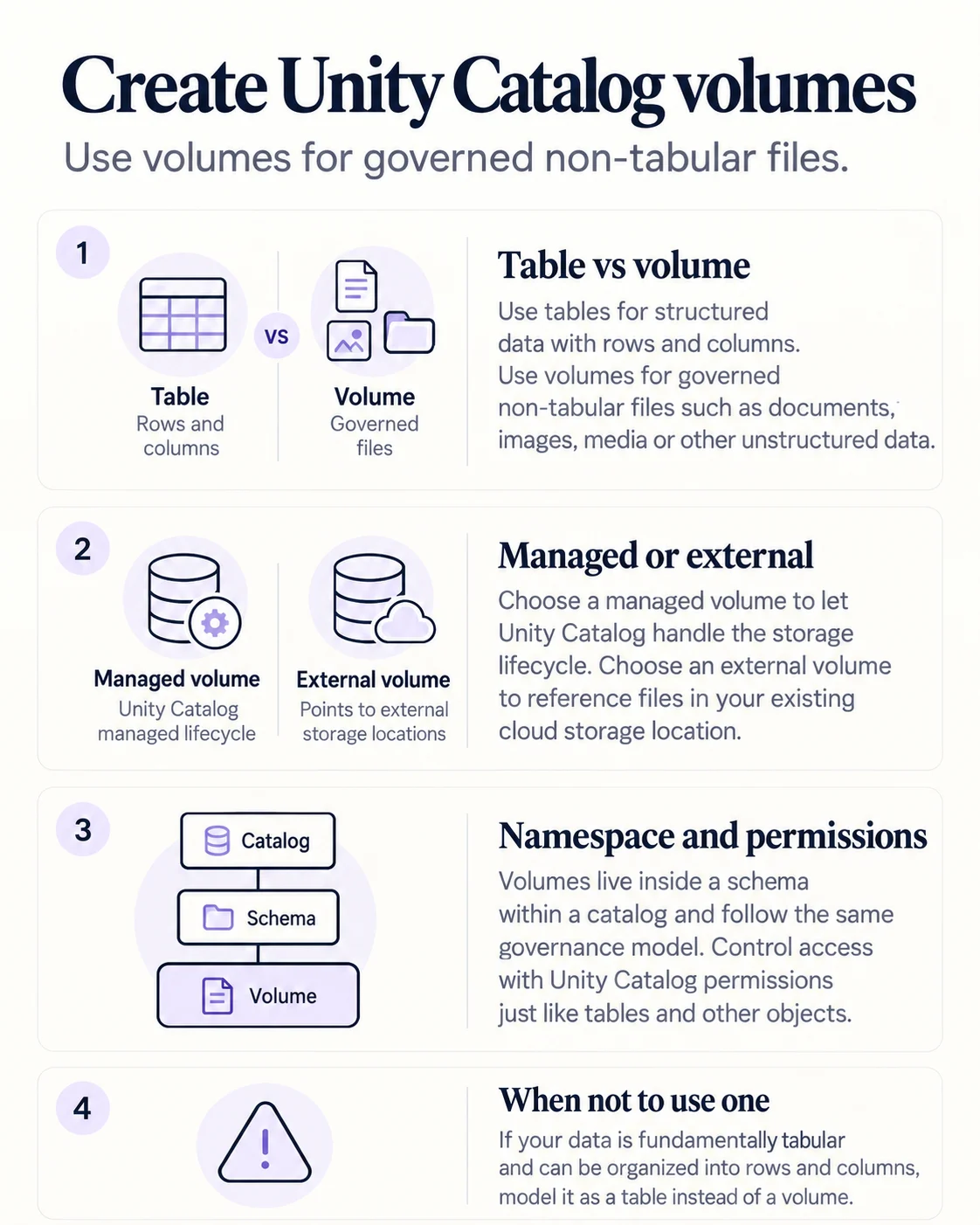
Use a table for structured rows and columns. Use a volume for governed non-tabular files such as documents, images, media and other file-based assets.
Volumes are governed objects
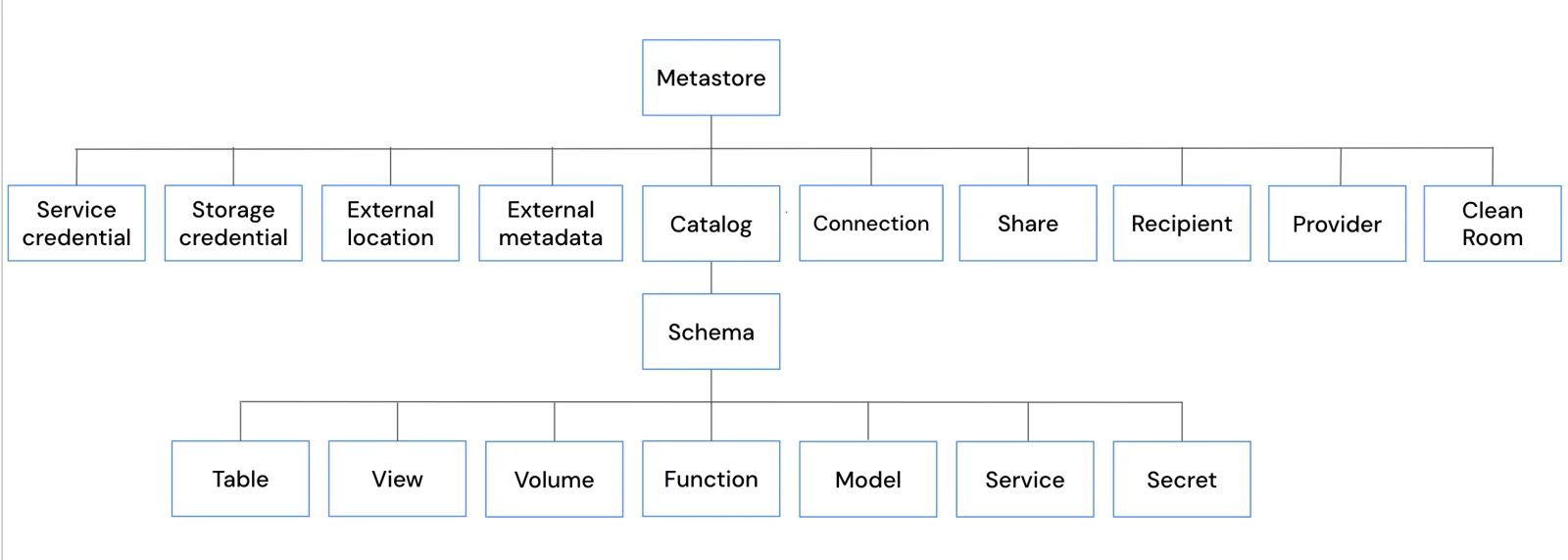
A volume lives inside a schema and catalog, so it follows the same namespace and governance model as other Unity Catalog objects.
Managed or external
Managed
- Governance
- Unity Catalog
- Storage lifecycle
- Managed by Unity Catalog
- Typical fit
- New governed file storage
External
- Governance
- Unity Catalog
- Storage lifecycle
- Managed outside Databricks
- Typical fit
- Existing cloud storage
Use external volumes when files must remain in an independently managed cloud storage location.
Key points
- Volume: Governed file storage in a catalog and schema
- Managed volume: Databricks manages the storage location
- External volume: References governed external storage
- Files: Access with volume paths instead of table semantics
Exam trap
Use a table for structured tabular data that should be queried as rows and columns.
Sources · 1 Microsoft Learn page Show ▾
Checked on October 4, 2026. Report a problem
Go deeper on Microsoft Learn
Checked against Microsoft Learn on October 4, 2026. Report a problem with this card