DP-750 · 1.1.1 · Set up and configure an Azure Databricks environment
Choose compute type
Choose an appropriate compute type, including job compute, serverless, warehouse, classic compute, and shared compute
Match compute to workload shape, isolation needs, and who should manage the infrastructure.
Choose by workload
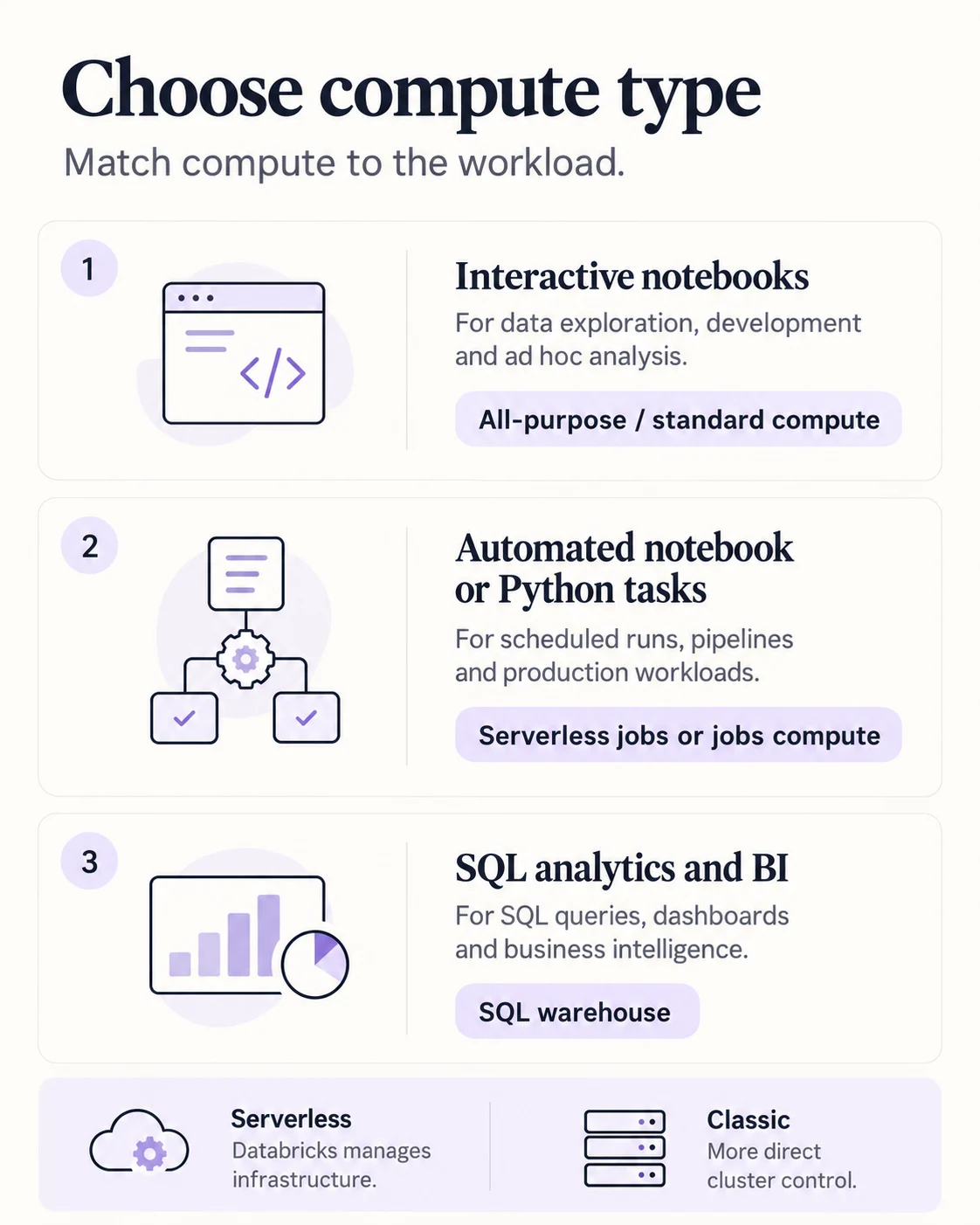
Start with the workload. Serverless is the normal recommendation for supported interactive and automated workloads. SQL analytics belongs on a SQL warehouse. Use classic compute when the workload needs configuration or capabilities that serverless does not provide.
Job tasks choose compute separately
- Notebook or Python taskServerless jobs
- SQL taskSQL warehouse
- Custom classic settings are requiredClassic jobs compute
A Lakeflow Job selects compute per task rather than forcing one compute type on the whole workflow.
Standard or dedicated
Standard
- Users
- Multiple isolated users
- Use first
- Yes
Dedicated
- Users
- One user or group
- Use first
- Only for specialized requirements
Standard is the normal shared choice. Dedicated is for workloads that need capabilities such as GPU or other specialized requirements.
Key points
- Serverless: Databricks manages infrastructure for supported workloads
- Jobs compute: Use job-oriented compute for automated tasks
- SQL warehouse: Optimized compute for SQL analytics and BI
- All-purpose: Interactive notebook development and exploration
Exam trap
Do not choose interactive all-purpose compute by default for scheduled production jobs.
Sources · 4 Microsoft Learn pages Show ▾
Checked on October 4, 2026. Report a problem
Go deeper on Microsoft Learn
Checked against Microsoft Learn on October 4, 2026. Report a problem with this card