DP-750 · 1.2.6 · Set up and configure an Azure Databricks environment
Foreign catalogs
Implement a foreign catalog by configuring connections
Use a connection plus a foreign catalog to query supported external systems without first copying their data.
See query federation
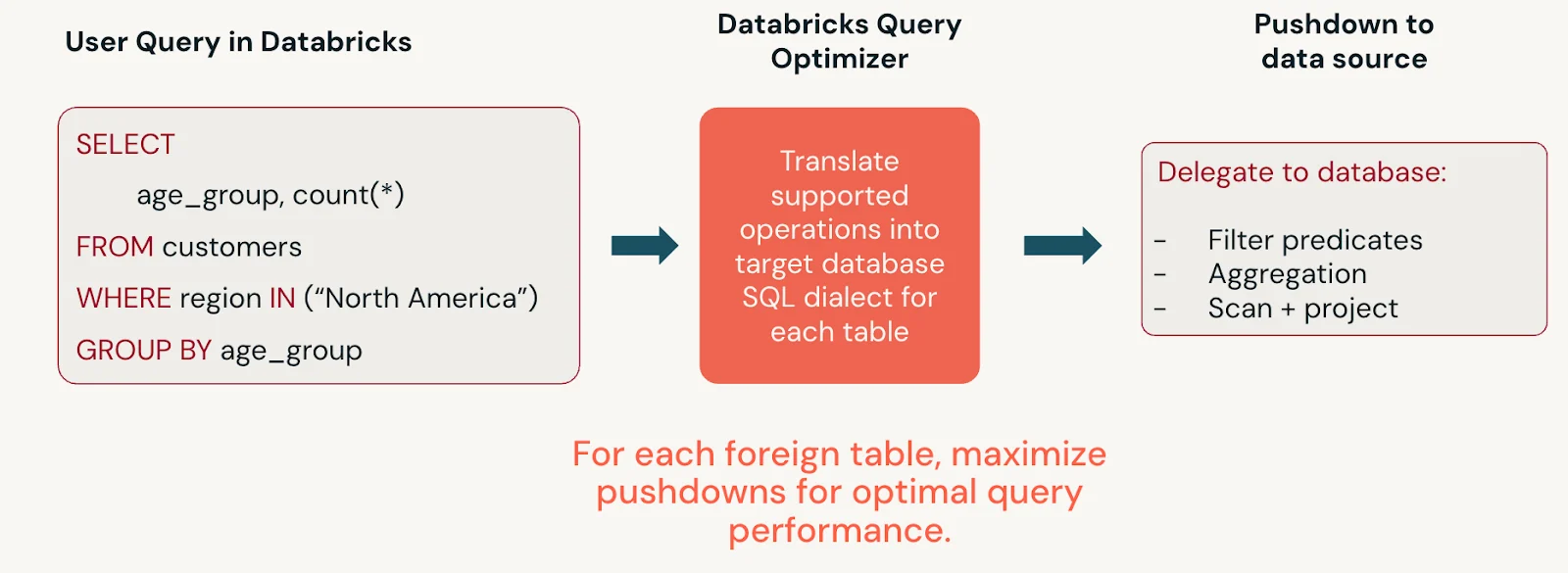
Lakehouse Federation queries supported external systems in place. Databricks translates supported operations and pushes work down to the source instead of copying the data first.
Connection plus foreign catalog
- 1External databaseData stays at source
- 2ConnectionEndpoint and authentication
- 3Foreign catalogMirrors remote metadata
- 4QueryGoverned access from Databricks
The connection defines how Databricks reaches the system. The foreign catalog exposes remote databases or schemas through Unity Catalog.
Keep federation distinct from ingestion
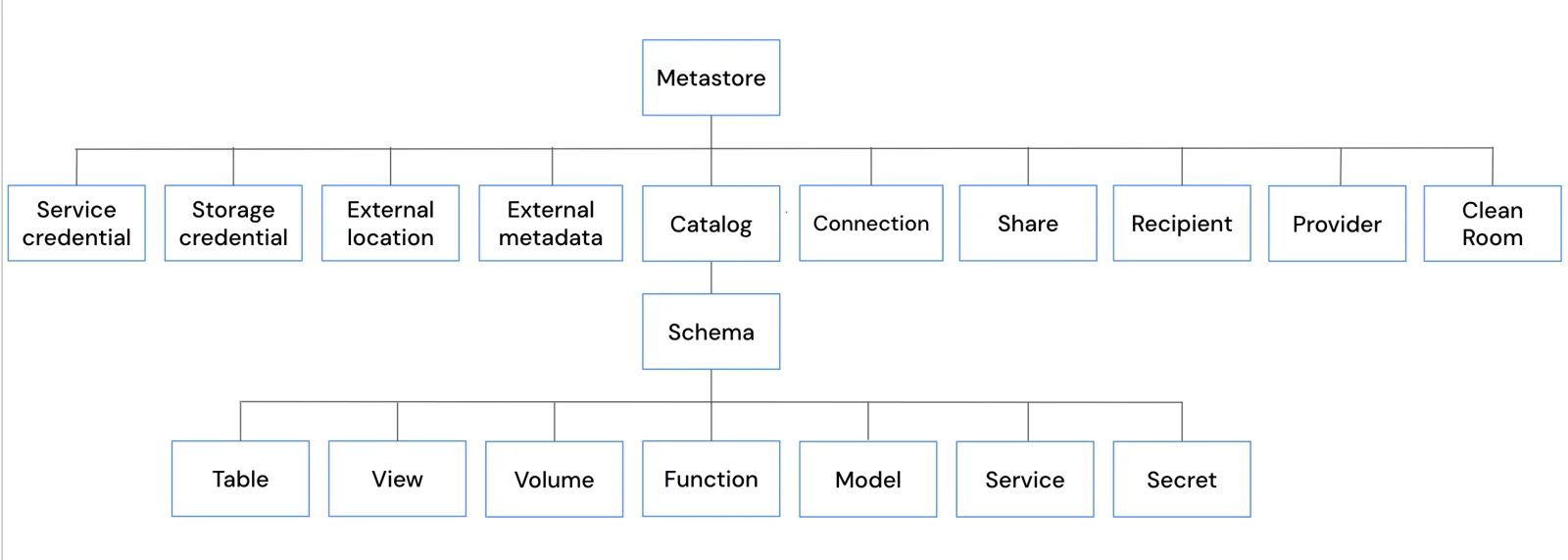
A foreign catalog is a governed metadata surface, not a managed Delta copy. Choose ingestion instead when you need local storage, independent performance, or retained history.
Key points
- Connection: Stores access configuration for the external system
- Foreign catalog: Mirrors external metadata for read access
- Federation: Queries data in place
- Privileges: Govern use of the connection and catalog separately
Exam trap
A foreign catalog does not make the external database a managed Delta copy.
Sources · 1 Microsoft Learn page Show ▾
Checked on October 4, 2026. Report a problem
Go deeper on Microsoft Learn
Checked against Microsoft Learn on October 4, 2026. Report a problem with this card