DP-750 · 1.1.3 · Set up and configure an Azure Databricks environment
Configure compute features
Configure compute feature settings, including Photon acceleration, Azure Databricks runtime/Spark version, and machine learning
Select runtime capabilities such as Photon, Spark runtime, and ML support to match the workload.
Match features to the workload
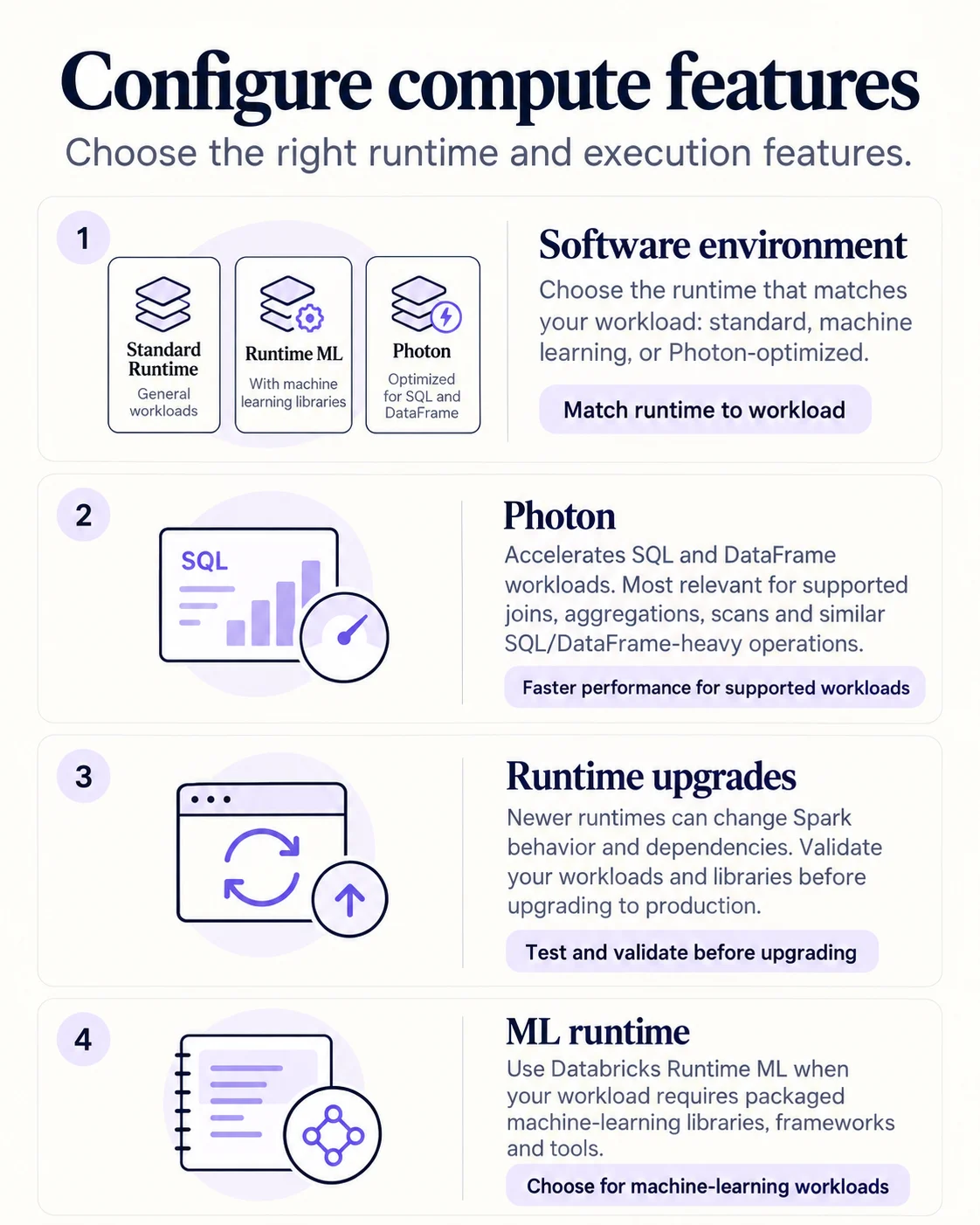
Runtime choice determines Spark and bundled platform compatibility. Photon accelerates supported SQL and DataFrame operations. Databricks Runtime ML bundles machine-learning libraries for workloads that actually need them.
What the UI exposes
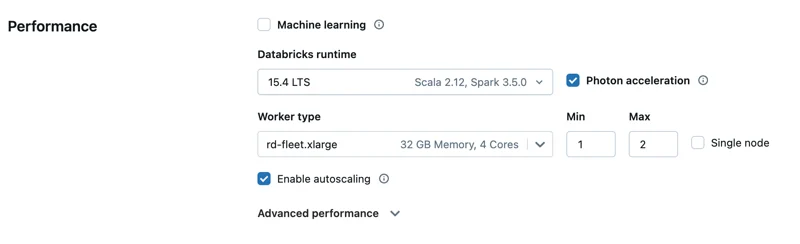
Photon and runtime are explicit compute settings. Treat them as workload decisions rather than universal performance switches.
Upgrade deliberately
- 1Choose candidate runtimePrefer supported or LTS where appropriate
- 2Validate codeCheck Spark behavior
- 3Validate librariesCheck bundled and custom dependencies
- 4PromoteMove only after representative testing
A newer runtime can change behavior and dependency versions. Validate before production rollout.
Key points
- Photon: Native vectorized engine for supported SQL and DataFrame workloads
- Runtime: Sets Spark and platform feature compatibility
- ML runtime: Bundles libraries for machine learning workloads
- Compatibility: Validate libraries and features before runtime upgrades
Exam trap
Do not select a machine learning runtime just because the workload uses Python.
Sources · 2 Microsoft Learn pages Show ▾
Checked on October 4, 2026. Report a problem
Go deeper on Microsoft Learn
Checked against Microsoft Learn on October 4, 2026. Report a problem with this card