DP-750 · 4.2.3 · Deploy and maintain data pipelines and workloads
Schedule a job
Schedule a job
Use a scheduled trigger for calendar-based execution and choose timezone and cadence to match the business requirement.
Schedule from the business clock
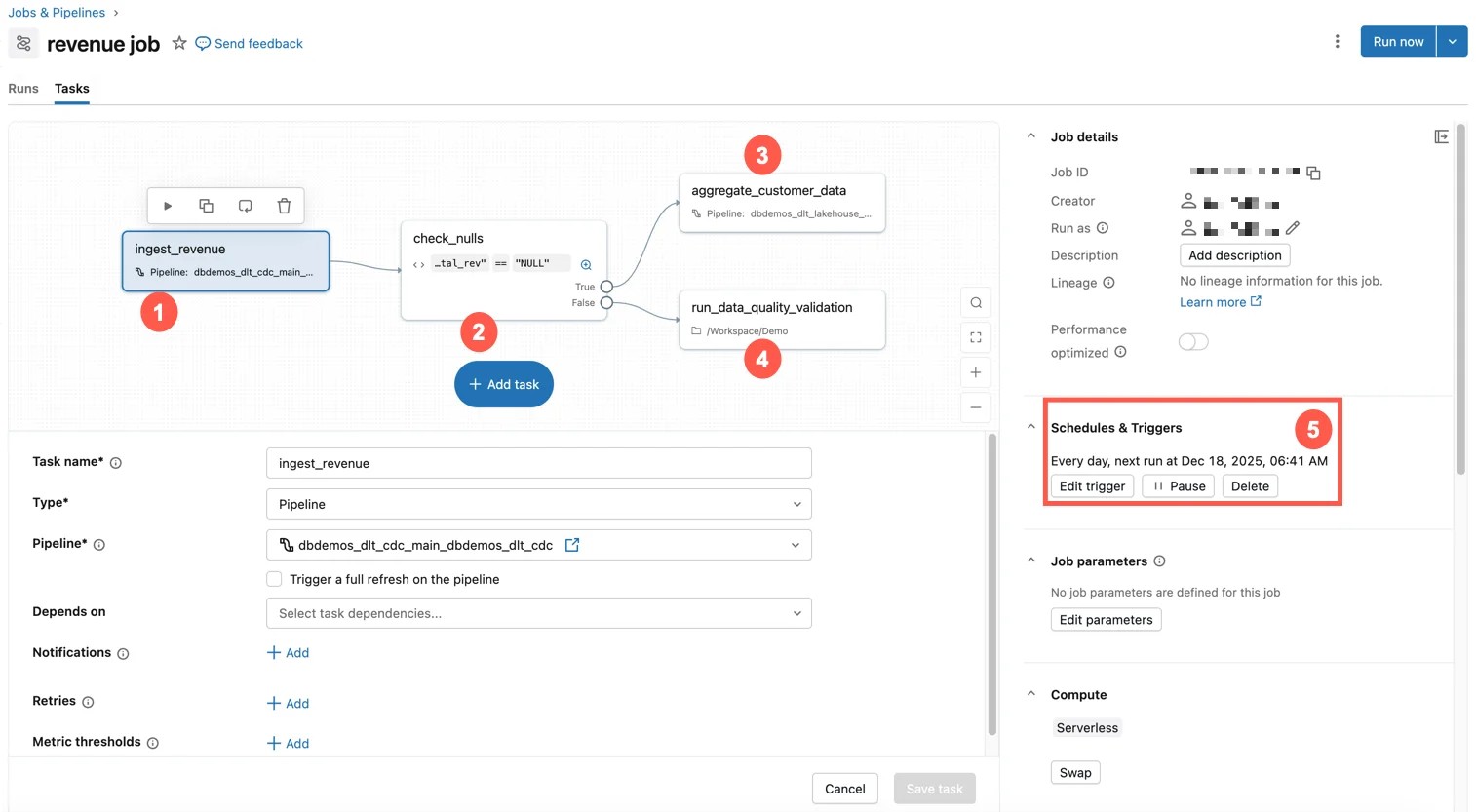
A scheduled trigger is appropriate when clock time, rather than data arrival, is the business requirement.
Resolve the scheduling inputs
- 1Freshness targetHow often must output update?
- 2Source readinessWhen is input complete?
- 3Job durationCan runs overlap?
- 4TimezoneWhich local clock matters?
Use the intended business timezone so daylight-saving behavior stays aligned with local expectations.
Avoid accidental overlap
- Overlap is unsafeLimit concurrent runs
- Source arrival should drive executionUse an event trigger instead
Do not schedule frequently by habit when file or table events can start work more efficiently.
Key points
- Schedule: Time-based recurring job trigger
- Timezone: Interpret business clock time correctly
- Cadence: Match freshness needs without unnecessary runs
- Concurrency: Prevent overlapping schedules when unsafe
Exam trap
Do not assume a fixed UTC offset when the business schedule follows a timezone with daylight-saving changes.
Sources · 1 Microsoft Learn page Show ▾
Checked on October 4, 2026. Report a problem
Go deeper on Microsoft Learn
Checked against Microsoft Learn on October 4, 2026. Report a problem with this card