DP-750 · 3.3.1 · Prepare and process data
Profile data
Profile data to generate summary statistics and assess data distributions
Profile datasets before transformation to expose nulls, cardinality, ranges, frequent values, and unusual distributions.
Read a real Data Profile
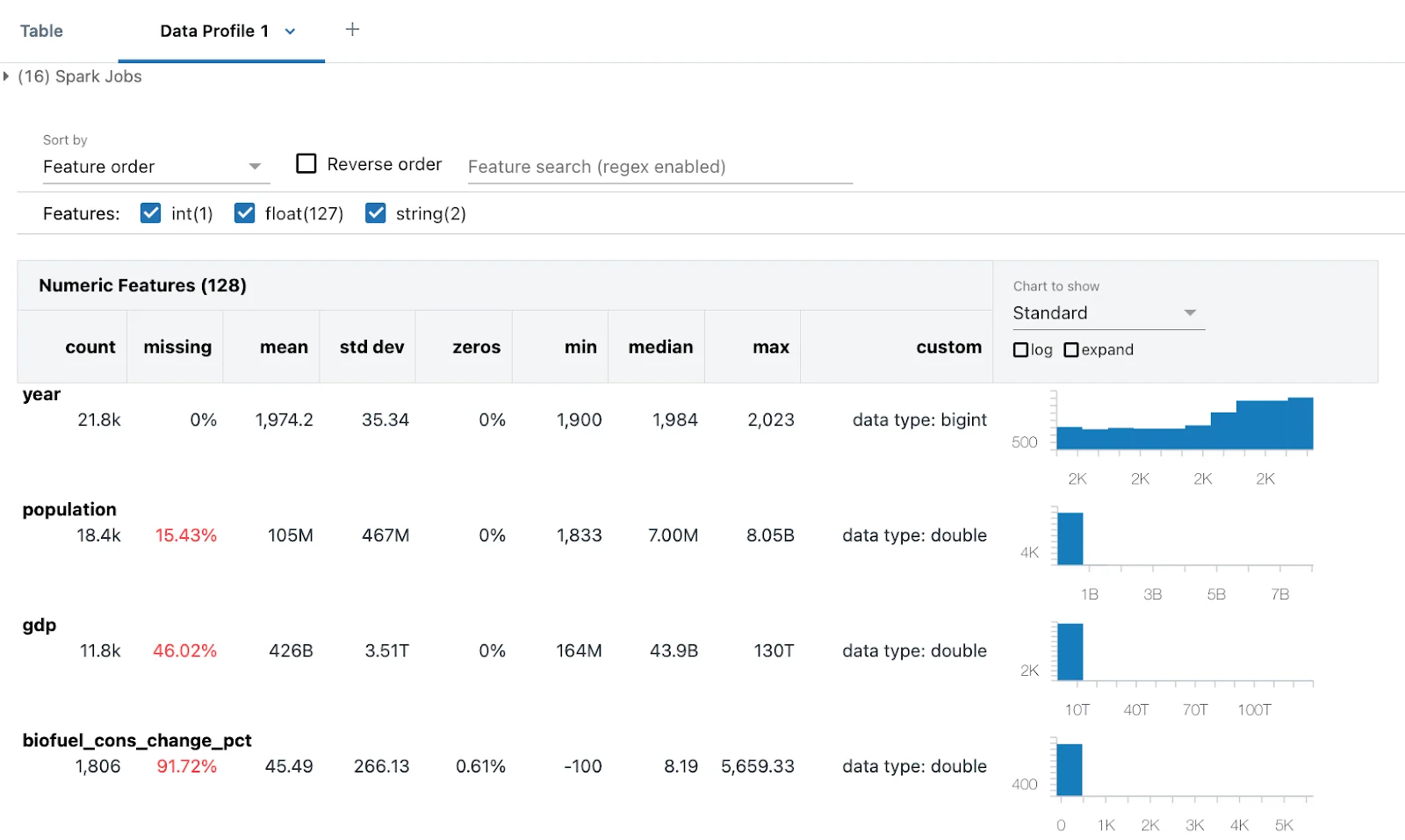
A profile turns vague data-quality questions into visible evidence: missing percentages, ranges, types, and distributions. Use the diagrams below to decide which signals should trigger deeper investigation.
Profile before you cleanse
- 1Summary statisticsCount, min, max, mean
- 2CardinalityCount distinct values
- 3Null rateFind incomplete fields
- 4DistributionDetect skew and outliers
Profiling gives evidence for data-quality rules instead of guessing what the dataset contains.
Read each signal
- Distinct count is unexpectedly highCheck whether a category behaves like an identifier
- Null rate is highCheck missing-data rules
- Distribution is skewedInspect outliers and unusual ranges
Tools such as dbutils.data.summarize can expose these patterns quickly.
Remember the cost
Full profiling can scan a large dataset. Use complete summaries when the insight justifies the work, or profile representative data during early exploration.
Key points
- Summary statistics: Inspect counts, ranges, and central tendency
- Cardinality: Compare distinct values with business expectations
- Null rate: Find incomplete columns
- Distribution: Detect skew, outliers, and suspicious values
Exam trap
Profiling a huge DataFrame can be expensive because summary tools may scan the full dataset.
Sources · 1 Microsoft Learn page Show ▾
Checked on October 4, 2026. Report a problem
Go deeper on Microsoft Learn
Checked against Microsoft Learn on October 4, 2026. Report a problem with this card