DP-750 · 4.3.1 · Deploy and maintain data pipelines and workloads
Git best practices
Apply version control best practices using Git
Keep Databricks source in Git, work in isolated branches, commit focused changes, review them, and automate tests before promotion.
See Git inside the Databricks workspace
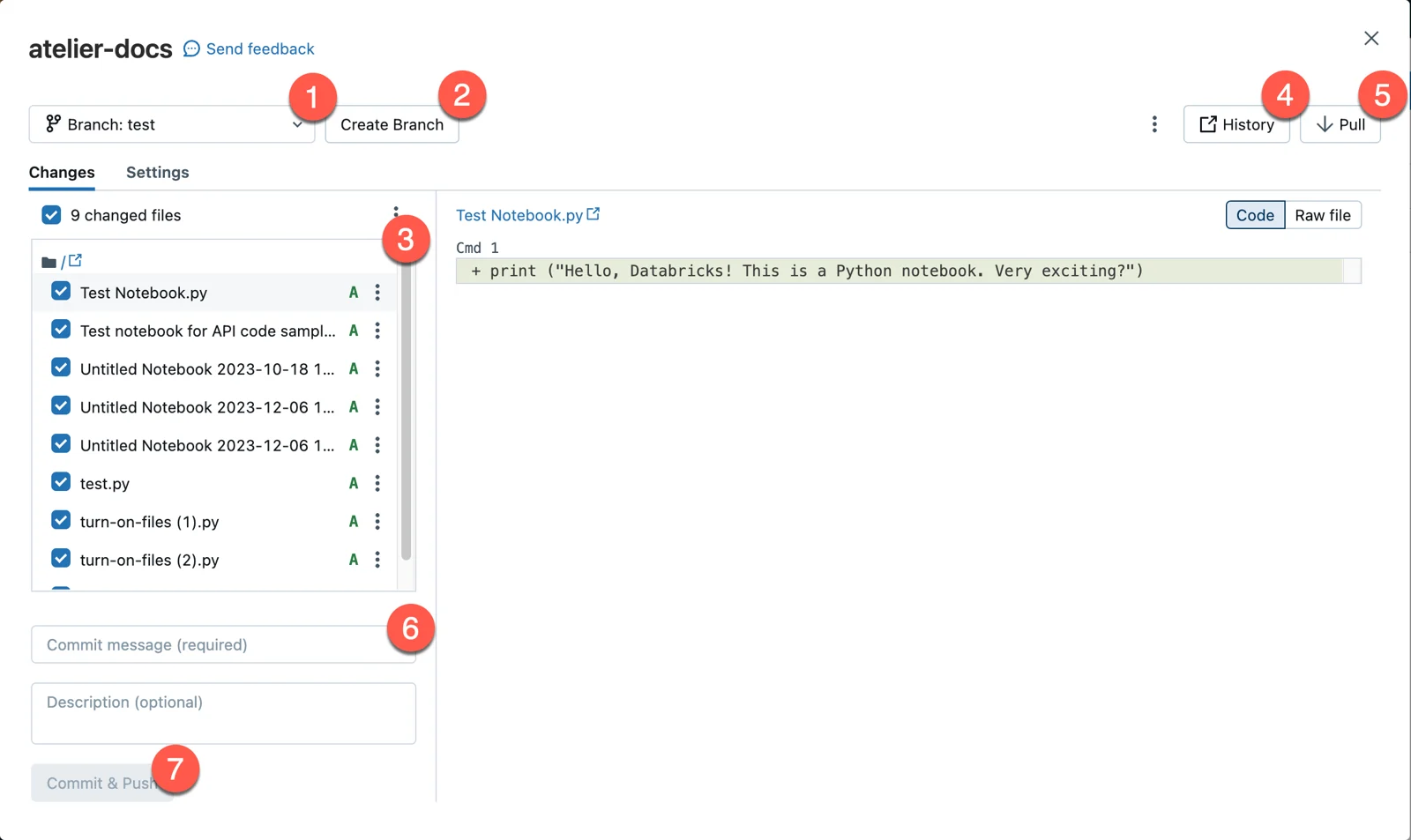
The Git folder is the product surface where engineers inspect changes, switch branches, pull, and commit. The diagrams below focus on practices that keep that workflow safe and reviewable.
Isolate each developer's work
- 1Personal Git folderSeparate workspace state
- 2Feature branchIsolate the change
- 3Focused commitRecord one logical update
- 4Pull requestReview and run checks
- 5Stable branchMerge approved code
One Git folder has one checked-out working state. Give active developers separate folders and branches so branch switches do not interfere with each other.
Keep commits reviewable
Focused commit
- Scope
- One logical change
- Review
- Easy
- Revert
- Safe
Mixed commit
- Scope
- Several unrelated changes
- Review
- Hard
- Revert
- Risky
Small, meaningful commits are easier to review, understand, and roll back.
Treat Git as the promotion path
Production code should come from a reviewed stable branch through repeatable deployment, not from untracked workspace edits.
Key points
- Git folder: Workspace clone of a remote repository
- Branch: Isolates development from stable code
- Commit: Records a focused logical change
- CI: Validates changes before they reach production
Exam trap
Do not let several developers share one Git folder and switch its branch under each other.
Sources · 2 Microsoft Learn pages Show ▾
Checked on October 4, 2026. Report a problem
Go deeper on Microsoft Learn
Checked against Microsoft Learn on October 4, 2026. Report a problem with this card