DP-750 · 4.4.7 · Deploy and maintain data pipelines and workloads
Azure Monitor alerts
Configure alerts by using Azure Monitor
Create Azure Monitor alert rules with the correct resource scope, signal condition, evaluation behavior, and action group.
See the alert condition in Azure Monitor
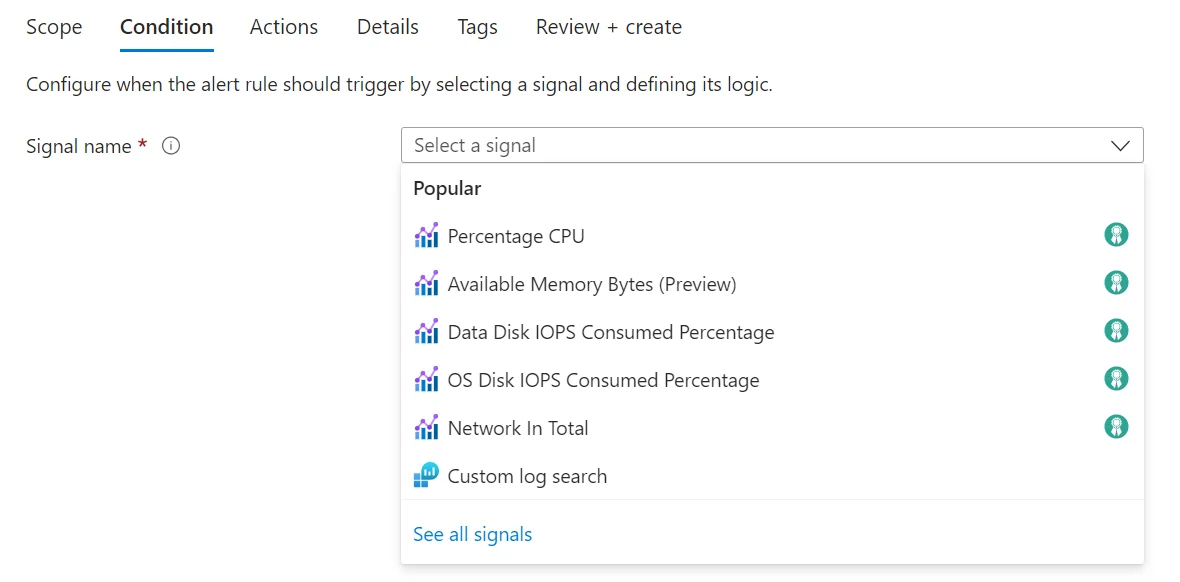
An alert rule starts with a signal and a trigger condition. The product screen shows that decision point directly; the diagrams below explain thresholds, actions, and noise control.
Build the alert from four parts
- 1ScopeChoose monitored resource
- 2SignalMetric, log, activity, or health
- 3ConditionDefine threshold or query logic
- 4Action groupNotify or automate response
An alert rule is useful only when the monitored signal, condition, and response match the operational problem.
Match rule type to signal
Metric alert
- Input
- Numeric time series
- Condition
- Threshold and dimensions
- Best fit
- CPU or capacity
Log alert
- Input
- Query results or events
- Condition
- KQL-based logic
- Best fit
- Complex event pattern
Metric alerts are ideal for direct numeric thresholds. Log alerts are better when the condition requires querying event data.
Make it actionable
- Person must investigateEmail, SMS, or messaging action
- Automated remediation is safeAutomation action
- No clear response existsRefine the alert before enabling it
Action groups connect a fired alert to the people or automation that can respond.
Key points
- Scope: Defines the monitored Azure resource
- Condition: Specifies the metric, log, health, or activity signal
- Threshold: Defines when the condition becomes true
- Action group: Routes notifications or automated actions
Exam trap
An alert without an actionable destination can detect a problem without getting it to anyone who can respond.
Sources · 1 Microsoft Learn page Show ▾
Checked on October 4, 2026. Report a problem
Go deeper on Microsoft Learn
Checked against Microsoft Learn on October 4, 2026. Report a problem with this card