DP-750 · 1.1.4 · Set up and configure an Azure Databricks environment
Install compute libraries
Install libraries for a compute resource
Install dependencies at the scope that matches who needs them and how the compute is managed.
Pick the narrowest useful scope
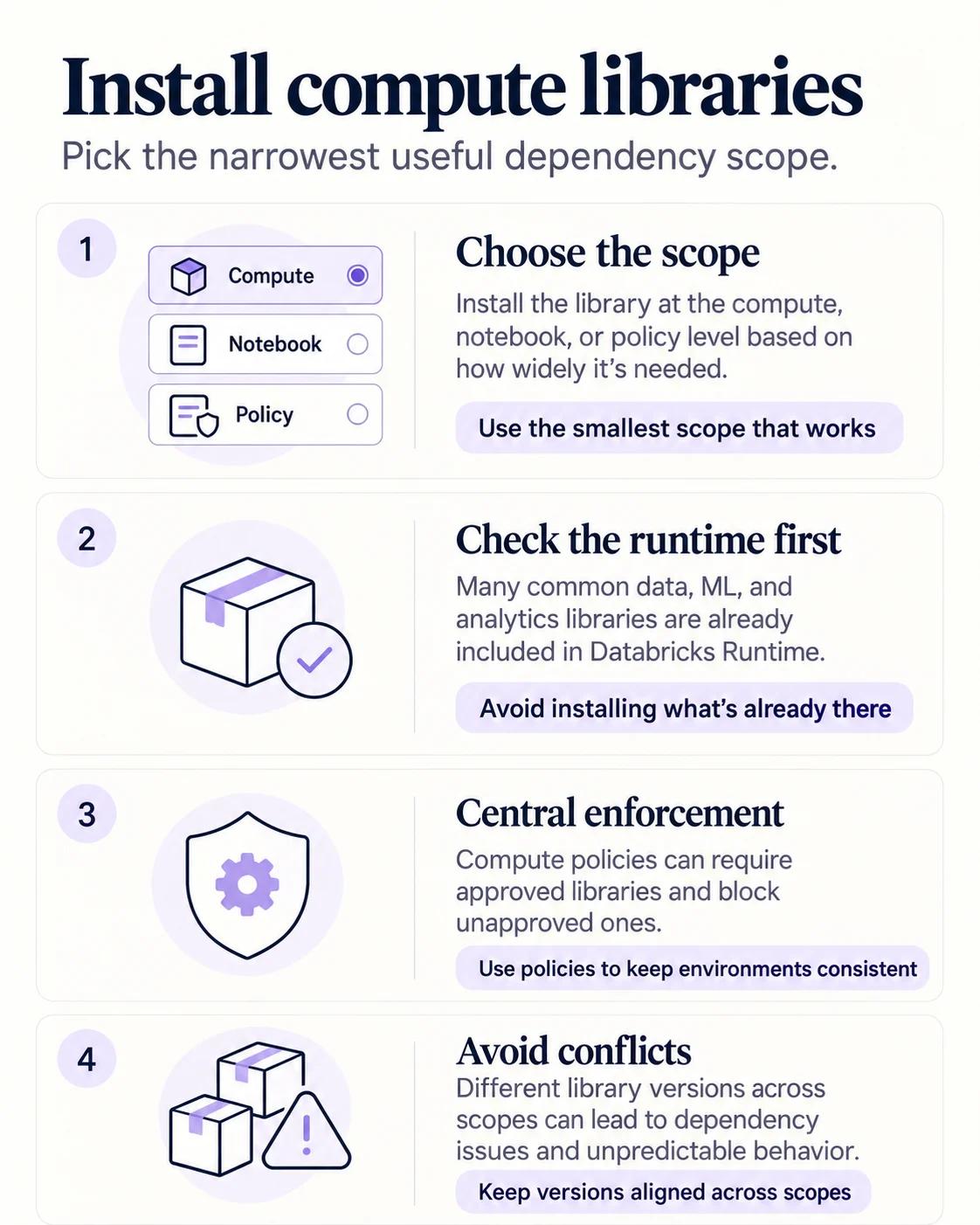
Use compute-scoped libraries when every workload on that compute needs the package. Use notebook-scoped installation for notebook-specific Python dependencies. Use policy-managed libraries when administrators must enforce the dependency.
Check what is already bundled
- 1Check runtimeIs the package already included?
- 2Pick scopeNotebook, compute, or policy
- 3Pin deliberatelyKeep versions compatible
- 4Restart session if neededMake the new library visible
Databricks Runtime already includes many common packages. Installing another version unnecessarily can create precedence and compatibility problems.
Avoid scope conflicts
Different versions of one dependency across notebook, compute and runtime scope can resolve unexpectedly. Keep shared dependencies consistent and use notebook scope only when the package is truly notebook-specific.
Key points
- Compute-scoped: Available to workloads using that compute
- Notebook-scoped: Useful for notebook-specific Python dependencies
- Policy-managed: Admins can enforce required libraries centrally
- Runtime first: Check whether the package is already included
Exam trap
Installing the same dependency at multiple scopes can create precedence and version conflicts.
Sources · 1 Microsoft Learn page Show ▾
Checked on October 4, 2026. Report a problem
Go deeper on Microsoft Learn
Checked against Microsoft Learn on October 4, 2026. Report a problem with this card