DP-750 · 3.3.5 · Prepare and process data
Joins and set operations
Transform data by using join, union, intersect, and except operators
Use joins to combine columns by keys and set operations to combine or compare compatible row sets.
See joins in a real SQL workflow
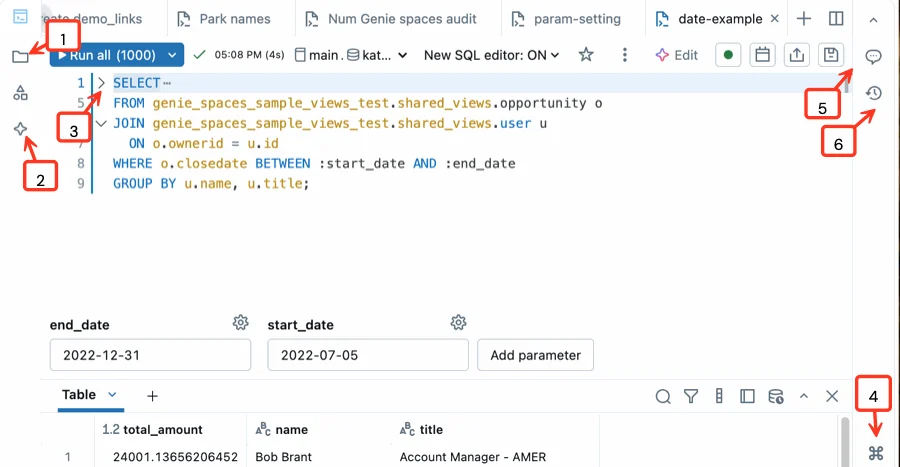
The official editor view shows a JOIN next to its result set, which is exactly the feedback loop you need when checking keys and row counts. The diagrams below separate join semantics from set operations.
Join or combine row sets
Join
- Combines
- Related rows by key
- Usually changes
- Columns
- Example
- Orders plus customers
Union
- Combines
- Compatible row sets
- Usually changes
- Row count
- Example
- Monthly extracts
A join matches related records. A union appends compatible rows and does not match business keys.
Know the set operations
- Keep rows from both inputsUNION
- Keep rows present in bothINTERSECT
- Keep left rows absent from rightEXCEPT
Align compatible columns and data types before set operations.
Validate join cardinality
A one-to-many or many-to-many join can multiply rows. Understand key uniqueness before joining so the output grain stays intentional.
Key points
- Join: Combines related rows using a condition or key
- Union: Appends compatible row sets
- Intersect: Keeps rows present in both inputs
- Except: Keeps rows from the left input absent from the right
Exam trap
A union combines rows; it does not match related records by key.
Sources · 1 Microsoft Learn page Show ▾
Checked on October 4, 2026. Report a problem
Go deeper on Microsoft Learn
Checked against Microsoft Learn on October 4, 2026. Report a problem with this card