DP-750 · 2.2.5 · Secure and govern Unity Catalog objects
Catalog lineage
Set up and manage data lineage tracking by using Catalog Explorer, including owner, history, dependencies, and lineage
Use Catalog Explorer lineage and history to understand ownership, dependencies, and how data moves between assets.
Read the lineage graph
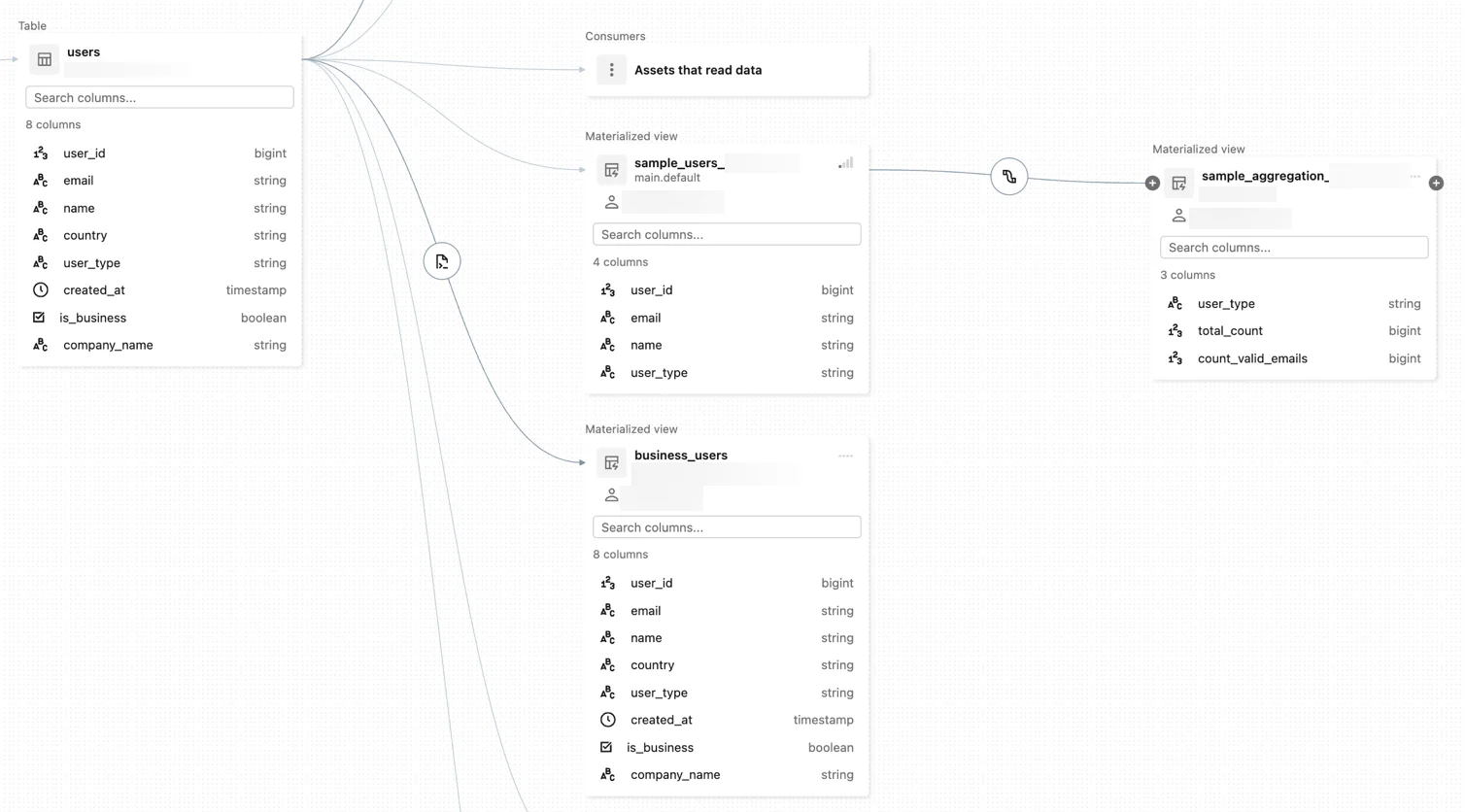
Catalog Explorer shows where data came from and what depends on it. The graph can include tables, views, materialized views, jobs, notebooks, dashboards, queries, files, and other governed assets.
Trace in both directions
Upstream
- Question
- What feeds this?
- Use
- Root-cause analysis
Downstream
- Question
- What depends on this?
- Use
- Change impact
Upstream lineage helps investigate bad results. Downstream lineage helps identify what may break before a schema or table changes.
Add ownership context
Lineage explains dependency paths. Object owner and history explain responsibility and recent changes. Use them together when troubleshooting or coordinating change.
Key points
- Lineage: Captures relationships between data assets
- Catalog Explorer: Visualizes upstream and downstream dependencies
- History: Helps inspect table changes over time
- Owner: Identifies the principal responsible for the object
Exam trap
Lineage shows dependency paths; it is not a substitute for business descriptions or access control.
Sources · 1 Microsoft Learn page Show ▾
Checked on October 4, 2026. Report a problem
Go deeper on Microsoft Learn
Checked against Microsoft Learn on October 4, 2026. Report a problem with this card