DP-750 · 4.2.4 · Deploy and maintain data pipelines and workloads
Configure job alerts
Configure alerts for a job
Send operational notifications for meaningful job events so failures and unhealthy durations reach the right responders.
Alert only when someone can act
- Production run failsFailure notification
- Run is abnormally slowDuration or health warning
- Run succeeds normallyUsually no action alert
A useful alert helps the recipient decide what to do next.
Put alerts around the job graph
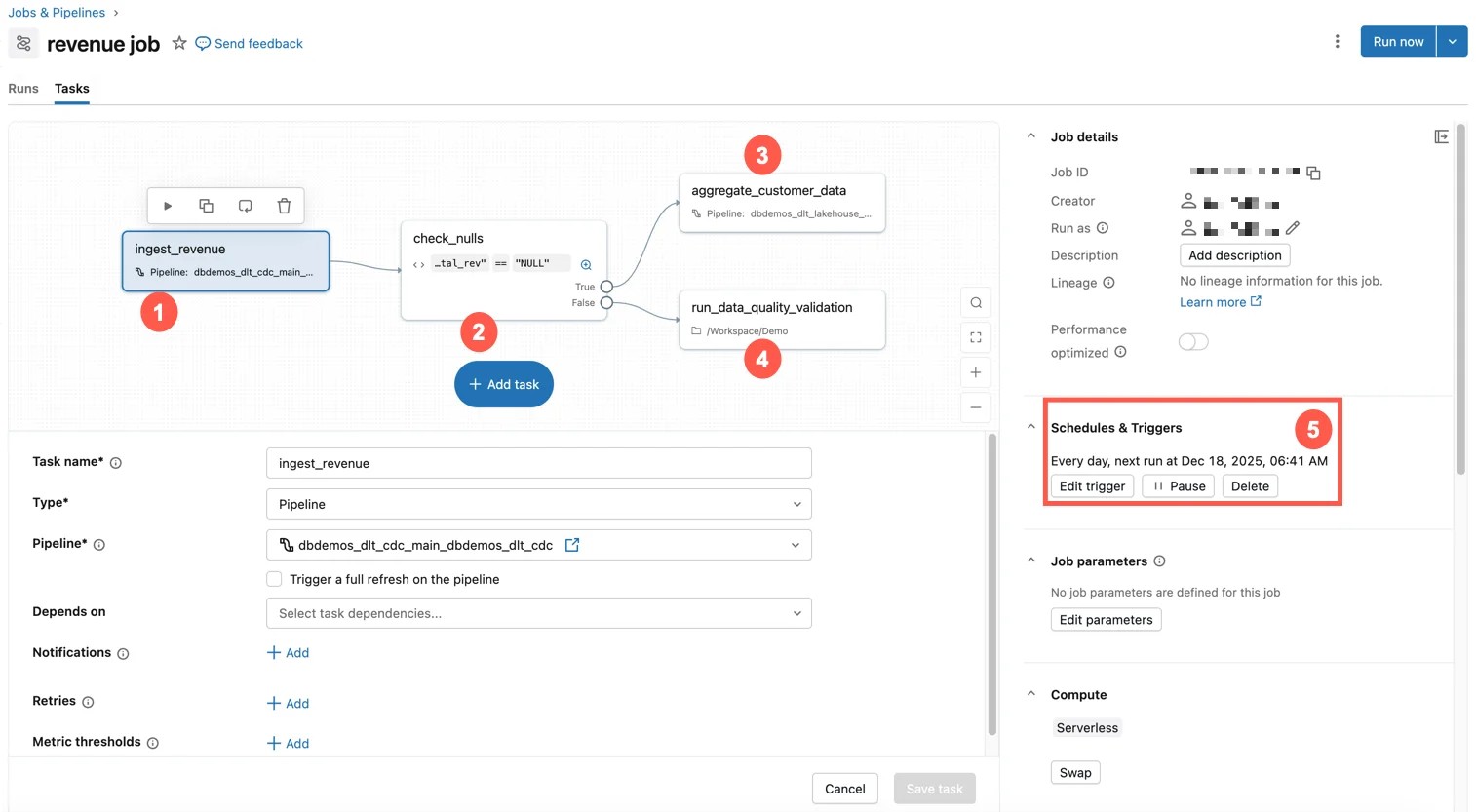
Lakeflow Jobs can notify on job events while task-level status still shows exactly which part of the graph failed.
Detect degradation before failure
Failure
- Signal
- Run or task failed
- Use
- Immediate remediation
Duration warning
- Signal
- Run exceeds threshold
- Use
- Performance degradation
Avoid alert fatigue by sending low-value success events only when there is a real operational need.
Key points
- Notifications: Route job events to configured destinations
- Failure alert: Prioritize actionable production failures
- Duration warning: Detect unexpectedly slow runs
- Noise control: Avoid alerting on every harmless event
Exam trap
Alert fatigue makes real failures easier to miss, so notify on conditions that require action.
Sources · 1 Microsoft Learn page Show ▾
Checked on October 4, 2026. Report a problem
Go deeper on Microsoft Learn
Checked against Microsoft Learn on October 4, 2026. Report a problem with this card