DP-750 · 1.2.2 · Set up and configure an Azure Databricks environment
Create a catalog
Create a catalog based on requirements
Create the catalog type that matches standard storage, federation, or received shared data requirements.
Pick the catalog type
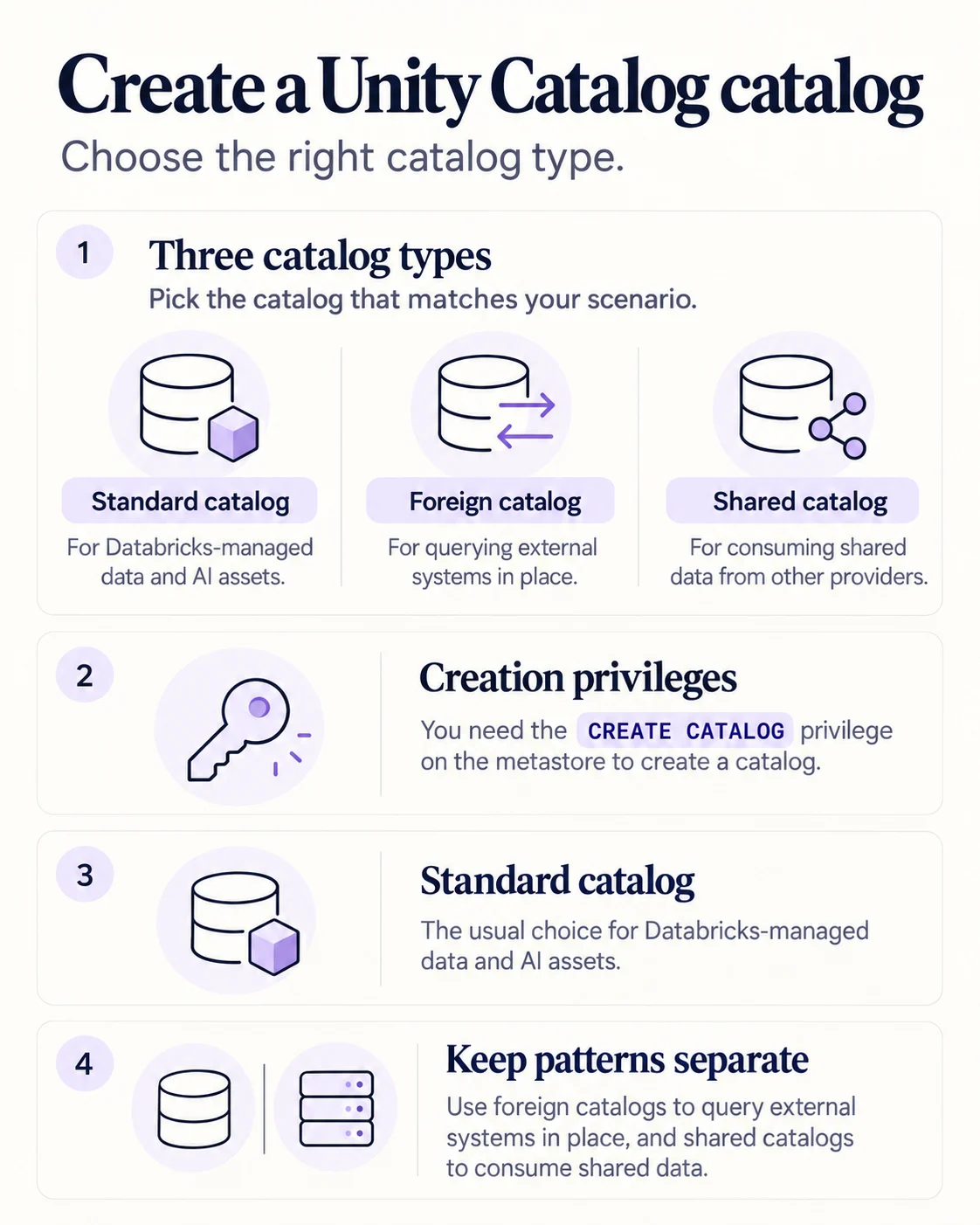
Use a standard catalog for normal Unity Catalog-managed data and AI assets. Use a foreign catalog to query an external system in place. Use a shared catalog to consume data shared by another provider.
Place it in the object model
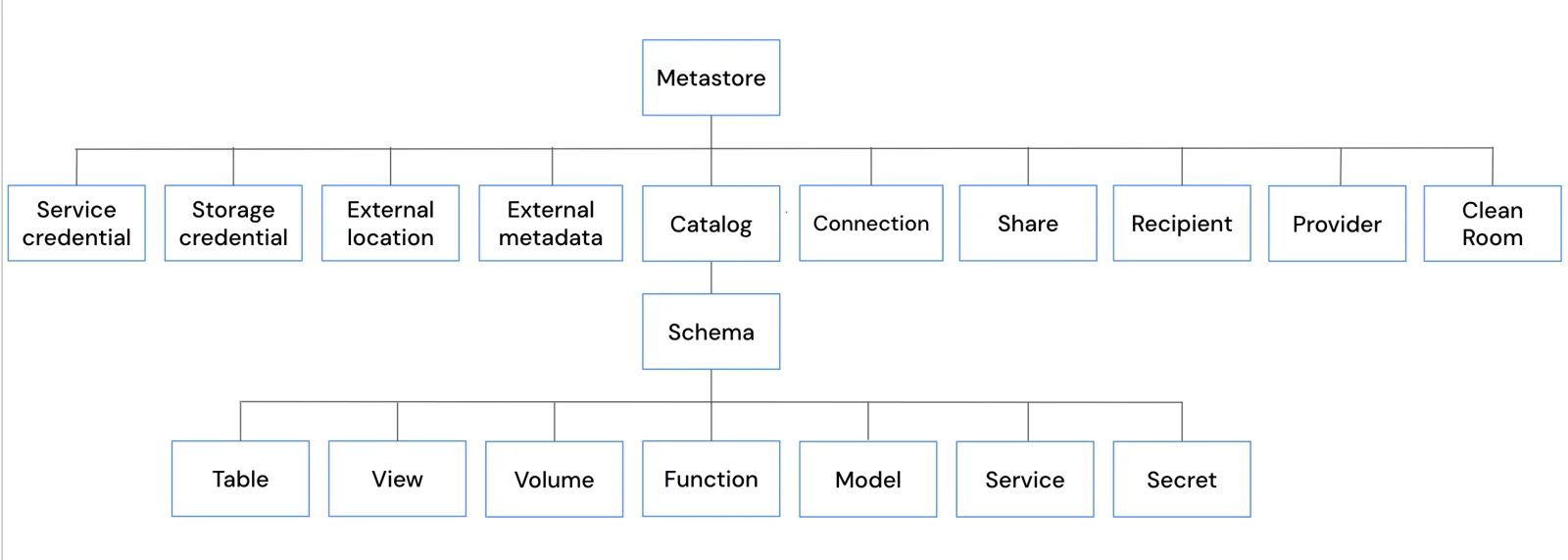
A catalog is the first level of the three-level namespace beneath the metastore. Schemas live inside it, then tables, views, volumes, functions, models and services.
Creation requirement
- 1Metastore privilegeCREATE CATALOG
- 2Choose typeStandard, foreign, or shared
- 3Configure storage or connectionDepends on type
- 4Configure accessWorkspaces and privileges
Do not confuse a foreign catalog with copying data into Databricks: it mirrors an external system through federation.
Key points
- Standard: Organizes Unity Catalog-managed assets
- Foreign: Mirrors an external system through federation
- Shared: Exposes assets received through sharing
- Privileges: CREATE CATALOG is required on the metastore
Exam trap
A foreign catalog is for federated access, not for copying the source database into Delta tables.
Sources · 1 Microsoft Learn page Show ▾
Checked on October 4, 2026. Report a problem
Go deeper on Microsoft Learn
Checked against Microsoft Learn on October 4, 2026. Report a problem with this card