DP-750 · 3.1.10 · Prepare and process data
Managed or external
Choose between managed and unmanaged tables
Choose managed tables for the default governed lifecycle; use external tables when files must remain independently managed.
Start with storage ownership
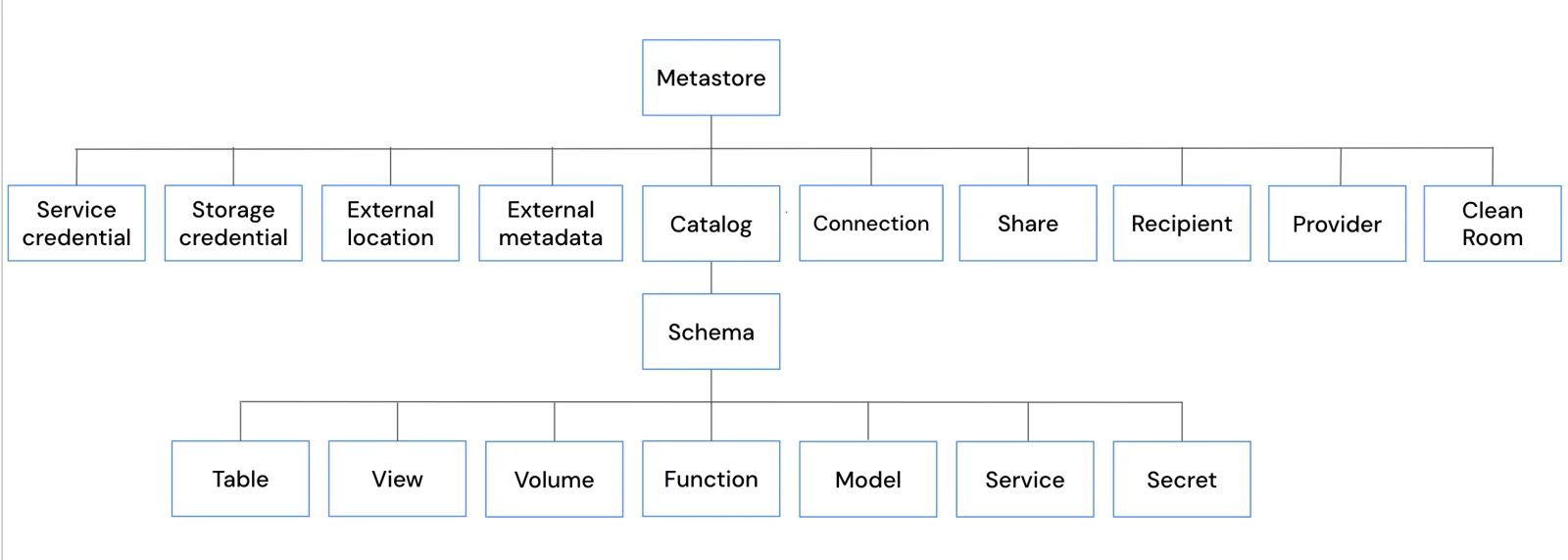
Managed and external tables occupy the same governed namespace. The difference is who controls the underlying file lifecycle.
Compare the ownership model
Managed
- Governed by Unity Catalog
- Yes
- Storage lifecycle
- Databricks
- DROP table
- Managed data removed
- Default for new data
- Yes
External
- Governed by Unity Catalog
- Yes
- Storage lifecycle
- External system
- DROP table
- Source files remain
- Default for new data
- Only when needed
Managed tables are the normal default for new production data because Databricks can manage storage, optimization, and lifecycle together.
External does not mean ungoverned
Use external tables when another system must continue to own the files. Unity Catalog still controls access to the registered table.
Key points
- Managed: Unity Catalog controls metadata and data lifecycle
- External: Unity Catalog governs access to externally managed files
- DROP managed: Managed data follows table lifecycle
- DROP external: Underlying external files remain
Exam trap
External does not mean ungoverned; Unity Catalog still controls access to the registered table.
Sources · 1 Microsoft Learn page Show ▾
Checked on October 4, 2026. Report a problem
Go deeper on Microsoft Learn
Checked against Microsoft Learn on October 4, 2026. Report a problem with this card