DP-750 · 3.2.2 · Prepare and process data
Notebook ingestion
Ingest data by using notebooks, including batch and streaming
Use notebooks when ingestion needs custom code, APIs, parsing, or control beyond managed connectors.
See the notebook result surface
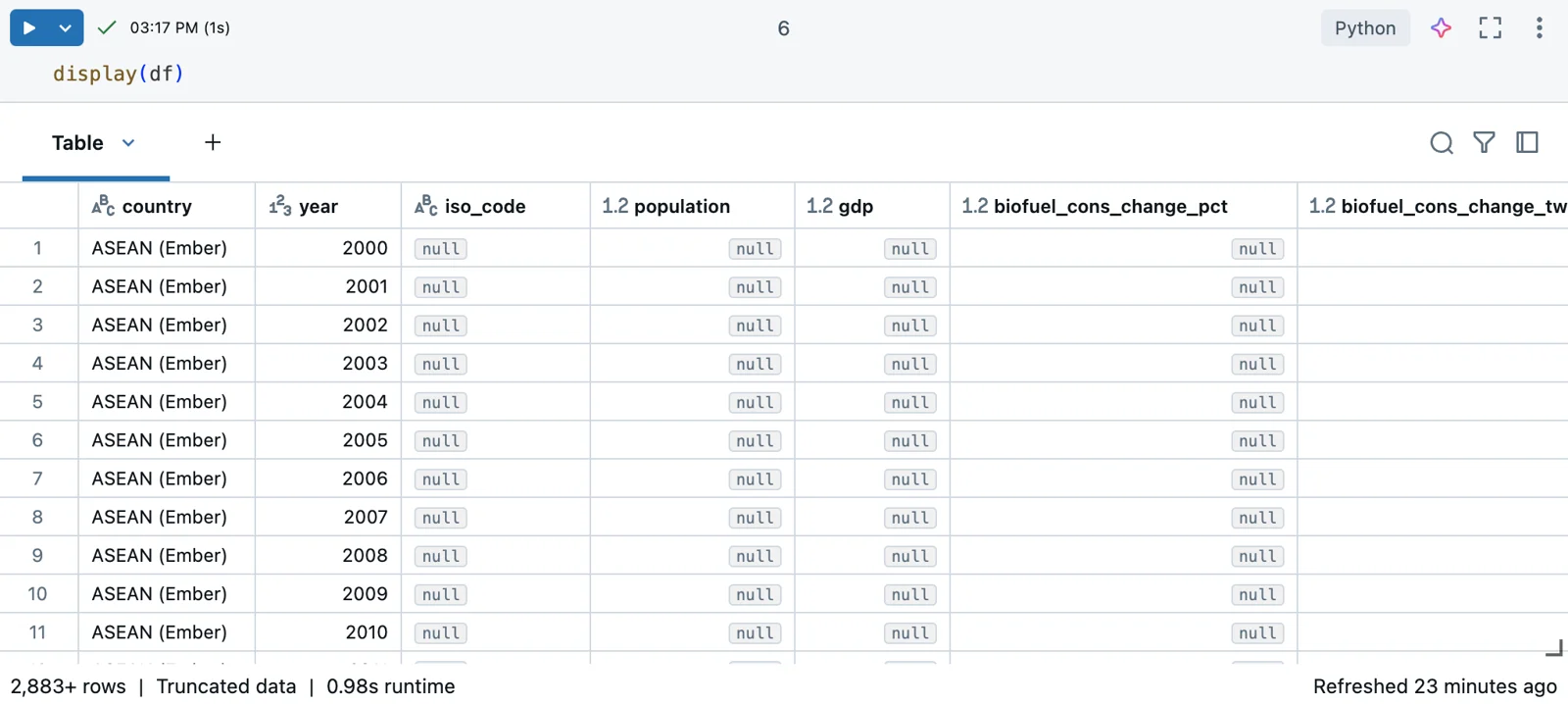
Notebook ingestion is interactive: load data, inspect the resulting DataFrame, and iterate. The output table makes schema and missing values visible immediately; the diagrams below explain when this flexibility is appropriate.
Match notebook mode to the source
- Complete bounded input arrivesBatch DataFrame read
- New records arrive continuouslyStructured Streaming
- Authentication or parsing is unusualCustom notebook code
Notebooks give maximum control for APIs, custom protocols, pagination, parsing, and source-specific transformations.
Batch and streaming differ
Batch
- Read
- spark.read
- Input
- Bounded
- Recovery state
- Usually unnecessary
Streaming
- Read
- spark.readStream
- Input
- Unbounded
- Recovery state
- Checkpoint required
A production stream needs a durable checkpoint so progress can recover consistently.
Prefer less custom code when possible
If a managed connector already meets the source and operational requirements, it usually reduces maintenance.
Key points
- Batch read: Use Spark reads for bounded datasets
- Streaming read: Use readStream for incremental sources
- Custom logic: Handle APIs, unusual authentication, or parsing
- Write target: Persist results to governed Unity Catalog tables
Exam trap
Custom notebooks give flexibility but also make you responsible for retries, state, and operational behavior.
Sources · 1 Microsoft Learn page Show ▾
Checked on October 4, 2026. Report a problem
Go deeper on Microsoft Learn
Checked against Microsoft Learn on October 4, 2026. Report a problem with this card