DP-750 · 3.3.3 · Prepare and process data
Clean duplicates and nulls
Identify and resolve duplicate, missing, and null values
Resolve duplicates and missing values using business keys and column meaning instead of one blanket cleansing rule.
Make nulls visible before fixing them
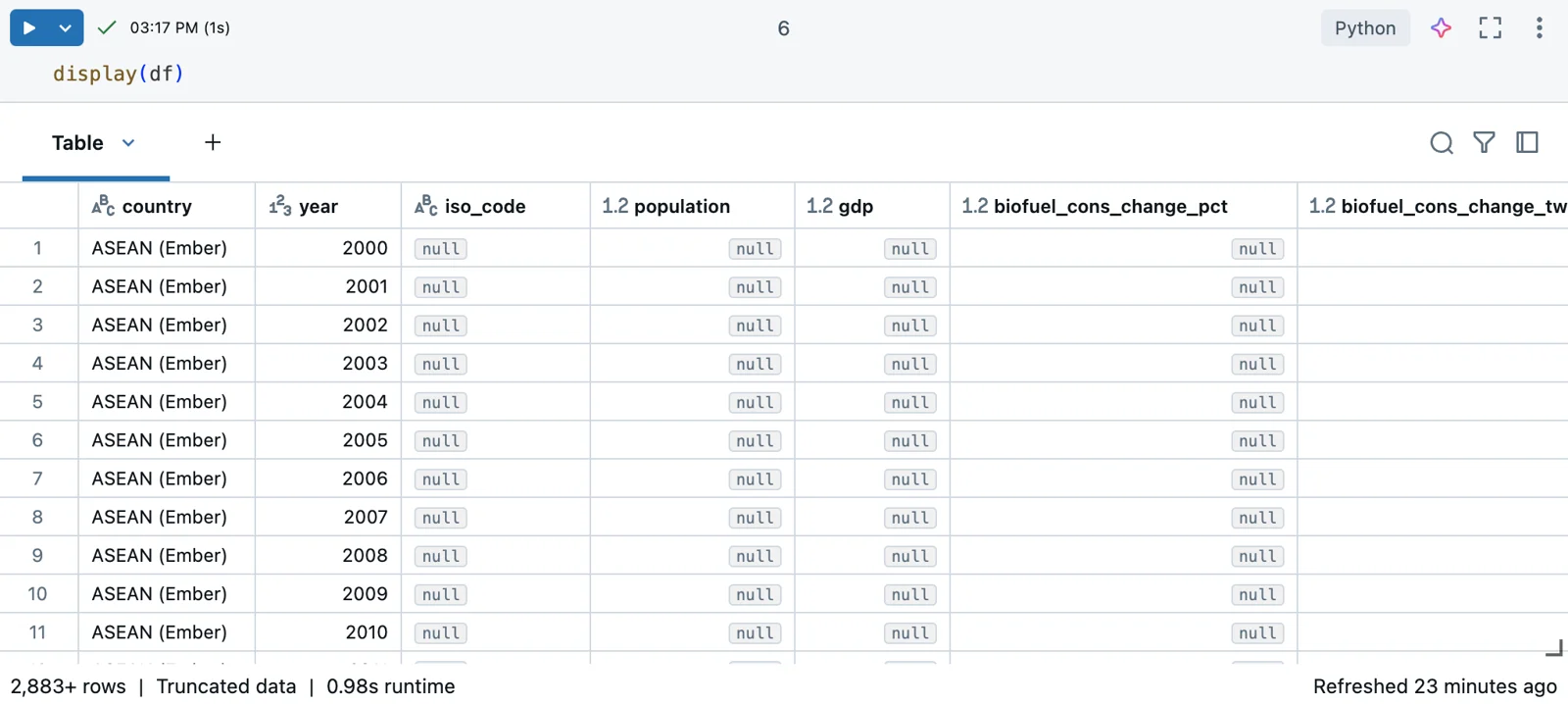
Nulls and duplicate patterns should be inspected before they are repaired. The real notebook output shows missing values in context; the diagrams below compare resolution strategies and their trade-offs.
Define cleansing from business meaning
- 1Identity ruleDefine what makes a record unique
- 2Duplicate handlingExact row or business-key duplicate
- 3Null meaningUnknown, missing, or not applicable
- 4RemediationDrop, fill, preserve, or quarantine
Cleansing should preserve meaning. The right duplicate key and null treatment depend on the business process.
Exact versus key-based duplicates
distinct
- Compares
- All columns
- Use
- Exact duplicate rows
dropDuplicates
- Compares
- Selected columns
- Use
- Business-key duplicates
Choose the key deliberately before removing rows.
Treat null as information
- A valid default existsfillna
- The row is unusable without the valuedrop or quarantine
- Missing is meaningfulPreserve the null
Never replace every missing numeric value with zero by default.
Key points
- distinct: Removes rows that are identical across all columns
- dropDuplicates: Deduplicates by selected business-key columns
- dropna: Removes rows based on null rules
- fillna: Replaces nulls when a valid default exists
Exam trap
Filling every null with zero can silently change business meaning.
Sources · 2 Microsoft Learn pages Show ▾
Checked on October 4, 2026. Report a problem
Go deeper on Microsoft Learn
Checked against Microsoft Learn on October 4, 2026. Report a problem with this card