DP-750 · 4.4.3 · Deploy and maintain data pipelines and workloads
Troubleshoot Spark workloads
Troubleshoot and repair issues in Apache Spark jobs and notebooks, including performance tuning, resolving resource bottlenecks, and cluster restart
Use task errors, driver and executor logs, Spark UI, and compute metrics to separate code failures from resource bottlenecks.
Open the Spark UI
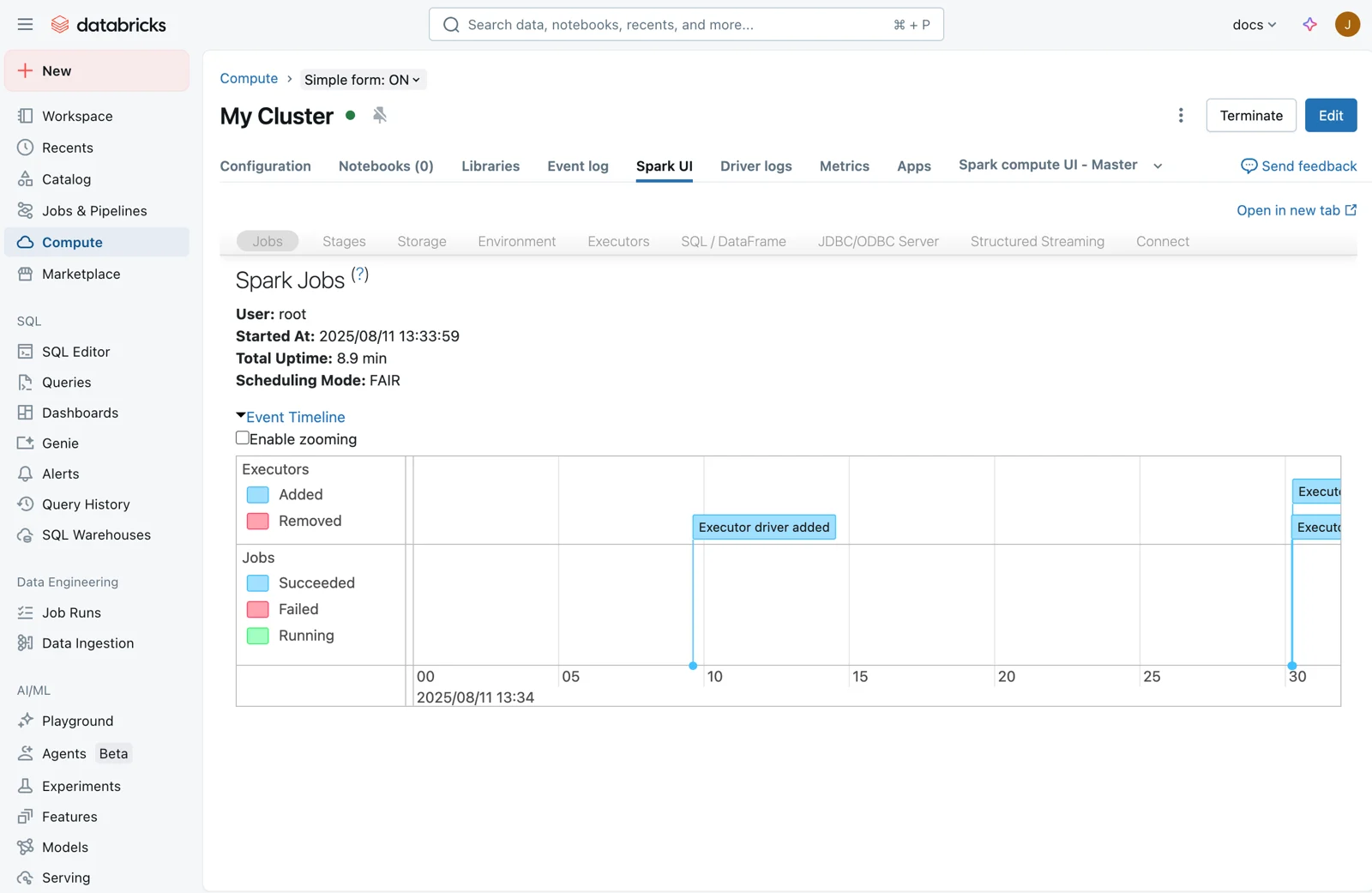
Spark UI shows jobs, stages, tasks, executors, SQL/DataFrame execution, and Structured Streaming details. Use it before guessing that the cluster is too small.
Triangulate the failure
- 1Error contextIdentify failing stage or task
- 2Spark UIInspect execution pattern
- 3Driver or executor logsRead the exception
- 4Compute metricsCheck CPU and memory pressure
Driver logs explain driver-side failures; executor logs expose worker-side task exceptions.
Code or resource problem?
Deterministic failure
- Pattern
- Same input, same error
- Response
- Fix code or data
Resource pressure
- Pattern
- Slow, OOM, spill, skew
- Response
- Tune workload or compute
Restarting a cluster can clear transient state but cannot repair a reproducible code or data defect.
Key points
- Driver logs: Inspect orchestration errors and driver exceptions
- Executor logs: Inspect worker-side task failures
- Spark UI: Analyze jobs, stages, tasks, and streaming behavior
- Restart: Use after transient cluster state issues, not as a substitute for diagnosis
Exam trap
A cluster restart can clear transient state but will not fix deterministic code or data errors.
Sources · 2 Microsoft Learn pages Show ▾
Checked on October 4, 2026. Report a problem
Go deeper on Microsoft Learn
Checked against Microsoft Learn on October 4, 2026. Report a problem with this card