DP-750 · 3.3.2 · Prepare and process data
Choose column types
Choose appropriate column data types
Use the narrowest type that preserves required values, semantics, precision, and downstream operations.
Inspect types in the notebook output
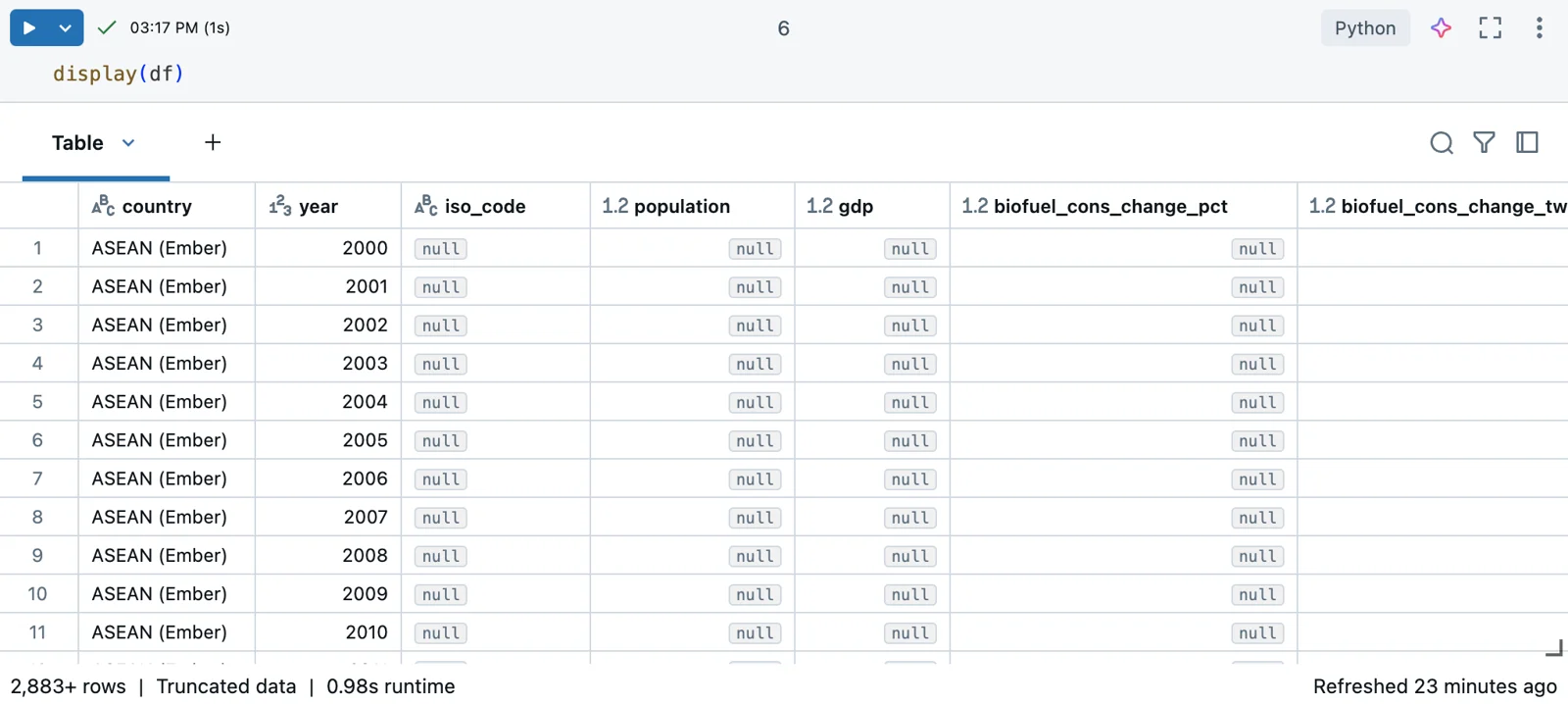
Databricks surfaces each column's type directly beside the data. That makes incorrect typing easy to spot before it propagates; the diagrams below focus on choosing the most appropriate type.
Let meaning choose the type
- Exact value with fixed precisionDECIMAL
- Identifier whose characters matterSTRING
- Business date or event timeDATE or TIMESTAMP
- Whole-number measureInteger type with sufficient range
A type should express what the value means, not only how it arrived from the source.
Preserve semantics
Better choice
- Currency
- DECIMAL
- Postal code
- STRING
- Timestamp
- TIMESTAMP
Risky choice
- Currency
- Floating point
- Postal code
- Integer
- Timestamp
- Raw STRING
Exact financial values need fixed precision. Identifiers should stay strings when arithmetic has no business meaning.
Avoid string-everything models
Typed columns make invalid values easier to detect and downstream calculations easier to reason about.
Key points
- Numeric: Match range and precision requirements
- DECIMAL: Prefer fixed precision for exact financial values
- Date and timestamp: Preserve temporal semantics
- String: Use for identifiers when arithmetic is not meaningful
Exam trap
Do not store every field as STRING just because raw ingestion arrives as text.
Sources · 3 Microsoft Learn pages Show ▾
Checked on October 4, 2026. Report a problem
Go deeper on Microsoft Learn
Checked against Microsoft Learn on October 4, 2026. Report a problem with this card