DP-750 · 1.1.5 · Set up and configure an Azure Databricks environment
Configure compute permissions
Configure access permissions to a compute resource
Grant the lowest compute permission that lets a principal perform the required operation.
See the permission ladder
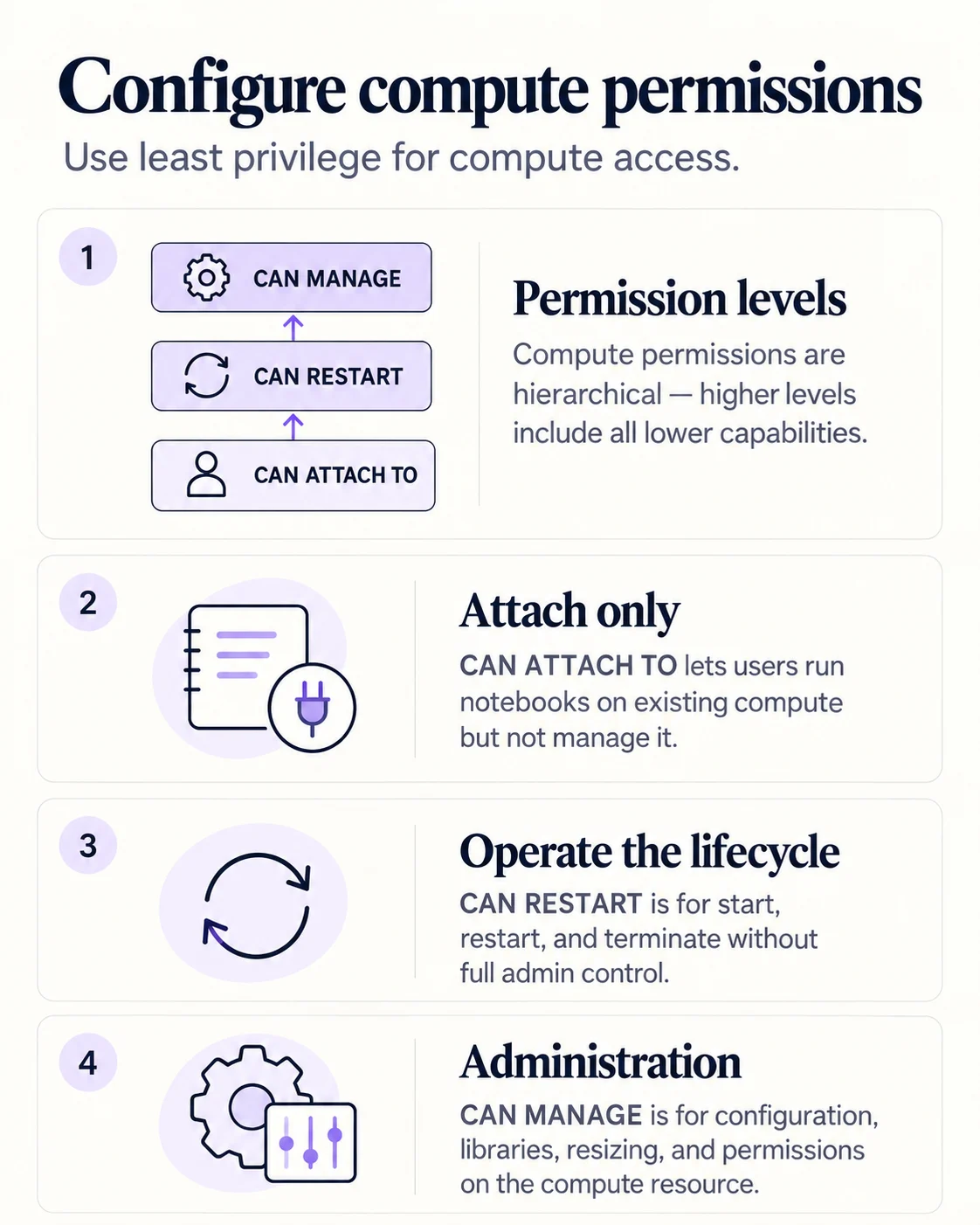
Compute permissions are cumulative. Grant the lowest level that enables the required action.
Attach, operate, administer
CAN ATTACH TO
- Run notebook
- Yes
- Start or stop
- No
- Edit compute
- No
- Change permissions
- No
CAN RESTART
- Run notebook
- Yes
- Start or stop
- Yes
- Edit compute
- No
- Change permissions
- No
CAN MANAGE
- Run notebook
- Yes
- Start or stop
- Yes
- Edit compute
- Yes
- Change permissions
- Yes
CAN ATTACH TO is enough to use existing compute. CAN RESTART adds lifecycle control. CAN MANAGE is for configuration, resizing, libraries and ACL administration.
Apply least privilege
Do not grant CAN MANAGE merely because somebody needs to run a notebook. The exam often tests the smallest permission that satisfies the scenario.
Key points
- CAN ATTACH TO: Use compute from notebooks and view metrics
- CAN RESTART: Start, restart, and terminate compute
- CAN MANAGE: Edit, resize, and change permissions
- Least privilege: Avoid CAN MANAGE when attach is enough
Exam trap
CAN RESTART includes attach capabilities, and CAN MANAGE includes both lower levels.
Sources · 1 Microsoft Learn page Show ▾
Checked on October 4, 2026. Report a problem
Go deeper on Microsoft Learn
Checked against Microsoft Learn on October 4, 2026. Report a problem with this card