PL-300 · 4.2.1 · Manage and secure Power BI
Assign workspace roles
Assign workspace roles
control permissions across every item: Admin, Member, Contributor, and Viewer.
Give the minimum workspace role needed
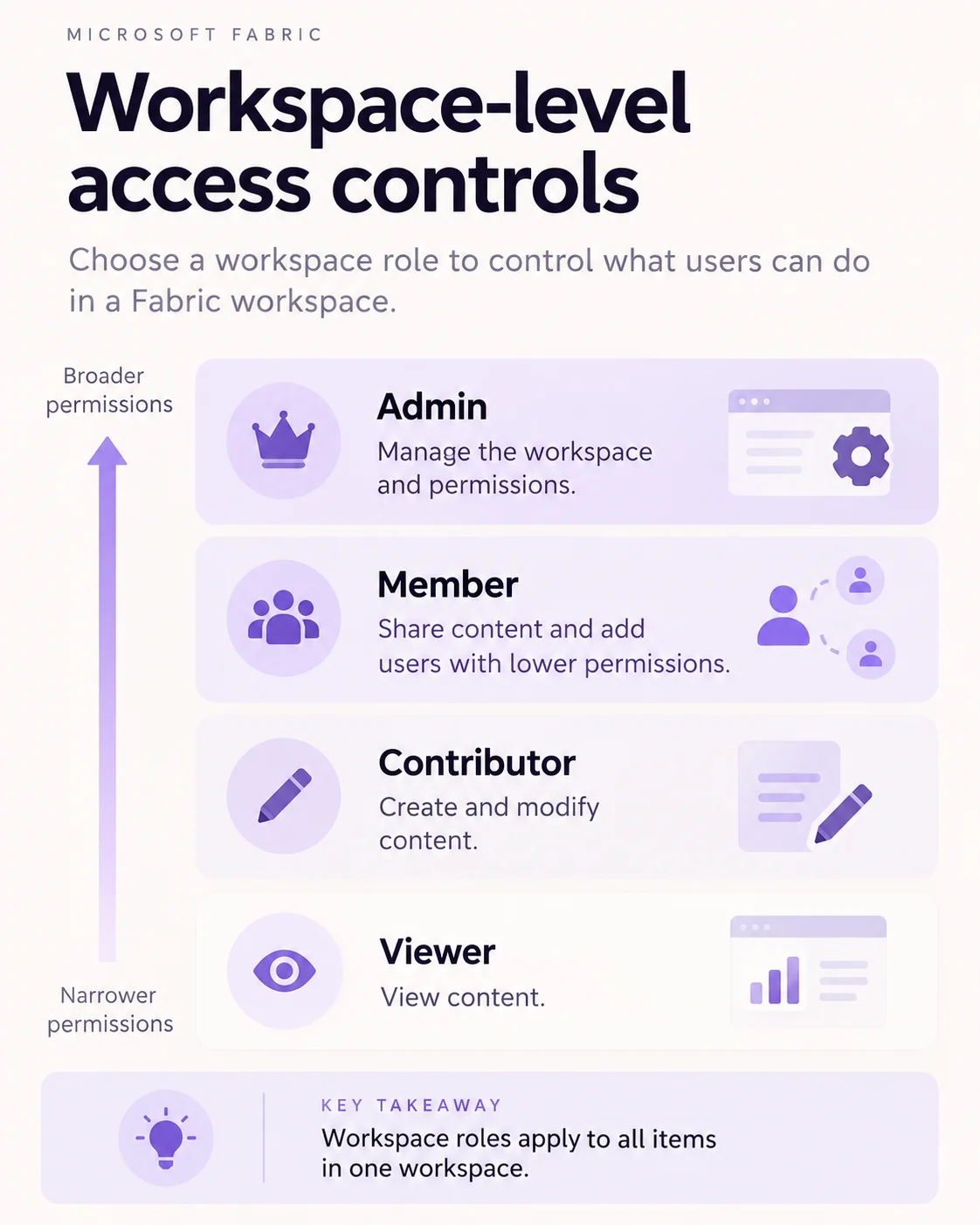
A grants permissions across the whole , so it is broader than sharing one report. Use item-level sharing when a person should consume only specific content.
If multiple group memberships grant roles, the effective permissions can become broader.
Match the role to the job
| Role | Typical need |
|---|---|
| Admin | Manage settings, access, and all content |
| Member | Manage content and participate in app publishing |
| Contributor | Create and edit workspace content |
| Viewer | Consume workspace content without authoring |
A workspace role applies broadly across the workspace. If someone needs only one report, prefer instead.
Exam clue: coauthoring requires a workspace role; access to one report usually does not.
Key points
- Admin: manages , content, and access
- Member: manages content and can publish apps
- Contributor: creates and edits content
- Viewer: read-only and subject to
Click an underlined term for a one-line explanation, or see them all in the glossary .
Exam trap
Use item sharing instead of a when someone should access only one report.
Sources · 2 Microsoft Learn pages Show ▾
Checked on October 4, 2026. Report a problem
Go deeper on Microsoft Learn
Checked against Microsoft Learn on October 4, 2026. Report a problem with this card