PL-300 · 1.1.1 · Prepare the data
Connect to data sources
Identify and connect to data sources or a shared semantic model
Connect through settings, authentication, preview, and destination. Shared instead create a .
From source to Power Query
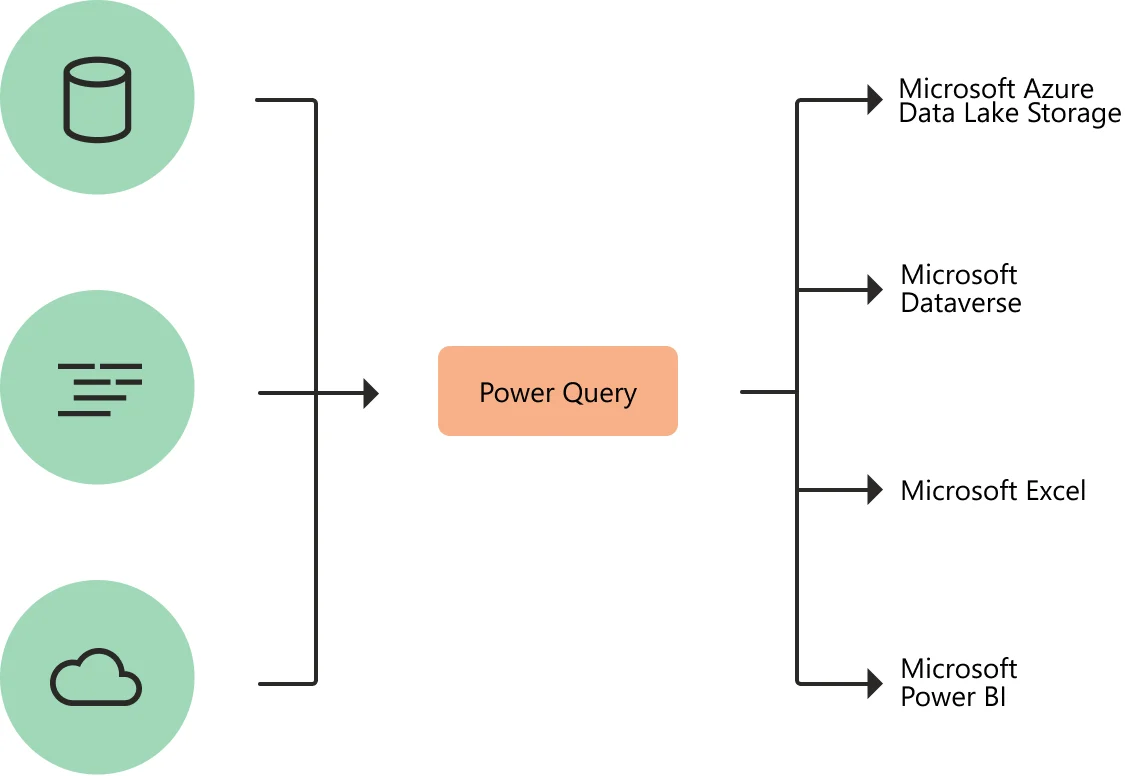
is the preparation layer between many source types and the model or destination. A connection therefore starts with the source and credentials, then exposes objects you can preview and choose.
What happens when you connect
A shared Power BI is different: Desktop creates a to the existing model instead of importing source tables locally.
Choose the connection path
| Need | Path |
|---|---|
| Prepare source tables | Connect to the source, select objects in , then transform or load |
| Reuse an existing model | Connect to the shared and use its published fields and |
The important distinction is whether you are preparing source data or consuming a model that someone else already prepared.
Exam clue: means selecting source objects. A shared semantic model points to a live connection and requires .
Key points
- : connection settings, authentication, preview, destination
- : select source objects before loading or transforming
- Shared model: requires
- : model editing is limited
Click an underlined term for a one-line explanation, or see them all in the glossary .
Exam trap
A blocks editing source tables, but you can still add local calculations.
Sources · 2 Microsoft Learn pages Show ▾
Checked on October 4, 2026. Report a problem
Go deeper on Microsoft Learn
Checked against Microsoft Learn on October 4, 2026. Report a problem with this card