PL-300 · 4.1.2 · Manage and secure Power BI
Configure and update an app
Configure and update an app
package selected content for and publish controlled updates from the .
The workspace is the staging area
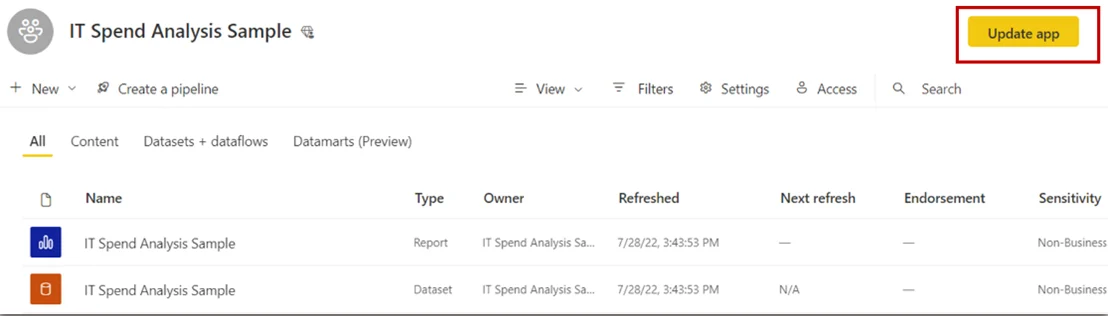
A packages selected content for consumers. Authors keep working in the workspace; app users see only the published app experience.
Use audiences for tailored distribution
One app can contain multiple . Each audience can see a different subset of the app's content, so finance and sales users can receive different navigation without maintaining separate workspaces.
Update is a publish step
Changes in the workspace do not automatically appear in the app. Review new or changed content, verify its audience visibility, then choose Update app to publish those changes.
Unpublishing removes the app for everyone. Hiding an item from app navigation is not the same as revoking direct access to that item.
Exam clue: workspace changed but app did not = update the app; different consumer groups = audiences.
Key points
- Setup and Content: define the app experience
- : control who sees which items
- Update app: pushes changes to users
- Unpublish: removes the app for everyone
Click an underlined term for a one-line explanation, or see them all in the glossary .
Exam trap
Hiding app navigation does not secure hidden content when direct access is still allowed.
Sources · 2 Microsoft Learn pages Show ▾
Checked on October 4, 2026. Report a problem
Go deeper on Microsoft Learn
Checked against Microsoft Learn on October 4, 2026. Report a problem with this card