PL-300 · 4.1.3 · Manage and secure Power BI
Publish, import or update items
Publish, import, or update items in a workspace
Publish or import items carefully because republishing can replace an existing .
Publish from Desktop to a workspace
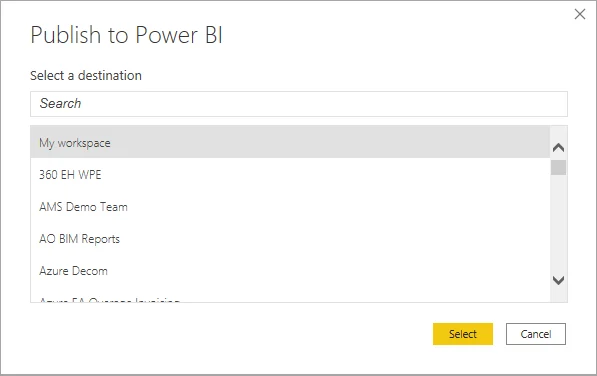
Publishing a PBIX sends report content and its to the selected .
Republishing can replace shared dependencies
Republishing the same semantic model is not simply creating another copy. It can replace the existing model that other reports depend on. Renaming or removing columns and can therefore break downstream content.
Use before major model changes when shared content depends on the model.
File sync is a different process
Files stored in OneDrive or SharePoint can synchronize file changes into Power BI. That file synchronization is different from refreshing the semantic model's underlying data sources.
Service edits also do not automatically flow backward into the original PBIX file.
Exam clue: republish can replace a model; OneDrive synchronization is not the same as source-data refresh.
Key points
- Desktop Publish: sends reports and
- Republish: replaces the existing semantic model
- Service edits: do not flow back to PBIX
- OneDrive: can keep connected files synchronized
Click an underlined term for a one-line explanation, or see them all in the glossary .
Exam trap
Republishing can break dependent visuals when columns or are renamed or removed.
Sources · 3 Microsoft Learn pages Show ▾
Checked on October 4, 2026. Report a problem
Go deeper on Microsoft Learn
Checked against Microsoft Learn on October 4, 2026. Report a problem with this card