PL-300 · 4.1.9 · Manage and secure Power BI
Configure scheduled refresh
Configure a semantic model scheduled refresh
reloads Import and depends on valid credentials plus any required .
Configure refresh on the semantic model
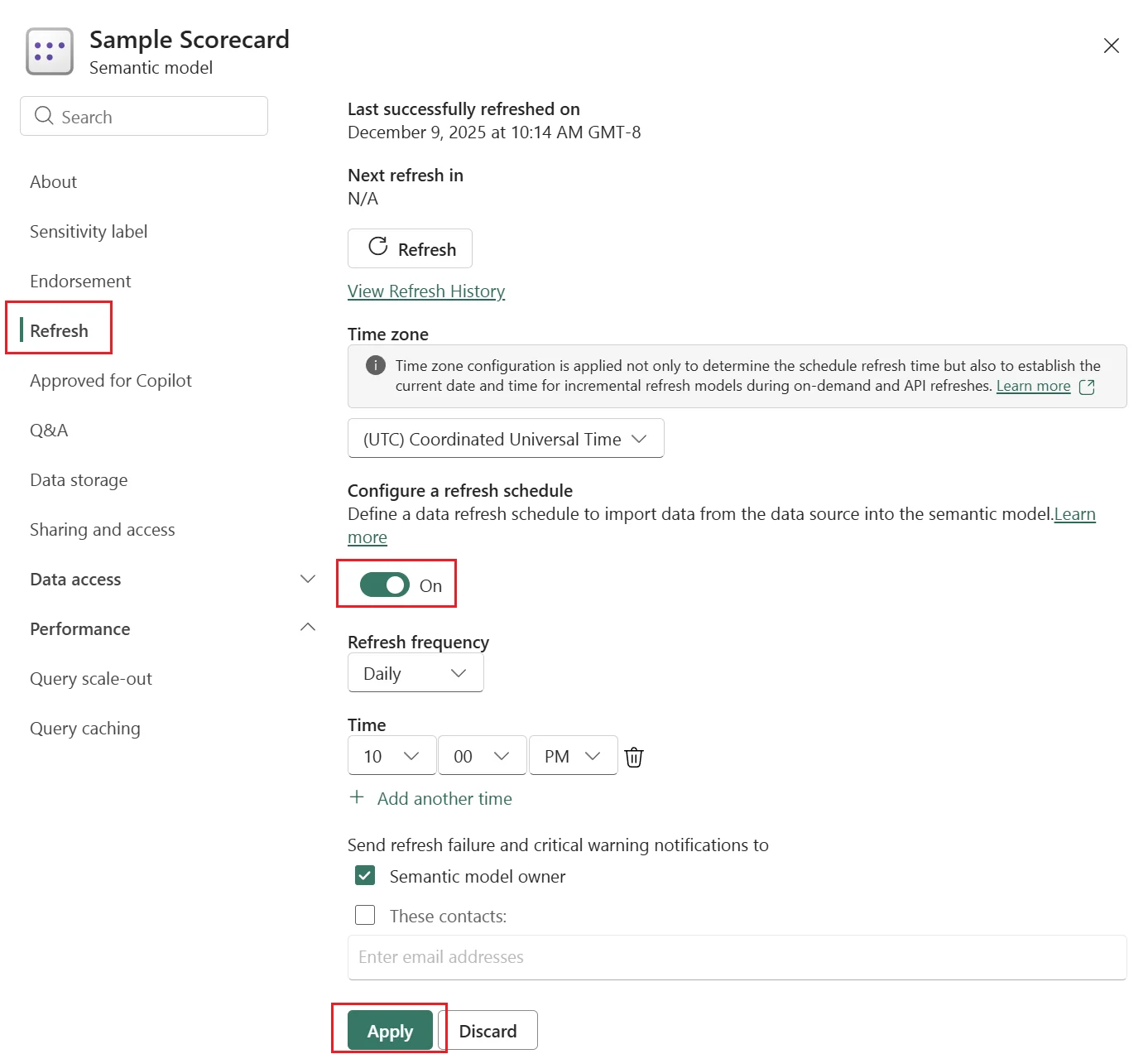
reloads source data into an Import at configured times. The schedule depends on valid source credentials and, when required, an available connection.
and usually query their sources instead of importing rows on a schedule.
Troubleshoot in dependency order
Scheduled refresh needs a reachable source, valid credentials, and a working gateway when the source requires one. then tells you which attempt failed and why.
This is mainly an Import-model concern. DirectQuery and live connections normally retrieve current source results when users query the report instead of loading rows on a refresh schedule.
Exam clue: failing refresh first points to credentials, gateway, source availability, and refresh history.
Key points
- Import model: reloads source data
- : required when the source needs one
- Credentials: must remain valid
- : shows status and failure details
Click an underlined term for a one-line explanation, or see them all in the glossary .
Exam trap
For refresh failures, check credentials, connectivity, source availability, and before blaming the model.
Sources · 2 Microsoft Learn pages Show ▾
Checked on October 4, 2026. Report a problem
Go deeper on Microsoft Learn
Checked against Microsoft Learn on October 4, 2026. Report a problem with this card