PL-300 · 3.2.4 · Visualize and analyze the data
Report navigation
Configure navigation for a report
Use navigators and button actions to move between pages, , targets, and external destinations.
Built-in navigators stay in sync
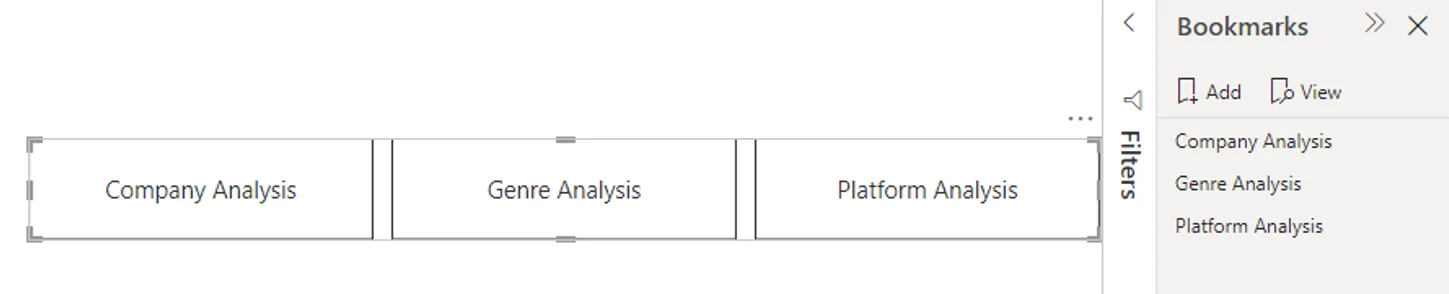
automatically follow report pages. follow and , so labels and order update with the underlying objects.
Buttons support different actions
A button can navigate to a page, apply a bookmark, trigger , go back, or open a web URL. Use a built-in when you want a maintained navigation menu; use individual buttons for specific actions.
Navigation versus drillthrough
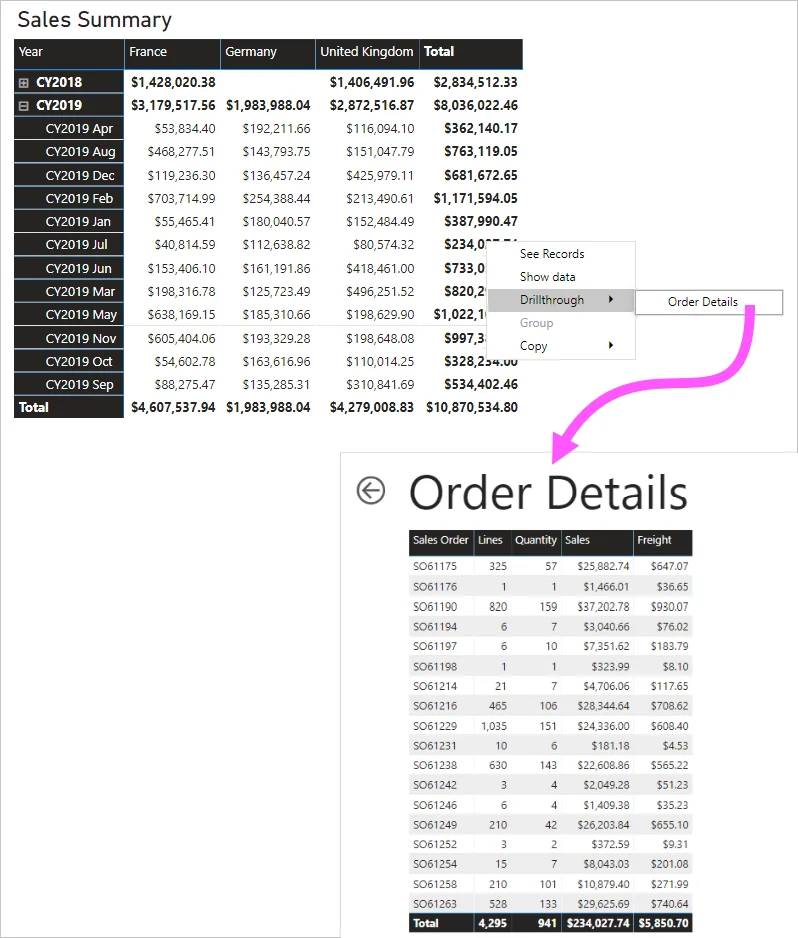
Page navigation changes location only. Drillthrough changes page and carries selected , such as the chosen customer or product. Back returns the reader to the previous location.
Exam clue: move only = page navigation; move with selected context = drillthrough.
Key points
- : follows report pages automatically
- : follows or groups
- Button actions: page, bookmark, , back, URL
- Drillthrough: carries selected
Click an underlined term for a one-line explanation, or see them all in the glossary .
Exam trap
Page navigation only changes pages; also transfers the selected .
Sources · 2 Microsoft Learn pages Show ▾
Checked on October 4, 2026. Report a problem
Go deeper on Microsoft Learn
Checked against Microsoft Learn on October 4, 2026. Report a problem with this card