PL-300 · 4.2.2 · Manage and secure Power BI
Configure item-level access
Configure item-level access
Item-level sharing grants access to one item without assigning a .
Share one item without opening the workspace
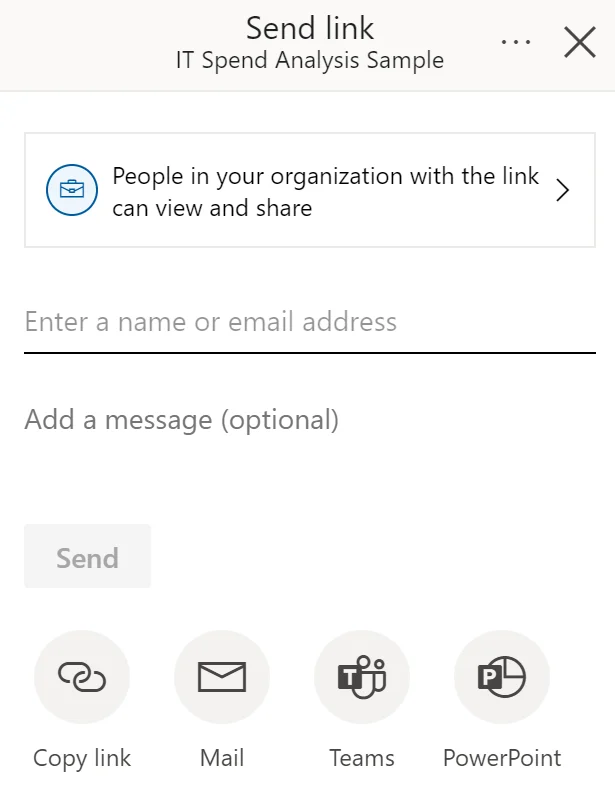
is the narrow choice when someone needs one report, , or other item but should not become a collaborator across the whole .
Links and permissions are not identical
A sharing action can grant item permissions such as Read or . An existing access link is different: it only gives a convenient URL to people who already have permission.
Access can arrive through several paths
and direct item permissions are independent. Removing a direct permission does not remove access that still comes through a workspace role or another valid path.
Use the least broad access mechanism that satisfies the requirement.
Exam clue: one item for selected consumers = item-level sharing; broad collaboration = workspace role.
Key points
- Share: grants at least Read permission
- Specific people: limits access to named recipients
- Existing access link: grants no new permission
- : remains separate from
Click an underlined term for a one-line explanation, or see them all in the glossary .
Exam trap
Removing does not remove access that still comes from a .
Sources · 2 Microsoft Learn pages Show ▾
Checked on October 4, 2026. Report a problem
Go deeper on Microsoft Learn
Checked against Microsoft Learn on October 4, 2026. Report a problem with this card